


Changing Disk Partitions
I downloaded Cute Partition Manager and was just about to delete the restore partition from the D drive of my old computer. I just want to make sure that doing so won't mess up the info on the C drive. Drive D is formatted FAT32 and drive C is NTFS. I really could use the extra space, but can't afford to lose the files on the C drive... |
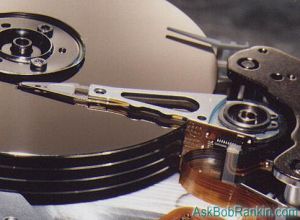
Can I Delete My Restore Partition and Make the C Drive Larger?
Assuming that Cute Partition Manager works properly, deleting the restore partition (your D drive) should not affect your C drive at all. By that I mean to say that no files on your C drive will be lost -- but perhaps more importantly, it will not affect the size or available space on the C drive either.
Unless you have two physical hard drives, your current D drive is just a chunk of space designated as a separate partition on the single hard drive you have. You can remove that partition, but unlike deleting a file on your hard drive, that will NOT automatically make the C: partition larger.
I looked at the Cute Partition Manager website and it's not clear to me if CPM can enlarge the size of an existing partition. (I'm not saying it can't, just that I couldn't tell from the info provided.) If it CAN enlarge the C: partition to encompass the entire drive, and NTFS format ONLY that previously unused space WITHOUT destroying the existing files on the C: drive, then you're golden. But I would get a definite answer on whether CPM can do that before going ahead.
Other Partition Management Tools
If it turns out CPM cannot do the job, Windows XP offers a command line utility called Diskpart that can extend an existing partition into unallocated space. Diskpart has some limitations and is recommended for use by expert users only. Other commercially available and user-friendly programs for managing partitions include Partition Magic and Acronis Partition Expert.
If you want the safest method of all, I recommend that you make a backup of your C: drive (or at least the important user files), use FDISK to remove ALL partitions, reformat the entire hard drive as one full partition, re-install Windows, then restore your programs and files from the backup. Time-consuming and tedious, but safe.
Here are some related articles for further reading:
- Backing Up Your Files
- Using the Recovery Console
- Reformat Hard Drive Under XP?
- Copying Old Hard Drive to New PC
- Add a Second Hard Drive
Got questions or comments about disk partitioning? Post your thoughts below...
|
|
|


This article was posted by Bob Rankin on 31 Dec 2006
| For Fun: Buy Bob a Snickers. |
 |
Prev Article: Registry Problem |

The Top Twenty |
Next Article: Free Calls With Skype |
 |
Post your Comments, Questions or Suggestions
|
Free Tech Support -- Ask Bob Rankin Subscribe to AskBobRankin Updates: Free Newsletter Copyright © 2005 - Bob Rankin - All Rights Reserved About Us Privacy Policy RSS/XML |
Article information: AskBobRankin -- Changing Disk Partitions (Posted: 31 Dec 2006)
Source: https://askbobrankin.com/changing_disk_partitions.html
Copyright © 2005 - Bob Rankin - All Rights Reserved

Most recent comments on "Changing Disk Partitions"
Posted by:

Yancey Mire
01 Jul 2007
I have not delved into the hardware side of things since the '386' days, so, here's my dilemma. I have a Dell 4600 whose motherboard fried. I was given an old NEC machine with a 466 processor in it and was wondering if the Dell hard drive could be installed in the NEC with the data incact. The Dell drive is a Maxtor IDE drive and I have been able to get the NEC CMOS setup to recognize it as a Primary Slave drive. I also ran fdisk in DOS and got Windows 98 to recognize the Dell drive as D: The problem now is that it wants me to format the Dell drive -- I want to be able to transfer select files from the Dell drive and, hopefully to be able to run Windows XP on the NEC machine. Is this an impossible combination? Please advise.
EDITOR'S NOTE: You won't be happy running XP on a 486. There should be no problem using the Dell drive in the NEC machine, but if you ran FDISK on the drive, there's a good chance you wiped out the partition -- and the data.
Posted by:

tobias
21 Oct 2008
your article on partitioning is great, but what about the actual act of partitioning: i mean, what are the commands to do this and could you please explain what happens when you execute those commands. thanks.
EDITOR'S NOTE: If you're not geeky, then I strongly recommend a graphical program such as Partition Magic or Acronis Partition Expert. When you partition a disk, you basically mark sections of the disk to be treated as logical (virtual) hard drives. It makes the single physical drive appear as multiple drives to the operating system.
Posted by:

olivia aka numbskull
24 Mar 2009
Can I just move items from the c: drive to the d: drive when the c: drive is full? ie: itunes, financials, photos, etc.? What actually happens if one attempts to do this? Can these items then be deleted from the c: drive once moved to the d: drive?
EDITOR'S NOTE: You can move DATA, but generally not PROGRAMS. That's because programs are tied to registry entries.
Posted by:

olivia
25 Mar 2009
OK...so I have moved Quicken, itunes and some data. Quicken is working fine, but you mean to say that it may not be able to function completely? How about itunes? Will a virus program cover both drives automatically? Thanks for the help...
Posted by:

toast
13 Jan 2010
I have an answer to copying from an intact hard drive: USB to IDE and SATA adapter.
I have used this to copy data from some of my old hard drives while running another computer and connecting the device. As a precaution, I plugged the power supply for the IDE/SATA device into a separate surge protector as it lacks and on/off switch. Then I connected the USB to the computer.
Then I switched the power on for the IDE device connected to the USB adapter(this gives the hard drive time to get started -- I'm not sure how necessary this is but I prefer to err on the safer side) and lastly the power for the computer. I booted and my OX(Win XP) recognized the device.
Now for my question: I wish to replace my current hard drive(160 GB SATA Hard )disk( drive with a 30 GB Solid State Hard Drive which claims "SATA I/II/3Gbps" compatibility.
I know its dimensions(hard to look for in searches) and interface are compatible.
My need is a reliable method of copying ONLY the OS on my current HDD to the SSD as I will be using that as its primary(and only) hard drive.
By the way, I have Acronis TrueImage(2010) but am not sure why it is not working. I restored the backup I made and I believe I included the correct partition of my HDD including the OS and also copied the MBR; yet, when I attempt to boot the computer with the SSD in place by itself [not connected to the external HDD I backed up to/restored from and not running Acronis via the Bootable CD(which I used to "restore" the image of the OS and MBR)] the XP loading screen never progresses to the log in screen. I have waited at least 5-10 minutes.
Posted by:

toast
13 Jan 2010
Using a USB to IDE/SATA adapter is another way to copy the contents of one hard drive onto your media of choice while running a computer and connecting it to this device.
With this method: I don't know if you could clone the contents onto another drive. I am not certain how to make a bootable/restorable image of its contents to be able to ~migrate that hard drive's system's contents onto another hard drive in the hopes of replacing/upgrading said hard drive in the system it was installed in.
Posted by:

alex
21 Aug 2011
How do I use an "unallocated space" partition in Windows XP?