


Can I Use Multiple Antivirus Programs?
A reader asks: 'I think I have security software on my PC, but I still got a nasty computer virus. Is it a good idea to run more than one anti-virus program, and how can I tell which one I have? Also, which anti-virus has the best protection against viruses, spyware, and other online threats?' Read on for my tips and recommendation... |
Is It Okay to Have Multiple Antivirus Programs?
Often when you buy a new computer, it comes with a trial version of Norton, McAfee or some other commercial antivirus software. When that free trial is about to expire, the program starts to nag you about upgrading to a paid version, which can be expensive. That's when some users start looking for an antivirus alternative. There are some excellent free and paid options, but a common mistake is to install a new one without removing the old one. Some users also think they'll be more secure if they install a second antivirus program.
In most cases, having more than one antivirus program running on your computer is bad news. Antivirus programs consume memory and processing power, as they scan the streams of data, emails, web pages and downloads that attempt to enter your computer. So it makes sense that having more than one antivirus scanner will slow down your computer.
But there's another potential problem... sometimes antivirus programs can fight with each other, since they both want to be the final arbiter of good and evil on your computer. One might even think the other *is* a virus, and attempt to quarantine it.
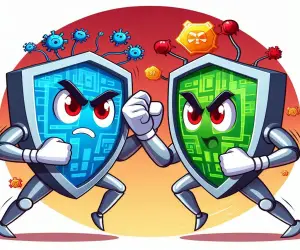
You may see slowdowns, lockups or experience random restarts. I actually tested this scenario, installing the free versions of Avast, Avira, and Bitdefender anti-virus on my computer all at once. The result was a computer that slowed to a crawl. You could watch paint dry between keystrokes, and the process of uninstalling them took hours. I refer to this as the "antivirus death spiral" wherein each contender is thinking that the other is trying to do something bad, and unsuccessfully try to prevent it.
My advice is to pick ONE antivirus tool and stick with it, at least until you decide to replace it with another. There are some good free options, as I mentioned above. But free software can come with strings and conditions. That can mean compromising your privacy, or dealing with endless nagging to upgrade to a paid subscription that includes all the features you need to be truly safe online.
Exceptions to the Rule
That said, let me introduce just a bit of tech talk, and explain the exceptions to my single anti-virus rule. There are three types of anti-virus protection: real-time, on-demand and offline. Here's a quick description of each:
The real-time variety we've been discussing so far protects against viruses and other threats as they arise. Your real-time anti-virus software is constantly scanning everything that enters your computer, as well as every program that runs. Examples are Norton, McAfee, Avast, BitDefender, Kaspersky and many others.
On-demand virus scanners are only active when you specifically launch them, to perform a one-time scan of your hard drive for malware. One of the most popular is MalwareBytes Free. On demand scanners are designed to co-exist with your real-time anti-virus software, and can sometimes catch things that have slipped through your first line of defense.
Offline anti-virus tools run from a bootable CD or flash drive, and will do a deep scan of your computer. While the offline scanner is running, both Windows and your primary anti-virus program are inactive. See Extra Security: Offline Malware Scanners for more info on offline security tools.
So to be clear, YES, I recommend just one REAL-TIME security tool. Supplementing that with an on-demand scanner is fine. And for those situations where you can't start up your computer due to a virus infection, an offline scanner is what you need.
Which Antivirus Programs Do I Have?
If you're not terribly tech savvy, you might not even know which antivirus program is installed on your computer, if you have more than one, or none at all. To find out if you have antivirus protection, click Start, type Windows Security, and press Enter. The name of your anti-virus product will be listed under the Virus and Threat Protection heading. If you see anything other than green checkmarks on the Windows Security screen, you need to install, activate, or update your anti-virus software.
Next, go to the Control Panel and click Programs and Features. Look for names such as AVG, Avira, Avast, BitDefender, Eset, F-Secure, G Data, Kaspersky, McAfee, Norton, Panda, or Trend Micro. If you find more than one, go to Control Panel, Add/Remove Programs, and uninstall the anti-virus program(s) you don't want to keep. (Bear in mind what I mentioned about real-time and on-demand scanners above.) You'll need to restart your computer to finish the removal process. When you're done, make sure your remaining antivirus protection is up to date and run a complete scan to check for nasties.
Do you have something to say about anti-virus protection? Post your comment or question below...
|
|
|


This article was posted by Bob Rankin on 2 Apr 2020
| For Fun: Buy Bob a Snickers. |
 |
Prev Article: Geekly Update - 01 April 2020 |

The Top Twenty |
Next Article: Are Identity Theft Protection Services Worth It? |
 |
There's more reader feedback... See all 21 comments for this article.
Post your Comments, Questions or Suggestions
|
Free Tech Support -- Ask Bob Rankin Subscribe to AskBobRankin Updates: Free Newsletter Copyright © 2005 - Bob Rankin - All Rights Reserved About Us Privacy Policy RSS/XML |
Article information: AskBobRankin -- Can I Use Multiple Antivirus Programs? (Posted: 2 Apr 2020)
Source: https://askbobrankin.com/can_i_use_multiple_antivirus_programs.html
Copyright © 2005 - Bob Rankin - All Rights Reserved

Most recent comments on "Can I Use Multiple Antivirus Programs?"
(See all 21 comments for this article.)Posted by:

Juris Klavins
02 Apr 2020
I use Malwarebytes Premium and Windows Defender in tandem - the MWB scans my PC daily and I run a manual scan with the Windows Defender once a month to maintain protection - they seem to work together seamlessly and my PC operates normally.
Posted by:

Joe
02 Apr 2020
You didn't mention PC Matic or Sophos
Posted by:

Joe B
02 Apr 2020
Malwarebytes (free or paid versions) don't conflict with Windows Defender, and doesn't slow down machines. I've used them both on several machines, and recommend them both to many others.
Posted by:

Lucy
02 Apr 2020
Bill C. It sounds like you clicked on the Free Download button at the top of their page and got the Free Trial of the paid version.
At the end of the free trial if they do not offer the free version go back to the page Bob links to in this article and click on the Pricing tab. Then choose the free version to download.
Posted by:

Michael Higgins
02 Apr 2020
I love Windows Defender. It never asks you to pay for anything...just does its job and occasionally a box pops up letting me know a scan finished and I'm okay. I also use Malwarebytes Free to scan when I think something might be wrong. Occasionally, it asks to update and without a choice gives me a couple of weeks of the paid one...and at the end of that period, asks if I want to keep it or revert back to the free one, I love free!
Posted by:

Lucy
02 Apr 2020
My Dad is having trouble with Yahoo Mail who are "forcing" him to pay for Mail Pro or take ads on the free version.
He finds the ads too distracting so he attempted to upgrade to Yahoo Pro.
AVG totally blocks the payment stating it is doing so because the site is "URL fisching"
Now he doesn't know what to do, and neither do I
Any thoughts Bob?
Posted by:

Liam
02 Apr 2020
I totally agree with the other comments about using Windows Defender and a paid version of Malwarebytes. I've never regretted the decision. Also, Bob's article about Privazer has me using that program as well. It's awesome!
Posted by:

Gene
02 Apr 2020
I was fortunate to get an offer to buy MalwareBytes Pro with an unlimited, lifetime license many years ago when they still offered that option. They support it every bit as well as they do their yearly subscribers (it's pricey now) but I've never had a virus or piece of malware make it to my machine - I did use the free version for a couple years prior to that offer - it was $25 for life. I have transferred it to at least three different computers as I replaced desktops over the years.
I do run Windows Defender at the same time - there's a hack to permanently disable Defender, but they don't conflict or slow my machine, so I let them both operate. So far, so good. I have in the past used various free programs Comodo, Avast, Norton - none were easy, all were horrible to get rid of. I'm happy with my setup and will likely keep it as is.
I also have Apple devices, iPad Pro, iPhone, and a MacBookPro laptop. I use the free version of Malwarebytes on the laptop, but have a paid subscription to Sophos Home which is also outstanding and run that on all my Apple devices. So far, so good.
Posted by:

Gene
02 Apr 2020
Lucy - I've had Yahoo Mail Pro for more than 20 years, they kept it at 19.95 until Verizon bought Yahoo. If you dig deep enough, you can find a phone number that will let you talk to a live person in the Yahoo Mail department. I've only had to do that once and years ago. I don't even remember what the problem was but they were able to fix it. No issues since even though Verizon doubled the cost. I have a Gmail backup, but I've used Yahoo Mail since 1995 or so and still like its interface best - though the original version was better than any of their improvements. Anyway, I suggest you dig into his settings, you'll be able to find a way to talk to them and they'll be able to fix it. They'll have a workaround for the payment issue. I have mine deducted automatically from my checking account - my protective services aren't involved at all.
Posted by:

Phil
02 Apr 2020
Lucy: I also have Yahoo Mail and hate ads. So, I use Firefox and have added Ad Blocker. Other browsers have some form of Ad Blocker, but I'm not familiar with them.
Many paid sites object to my Ad Blocker. So, I choose to 1) not use them, or 2) white list them and tolerate their ads or 3) subscribe to them.
Posted by:

rien snijder
02 Apr 2020
Perhaps you could use 2 real time scanners if the scopes are different. I remember (vaguely) the existence of virusscanners and adware (and the like) scanners without overlap. But that's long ago. So,assuming that's not the case anymore I agree with Bob. NEVER use more then 1 realtime scanner
Posted by:

Lucy
02 Apr 2020
Thank you to Gene and Phil
Gene ... I'll give that a try
Phil ... Yes, it is the Ad Blocker Yahoo Mail! object to. Dad would be "happy" to pay a subscription to avoid the ads that white listing brought forth.
Third option is to use Yahoo Basic Mail which removes most of the features. He may have to go that direction in the end though.
Posted by:

Eric
02 Apr 2020
One may have many "Anti" programs installed it just depends on which ones are active at any given time. My choice is MS Security Essentials (MSSE)and Malwarebytes (MBAM) on my Win 7 PC.
It is recommended to run scans with other "anti" programs since each has their own strengths and weaknesses. I have my unattended overnight batch scan with a different scan every night. If a program does not have a command line version I use PTFBpro (like AutoIt) to run the scan. The requirement to do this is first run an SC command to turn off MSSE and also in every scan program list all other program's quarantine folders in the skip settings. When completed turn off the scan program and turn MSSE back on.
Posted by:

John Owen
02 Apr 2020
Hi Bob. You said you installed three antivirus progs and it took several hours to uninstall them. That surprised me as I would have made a disk image before carrying out that type of experiment so that restoring my PC back to how it was would have only been a matter of minutes. Any comment on my method would be appreciated.
Posted by:

James Bryan
03 Apr 2020
I have used Webroot on two Windows computers since 2014. It scans quickly and on schedule It does now slow anything done. And I have never had an infected computer! Windows Defender scans periodically as well.
Posted by:

Soussi
03 Apr 2020
I have 2 (two) real-time and 1 on-demand AV Programs installed in the same time on my computer, and they all do very well, besides there´s not a grain of slowing down my computer. The 3 AV programs are: BitDefender, Kaspersky and Loaris Trojan Remover. They cohabit without disturbance.
Soussi
Posted by:

bb
03 Apr 2020
For that complain about advertising in web mail systems, regardless of the system, there is an alternative. It's called an email client, and there are lots of them, and most are free.
Mozilla Thunderbird is probably the top recommendation for free clients, Microsoft Outlook for the paid clients. I still recommend and occasionally use Windows Live Mail, even though it's hard to find now. Windows 10 "Mail" is another, although I find it so dumbed down it's frustrating to use.
All of them handle multiple email systems at the same time which perfect if you have more than on email address that you wish to keep separate. I use MS Outlook with 10+ accounts, and every one of them have the same interface. There is even a free copy of Outlook for Android.
Posted by:

Fred
04 Apr 2020
After reading this article I did some checking and found out that windows defender was off and I couldn't turn it on. After several hours of searching I found out it was missing an update. I also found out that Microsoft was the best route for solving the problem (who knew?)after trying several other websites for help.
Thanks to your article I would have never known it wasn't working. Keep up the good work Bob.
Posted by:

Robert
05 Apr 2020
I use threatfire as a second anti-virus it works well with any other anti-virus.
Posted by:

Mike Davies
16 Apr 2020
@Fred 04 Apr 2020. When you install your own antivirus e.g. Avast, AVG, etc, Windows Defender switches itself off by default.
This for the conflict reasons as explained by Bob in the article.
However, if you need to temporarily disable your own antivirus, Windows Defender also remains disabled unless you turn it on deliberately.
If you have temporarily disabled you own AV, don't forget to turn it back on again, or if you have used the "turn back on in 10 minutes" function, you should check that it has done so.