


Here’s How to Boost Your WiFi Signal
A frustrated AskBob reader says: 'How can I boost or extend the wifi signal in my home? I finally got high-speed internet with a wireless router, but the wifi signal is very weak in some rooms. What tweaks, tricks or gadgets do you recommend to boost wireless signal strength and distance?' I've got some, read on! |
How to Boost or Extend Your WiFi Signal
Wireless devices are everywhere now... from laptops to smartphones, tablets, portable speakers, and ebook readers. Printers, hard drives, even light blubs and refrigerators can be connected to a wifi network. So it's important to maximize the wifi signal where it's needed in your home.
That starts with getting the best possible output signal from your wireless router. WiFi is a type of radio signal, so it's largely a matter of eliminating interference and boosting that signal to extend as far as you need it to, and doing it in a way so you'll still get the same amount of power.
If the WiFi signal is weak in certain parts of your home (or out back in the hammock), there are some clever ways to boost or extend your WiFi signal, and most of them won't cost a penny. Here are my ten ways to boost your wifi signal:
- Position The Router - Yes, where you place your router does matter. If your wireless laptop or tablet is in another room, the signal has to go through walls and other interference before it reaches you. You can change the positioning and give everyone equal access. For example, in an open office room setting, instead of placing the router in a corner, try putting it in the middle of the room, where the signal should extend out more evenly, giving better coverage to the entire office.
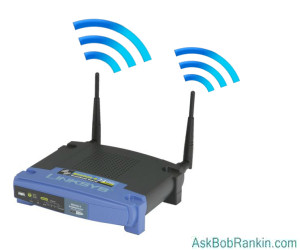
If you're looking for optimal wireless coverage in various parts of your home, position the router in the middle of the house. Moving it up off the floor, to a bookcase or shelf, should also help. If you only have one wireless computer, and it's always in the same place (ie: your office, the kitchen, or the hammock) then it makes more sense to place the router closer to the computer, rather than in the center of the house. But experiment -- I've heard of cases where there was a very weak signal, and the problem was that the router was TOO close to the computer.
- Avoid Bad Neighbors - Remember, wifi is a radio signal, so the signals from microwave ovens, cordless phones and even fluorescent lights may cause interference and signal degradation. Other things that can wreak havoc on wireless networks are bluetooth devices, wireless game controllers, your neighbor's wireless router, and powerful radio signals in your area. Even poorly wired electrical connections in a home can interfere with wireless signals due to broad radio-frequency emissions. Steering clear of as many of these problems as possible may provide a boost to your wifi.
- Extend the Antenna - There are some decent wireless antenna boosters available that you can purchase as addons to your current wifi router to help the signal extend out further. You just plug them directly into the router base (sometimes called the Wireless Access Point, or WAP) and it can give you that boost in the signal that you need. Hawking makes several types of wireless antenna boosters. One of the most powerful indoor models is the Hawking Technology Hi-Gain Indoor Dual-Band Directional Antenna Kit (HD9DP), which can boost the strength of your wireless signal from the typical 2dBi up to 9dBi! This replaces the external antenna of your wireless router, significantly improving signal strength, distance, and wireless performance by up to 350 percent. This unit sells for about $45, and can be found at Amazon and many other online retailers.
- Repeaters and Range Extenders - This little gizmo just takes in the wireless signal, boosts it up to full strength, and spits it back out again. Place the repeater within range of the router, and near the computer that needs a wireless signal. Linksys, D-Link, and other vendors offer wireless repeaters, also called range extenders. I recently bought a TP-Link N300 range expander (under $20), which is performing well in my home. Typically, installation of these things is very easy. Just plug it into a wall socket, connect it to your wireless router, and you're done.
- Gettin' Geeky - Some DIY geeks have come up with interesting ways to extend or boost your WiFi signal. One example is the Pringle Cantenna method. This may seem like a hoax, but the technique actually appeared in an O'Reilly book titled Building Wireless Community Networks. Another method that works is adding a home-made parabolic wifi extender to your router's antenna. Other techniques, such as the satellite dish using a cell phone are elaborate hoaxes.
- Wired Wifi? - One idea that sounds counter-intuitive is to use the existing wiring in your home to extend a wireless signal. You can eliminate wifi dead zones with a tech called powerline ethernet. In a nutshell, this technique uses your home's electrical wiring to transmit an Internet signal to another room, where it can be "rebroadcasted" as wifi. Here's an example: Your internet signal will travel from the router or modem (via a wired or wifi connection) to Powerline Adapter #1, which is plugged into a standard electrical outlet. The signal then travels over the electrical wiring in your building to Powerline Adapter #2. From there, you can connect a desktop or laptop with an Ethernet cable, or provide a wifi signal to a mobile device. You can have additional adapters in other rooms if Internet is needed there.
Popular networking equipment makers such as D-Link, TP-Link, Netgear, and ZyXel all sell Powerline Ethernet gear. Starter kits including two adapters typically cost from $50 to $100. - Upgrade Your Router - If you've owned the same router for several years, it might be good to go pick up a new one if you want to enhance your wireless network performance. Some of the latest models have a stronger signal. The newer "AC routers" generally have a stronger broadcast signal, and they'll work even if you have an older "G" or "N" adapter in your computer. One caveat... if you have a router supplied by your Internet service provider, and you've got a tv/phone/internet bundle, you may have difficulty duplicating all your router settings on a new off-the-shelf router. Using a wireless extender or repeater would be a better idea in such cases.
- Tweak Your Settings - Your wireless router has special features that you may or may not want. Read the manual that comes with your router (or Google it) and tweak it to fit your needs. Most modern ones are "just plug it in" though there might be ways to boost signals or to make sure it is sending out signals that are optimized for your computer's wireless adapter. For example, most routers are set to broadcast on channel 6, but it's possible there may be less congestion or noise on a different channel. Try switching the channel to 1 or 11 and see if it makes a difference.
- Is Your Wireless Router Secured? - Make sure your neighbor isn't hogging all the juice from YOUR wireless router, or doing illegal stuff that could get YOU into trouble. Get your network secured so only you are using the signal. Tap into your router's security features and make sure you use secure passwords. See my Wireless Network Security Checklist for help with this.
- Upgrade Your Router Software - Another thing you can do without spending any cash is to make sure your router software is up to date. To do this, visit the website of the maker of your router, whether it is Linksys, D-Link, or some other brand. Check for your model number and make any updates necessary. Another option is to use alternative firmware. While your router's original software (aka firmware) should be all you need, some routers do not output the signal at the maximum possible strength. You might want to check into alternative firmware, like OpenWRT, which promise to boost the wireless signal. But be careful with firmware updates -- if you load the wrong code for your router, you can foul it up with no recourse. I'd recommend this option only for tech-savvy tinkerers.
Do you have any tips or tricks to boost a wifi signal? Post your comment or question below…
|
|
|


This article was posted by Bob Rankin on 5 Mar 2021
| For Fun: Buy Bob a Snickers. |
 |
Prev Article: [SHOCKER] CD and DVD Discs May Fail Sooner Than You Think |

The Top Twenty |
Next Article: Try VLC: A Better Media Player |
 |
Post your Comments, Questions or Suggestions
|
Free Tech Support -- Ask Bob Rankin Subscribe to AskBobRankin Updates: Free Newsletter Copyright © 2005 - Bob Rankin - All Rights Reserved About Us Privacy Policy RSS/XML |
Article information: AskBobRankin -- Here’s How to Boost Your WiFi Signal (Posted: 5 Mar 2021)
Source: https://askbobrankin.com/heres_how_to_boost_your_wifi_signal.html
Copyright © 2005 - Bob Rankin - All Rights Reserved
Most recent comments on "Here’s How to Boost Your WiFi Signal"
Posted by:

hifi5000
05 Mar 2021
I like the tips offered in this column.However,I noticed there is no mention of the 5.2 GHz wi-fi band.I take it all the suggestions are geared toward routers that have 2.4 GHz coverage.
All readers should consider getting a updated router that has 5.2 GHz coverage as the 2.4 GHz band is congested especially in urban areas.Just look at the box the router comes in as manufacturers like to taut the new band.Hope this helps you.
Posted by:

Renaud Olgiati
05 Mar 2021
Another way to improve your WiFi coverage is to download to your smartphone one of the many WiFi Analyzer apps, and use it to check whether your router is configured on the same channel a your neighbour's, which can cause interferences, and degrade your reception.
And if it is, reconfigure yours to a channel that is not occupied.
Posted by:

Bob McLeran
05 Mar 2021
How about a WiFi bridge? That is the best solution if you need ethernet connections at a distant location in your home/office. I created a bridge using a less expensive router and have four ethernet ports which connect to a Roku, Tivo, weather station and MarineTraffic.com receiver at a location some distance from the networked router in the office.
Posted by:

bb
05 Mar 2021
(It's the 5{.0} GHz band, not "5.2") 5 GHz has a *shorter* range than the 2.4 GHz band but is faster. Some routers and devices can connect to multiple channels at one time for even more speed, that's how Wifi-6, aka 802.11ax, works.
One correction to the above. Wifi extenders should be located half-way between the transmitting Wifi source and the destination receiving device, not "near the computer that needs [Wifi]." If you put it near the computer it will have the same trouble getting the signal as the computer does!
Posted by:

John
06 Mar 2021
Bob, I bought this USB WiFi extender based, I believe, on one of your articles about 6 years ago. It works great at extending the WiFi range of my router for my desktop or laptop computers. I’m getting significantly increased signal strength because of it.
https://smile.amazon.com/Wireless-desktop-10-9-10-14-Archer-T2U/dp/B07P5PRK7J
Posted by:

Stephe
06 Mar 2021
I'm not sure the 5 GHz band is inherently faster than the 2.4 GHz band. The pro is that it's less prone to interference (from microwaves, etc.), but the con is that it has a shorter range and is more easily blocked (by walls, etc.).
My router allows you to combine them and devices switch beween them, but you can also separate them and give each a different login.
Posted by:

Cork
06 Mar 2021
Depending on the layout of the house, one solution that worked brilliantly for our sprawling one-story is the Netgear Orbi. Simply brilliant performance and the ability to move from one end of the house to the other with seamless transition. The high-end Orbi is by far the best investment I've made in a router.
Posted by:

RandiO
06 Mar 2021
I prefer not relying on WiFi connectivity in our house. One of the picayune tricks to improve WiFi connection would be to use a "spectrum analyzer" type app, which should display the different channels (of the WiFi band) along with the signal strength and congestion of each. The user may be able to select one of the WiFi channels with better signal strength and less congestion.
Also, some of the network hardware manufacturers (e.g., NetGear, TrendNet, etc.) sell AC "Powerline Networking" gear, which utilize the house AC power wiring instead of network cabling (CAT-5/6/7...). I am able to achieve over 300Mbps all around the house using a few of these ACPL networking gear without having to string network cables in every room or rely on WiFi. Some of these ACPL adapters are provisioned with a WiFi "Access Point" at any AC wall socket; as long as it is on the same phase of the incoming house 60Hz. powerlines.
Posted by:

GregC
07 Mar 2021
A few years ago I purchased a set of powerline connectors - D-Link AV2 2000. I have been very happy with reliability and performance. However, a few months ago I tried to find another pair, and everything was out of stock. If you can find these I highly recommend them.
Posted by:

James Green
07 Mar 2021
How about discussing a mesh network such as the Deco series? These are real easy to set up, and can solve most wifi strength problems in average to large homes. You can get a set of 3 for around $130, AND it provides access points in other roomns for devices that require a cat 5/6 connection,.,.,
Posted by:

Eric Jones
06 Oct 2021
I did’t see any mention of a mesh network. Cox is selling these modules for $100 for 3 and you scatter them around your house. They interlink together and extend the network as far as you put these devices. I guess they are similar to the extenders you spoke of, but they seem different.
Posted by:

Ernest N. Wilcox Jr.
14 Apr 2022
An Internet performance improvement solution I found (delivered just yesterday - 4/13/22) that cost me a bit over $40.00 US is getting a new Wi-Fi6 PCIe adapter, even though my ATT provided Wi-Fi router does not support the new protocol.
I was having trouble with my existing USB Wi-Fi adapter on my desktop PC (in both Windows and Linux), so I searched online for another solution. I dual-boot Windows 11 with LMDE5, (my GNU/Linux distribution of choice). I found two USB adapters that include Linux in their 'supported OS' list. After trying to get the first one working for about a week, I returned it and got another one. It didn't work either, but I kept it because it's small and works well with an old Windows-only laptop I have laying around.
I tried again, and I found an internal PCIe Wi-Fi 6 adapter that described itself as being compatible with Windows 7, 8.x, 10, 11 and Linux Kernel 5.1+ so I got it, and it works very well! I ran a speed test (by Ookla), and it reported faster upload/download speeds that I have ever seen on this computer in either OS. When I checked in Windows Task Manager, I have an 802.11ac connection (as expected). In LMDE5 it worked right out of the box so its driver is in-built and comes with the kernel, so I no longer have to build it from source - AND I can re-enable Secure Boot!
The label for this adapter on Amazon is:
FebSmart WiFi 6 PCIE Wireless Network Bluetooth Adapter for Windows 10 64bit and Linux Kernel 5.1+ System-2.4GHz 574Mbps or 5GHz 2.4Gbps Max Speed-Bluetooth 5.1-Based on Intel WiFi 6 AX200 NGW(AX3000)
It can be found at https://www.amazon.com/dp/B082MQGDHK?psc=1&ref=ppx_yo2ov_dt_b_product_details
As a final note, I am not connected in any way with Amazon (other than being a long-time customer), FebSmart (the seller), or any third party to this adapter. To put it simply, when I find any item/seller that exceeds my expectations, I want to shout it from the rooftops so others can know about it.
I hope this helps someone,
Ernie