


Beware the Fedex Shipment Notification Scam
Recently, I received an email, apparently from Federal Express, advising me that a package I shipped had been delivered. That surprised me, because I didn't recall shipping any packages via FedEx lately. Read on to learn about the package delivery scam, and how to avoid it… |
The Package Delivery Scam
As I said, I didn't remember shipping a package. Further raising my suspicion was the instruction to click on an attached ZIP file to view my "invoice" for the shipment. As we all know, clicking on files attached to unsolicited emails is a great way to catch a computer virus. But this email was very official looking, with a tracking number, and all the correct verbiage you'd normally see on such a delivery notification.
"Maybe I did send a package," I thought. "Or maybe someone is trying to send me a package." I have to admit, my mouse pointer hovered over that link for just a moment. But instead of clicking on the attachment, I used my email client's "view email headers" feature to see the details of the email's routing. Sure enough, the email was sent not from FedEx.com but from an email address in Beijing. So I deleted that message and its poisonous attachment.
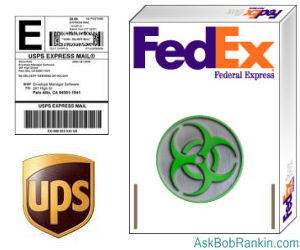
If I had clicked on that attachment, undoubtedly bad things would have happened to me and/or my computer. Someone *was* trying to send me a package, but it wasn't something I'd enjoy opening. Cybercriminals from China, Russia and other countries use this technique to plant viruses, trojan horses, and other malware that can lead to identity theft, espionage, and data loss. It's also a common technique that has been used to enslave millions of computers into botnets.
See my related article Has Your Computer Been Hijacked? and learn how botnets can turn your computer into a weapon that can be used to send spam and attack websites. Or worse.
Don't Get Phished
This was a classic phishing scam, an attempt to get a user to do something dangerous that relies on mimicking a trusted brand name. (See my related article Phishing - Are You Protected? to learn more.) Actually, it was a pretty lame effort because many intended victims would remember whether they had shipped a package. And of course the tracking number was bogus.
A more effective ploy would be a "notification of delivery." It's not terribly unusual to receive a package unexpectedly, and curiosity about the sender's identity would incline many users to click on the fatal attachment. But FedEx, UPS and other shipping services do not send delivery notifications to the recipients of packages.
Shippers do send notices to shippers who request such things and provide a valid email address. To be safer, it's best to create an email address that is used only for such delivery notices, i.e., shipments@myemail.com, and to keep that address just between you and FedEx.

And just to be clear, FedEx did nothing wrong here. This sort of "delivery notice" scam has been around since at least 2008, and just about every major shipping service has been implicated in it. FedEx has a warning about this scam posted on its Web site.
Other scams involving shipping services include requests for payment information: credit card details and bank account info. Legitimate shippers never request payment information via email. You should also be wary of emails which instruct you to download a shipping invoice, or those that request your username, password or account number for an online shipping service. Those credentials could be used to ship contraband in your name, and you'd be stuck with the bill. Again, legitimate shippers will never request such sensitive info via email.
You may even get a "C.O.D. notice" purportedly from FedEx or another shipping service. This variation on the phishing scam tells you that a package is awaiting delivery but you must pay in order to receive it. Payment options may include credit or debit card, bank account, or a wire transfer. Don't be fooled; no shipper does business via email in that way.
Have you gotten one of these package delivery scam emails? Post your comment or question below...


This article was posted by Bob Rankin on 31 Jan 2012
| For Fun: Buy Bob a Snickers. |
 |
Prev Article: Where to Download Free Fonts |

The Top Twenty |
Next Article: Top Five Android Phones for 2012 |
 |
There's more reader feedback... See all 46 comments for this article.
Post your Comments, Questions or Suggestions
|
Free Tech Support -- Ask Bob Rankin Subscribe to AskBobRankin Updates: Free Newsletter Copyright © 2005 - Bob Rankin - All Rights Reserved About Us Privacy Policy RSS/XML |
Article information: AskBobRankin -- Beware the Fedex Shipment Notification Scam (Posted: 31 Jan 2012)
Source: https://askbobrankin.com/beware_the_fedex_shipment_notification_scam.html
Copyright © 2005 - Bob Rankin - All Rights Reserved

Most recent comments on "Beware the Fedex Shipment Notification Scam"
(See all 46 comments for this article.)Posted by:

jerry
01 Feb 2012
In GMail I believe you have to open an email first then you will see the sender and sender's addy. To the right of that you will see the time the mail was sent. To the right of "that" you will see a box with 2 arrows (one is "reply" the other is "more" when you hover over them. Under "More", you will choose "Show Original" and the new window will be the Full Headers. Just open a new window and google "email trace" and you will get a link to ip-adress.org or .com either one will work. Just copy the header and paste it into the open field in the email trace window and click "Trace" or "Trace Email" or whichever and it will resolve the header to where ever the mail originated from, or at least the last hop it took to get to you. If you trace some of the other ip addy's in the header you will often find that the mail bounced around the globe a bit before it came to you. I don't think you can get the full header of a mail w/out opening it in gmail. Someone correct me if I'm wrong. In Yahoo Mail you can just Check mark the mail in question and click the "More actions for selected mail(s)", and select "View Full Header". Hope this helps.
Posted by:

Jon
01 Feb 2012
Mine say that they're from USPS, with whom I Do have an online account which I use quite frequently for ebay business.
I usually opt to phone the PO (or paypal or ebay or whoever) to get verification.
Posted by:

Elspeth
01 Feb 2012
Dear Bob,
maybe if you had explained how you
knew from what was in the "view email headers" that made you so certain that it was a scam - from that confusing mass of information - the rest of us would also know what to look for ?
Posted by:

Steve Stephenson
01 Feb 2012
Hi,
Just my four penny worth.
Two weeks ago my daughter was expecting a package from China, a replacement for a faulty electronic device.
She received an email telling her that the tracking number for her package was in the attached pdf.She clicked......at this point she lost all control of her laptop.
Even on reboot she was unable to revert to an earlier restore. Fortunately we have the System Repair disk (SRD) for Win7 32 bit.
This enabled us to go back to an earlier restore point, without loss of data.
The offending email was then deleted. She now has her own SRD, and is schooled in the art of using it for such events.
Bob, could you see your way to documenting "How to use your System Repair Disk".
My thoughts, it should be Computer User 101!
best wishes
Steve
Posted by:

Keith
01 Feb 2012
If I get a suspect email that I'm not sure of. I cut and paste the Subect, from the email into Google. This usually show up the scam and its history.
Posted by:

Debbie
01 Feb 2012
I received an email a week ago claiming that my Amazon order had been shipped. I had not ordered anything so deleted the email, but if someone orders frequently from Amazon, they might not think twice about opening that and providing information.
Posted by:

Lucy
01 Feb 2012
Regarding this previous comment and Bob's reply
"Sorry to have to correct you, but nowadays the shippers ARE sending delivery notification via email. Not on every delivery, but more often than not, it seems. I just got one two days ago, and before that about a week ago.
EDITOR'S NOTE: Yes, but to the sender only, right?"
I have found more and more that eBay sellers have their UPS label printing set up so that UPS do indeed receive my email address and send me genuine notifications. I don't like it, but sellers I have contacted just act as if I am weird, which, of course, I am :-) and just don't understand why I don't want my eBay email address shared this way :-(
Posted by:

Lucy
02 Feb 2012
I have trained myself to never click a link in an email even if I believe I know who sent the message.
This proved invaluable recently when I received many emails supposedly from different friends, that contained a link. Checking this out I found their address lists had been hacked.
Many believed their facebook account had been hacked, and their friends list used, but I don't know how valid that is.
I believe if I had clicked on the links I would soon have wished I had not.
Posted by:

Kate
02 Feb 2012
I use Outlook for mail, and check headers on any questionable e-mails without opening the message. In my previous version I could right click the unopened message and select options, which showed the headers without opening the message. It was a little trickier finding how to do it in Outlook 2101, but now I have a button on my Quick Access toolbar.
Before deleting any messages that I consider to be phishing or spam, I report them to my ISP and to the domain from whom they appear to be coming. For example, if the mail appears to come from a Yahoo address, I forward it to my ISP and to "abuse@yahoo.com". They can close an offending account. Often it's a bogus address, but they need to know that, too.
In Outlook 2010 there is an option to "Forward as Attachment", so I never have to open the actual message in order to forward it.
I don't use web-based mail enough to know what to do, but I'm sure Gmail, Hotmail, Yahoo, etc have some provision for viewing headers without actually opening the e-mail.
Posted by:

Fred
08 Feb 2012
What I get are notices that "my package" could not be delivered. Same thing, slightly different approach. Except that I hadn't sent anything recently. Some of the really original scams I save to a separate file, for future chuckles in reading them!
Posted by:

Karon Strickland
25 Feb 2012
Bob, I have been getting the emails every day for the last 2+ weeks. I delete them, do not even bother to open them. I hope this is the correct single thing to do.
Posted by:

tomtom37
28 Mar 2012
Jerry suggested using www.ip-adress.com. Because of the spelling and because it's such an easy potential scam, I ran a whois and domain host check. No trace at all. I ran whatismyip.com and at least it has been around since 2000 and has an address in California. I suspect that most sites which offer 'help' in this area steal and use any info you send them. This is a general comment, not a specific reference, explicit or implicit, to any domain or site!
Posted by:

tomtom37
28 Mar 2012
I continued another 5 minutes out of curiosity. I googled the address listed by the parent company of a domain. Restaurant, hairdresser, website designer, but not this company. It does not mean much, as it could just be out of date. I could search company records California, but I am not that interested.
My point is that in 5 minutes anyone can run a whois and domain hosting search. I know almost nothing about computers, but before giving personal or financial information, I run at least a basic safety check. I did it before the internet existed. A little prudence. Knowledge that the 'free' lunch does not exist. NO EXCEPTIONS. You're never safe, just safer. But if you become paranoid, you can't do anything useful on the internet, and you might as well throw your computer away. Do you agree?
Posted by:

Jim
09 Apr 2012
Hi Bob, I received an email this morning (9th April 2012) supposedly from Fedex. It said that the address on the parcel I sent was incorrect and that I should fill in and print out the attached form which was a zip file! I checked the file properties and found the source was not Fedex. I DELETED IT! By the way Bob, unlike the professionally produced email you received, mine was in plain text. That was the first indication something was not right!
Love your site Bob!
Regards,
Jim
Posted by:

Patricia
30 May 2012
We have received two "notices" from "FedEx" in the last two days. They both have said they don't have adequate delivery addresses and we will be charged an amount per day after 30 days if we don't pick up the packages. They were supposedly sent from different cities by FedEx Global. Sure glad we didn't click on the attachment. Thanks for the information, Bob.
Posted by:

Mary
07 Mar 2013
Below is an email I received yesterday, 3/6/2013. This morning I called the nearest Fedex office and was told this is a scam. After clicking on to your web site, I realize I am just the latest number of a long list. Thought I'd report it anyway. What do we expect next? Someone has a lot of extra time on their hands!
FedEx Tracking ID: 3764-79954560
Date: Monday, 25 February 2013, 10:22 AM
Dear Client,
Your parcel has arrived at February 27. Courier was unable to deliver the parcel to you at 27 February 06:33 PM. To receive your parcel, please, print this receipt and go to the nearest office.
Posted by:

Susan
14 Jun 2013
Fed , Ex
Dear Client,
Your parcel has arrived at June 06. Courier was unable to deliver the parcel to you.
To receive your parcel, print this label and go to the nearest office.
Print Shipment Label
Got this today to my work email that know I never would use for Fed Ex. Also, it is from Fed, (comma) Ex. I did check with FedEx and they didn't send me anything
Posted by:

Not saying
20 Sep 2013
I have and I know it is a scam as I don't even know the company and I check the email address thingy in the header and I can see that it has been sent to multiple accounts as well. There E-mail address is a yahoo.com as well not from Fed Ex
Posted by:

Karen
06 Nov 2014
I honestly thought this email came through to me because I am in fact waiting for a package to arrive for me. Stupidly, I clicked the link but I am using a public school's computer and it blocked the link. Will I still be harmed by the effect? Thank you! This did seem very fishy after I have clicked it, but hopefully nothing bad happens.
EDITOR'S NOTE: If the link was blocked, just delete the email and you'll be fine.
Posted by:

Williams Willems
27 Sep 2016
Savvy article ! Speaking of which , you are searching for a FedEx Commercial Invoice , my family filled out and faxed a sample document here a https://goo.gl/iplc0Q