


[HOWTO] Detect and Remove Keyloggers
It's a fact that many malware infections result in a vulnerability to keystroke logging, which can compromise your privacy and lead to identity theft. A recent news story tells how over TWO MILLION passwords were stolen by keyloggers. Learn more about keyloggers, how they work, and how to defend yourself from this invisible threat... |
Keyloggers: What they Are and How to Defend Yourself
A keylogger is a program that records everything that you type on a keyboard. All of your keystrokes are stored, in order, in a log file. Hence the name, "key logger." The log file is intended to be read by a third party that is typically unknown, remote and malicious. Keyloggers do have legitimate uses, such as troubleshooting, training, analyzing employee productivity, and law enforcement surveillance. But keyloggers are most often used illegally to spy on people.
A report by Trustwave security researchers revealed that malware known as "Pony" was responsible for the theft of over two million usernames and passwords, many of them for popular sites such as Facebook, Gmail, LinkedIn, Twitter and Yahoo.
Keyloggers are especially useful for stealing usernames and passwords, bank and credit card numbers, and other sorts of personal information that people type every day. Even data transmitted over an encrypted Internet connection is vulnerable to keylogging, because a keylogger records keystrokes before they are encrypted for transmission. See my related article Should I Install a Keylogger? if you're thinking about using one to spy on someone, as there are some serious ethical and legal concerns.
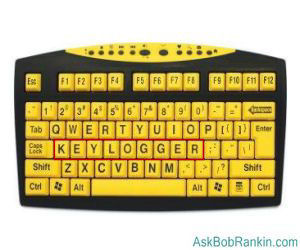
Contrary to what you may have read elsewhere, keyloggers are not limited to spying on your web browsing activity. Anything you type, in any program, online or offline, can be captured by a keylogger. So if you've been told to type your password into Notepad, then copy & paste it to a web form, that's bad advice.
Software keyloggers are often distributed in Trojan, virus, and other malware packages. These keyloggers can operate at the kernel level, making them virtually invisible to the operating system. Others use "hooks" into the operating system's keyboard API to monitor and record keystrokes. Keyloggers generally attempt to transmit their log files secretly back to their masters, either via email or FTP.
Detect, Defeat and Defend Against Keyloggers
A number of techniques can be used to defeat keyloggers, but no one technique is effective against all types of keyloggers.
A keylogger can be housed in a hardware device that plugs into the keyboard port on your computer. Some hardware keyloggers are hidden inside of keyboards themselves. Hardware keyloggers cannot be detected by software, but they have the drawback of requiring physical access to a computer. If you suspect a hardware keylogger is present on your system, inspecting the keyboard's connection to the computer, or replacing the keyboard will solve the problem.
Form-filling software such as Roboform stores passwords, credit card info, and other information in a database, then enters it into Web forms as needed. This eliminates the user's need to type such data on the keyboard, and can prevent keyloggers from recording it. However, there are other forms of spyware which can intercept data posted to forms by form-fillers. (See Is Your Password Strong Enough? for links to password manager software, and tips on creating secure passwords.)
Speech-to-text software or virtual keyboards can eliminate the keyboard connection, too. However, the text has to get to its destination somehow, and that path may be vulnerable to clever keystroke loggers.
An antikeylogger program attempts to detect and/or disable keylogging programs. Antikeyloggers scan your hard drive for the digital signatures of known keyloggers, and look for low-level software "hooks" that indicate the presence of a keystroke grabber. Antikeyloggers and keylogger detectors are more effective against keyloggers than general antivirus programs because the latter often don't identify keyloggers as malware; keyloggers do have legitimate purposes, as noted above.
Anti-Keylogging Software Options
KeyScrambler is an anti-keylogger for Windows that works a bit differently. As the name implies, KeyScrambler scrambles your keystrokes with encryption at the driver level (the first layer between the keyboard and the operating system), then feeds them in decrypted form to the software application. The result is that keyloggers see only the scrambled keystrokes. Three versions are available, Premium ($45), Pro ($30) and Personal (Free). The free version only protects web browsers. The Pro and Premium versions add protection for other popular software programs.
Zemana AntiLogger is an anti-keylogger that claims to protect every application on your computer, not just your web browser. Like KeyScrambler, it uses keystroke-encryption to scramble every keystroke, and protect everything that you type. It also adds protection from keystroke-stealing malware that attempts to work by grabbing screenshots of what you're typing. Zemana works on Windows XP and higher. A free trial version is available, and the paid version costs $24.46 for a 1-year license.
Keylogger Detector is another program that will detect and remove keyloggers. Instead of relying on signatures, Keylogger Detector uses behavioral analysis to detect the newest, modified or custom-built keyloggers, which are not yet detectable by antivirus software. A free 10-day trial version is available, or you can purchase the program fo $19.95. The paid version includes 2 years of technical support, and free upgrades to all future versions of the product.
Just be aware that your anti-virus program may flag these programs as malware, but you can safely ignore any such "false positive" alarm.
A final defense against keyloggers is a firewall that detects outbound traffic. A firewall can alert the user to unauthorized attempts to transmit data to the Internet, which could indicate a keylogger is trying to "phone home" with its log file. I have mixed feelings about the usefulness of outbound firewalls. See Do I Need an OUTbound Firewall?. If you decide it's for you, check out my list of Free Firewall Protection software.
Have you been bitten by a keylogger? Do you have something to say about dealing with keyloggers? Post your comment or question.


This article was posted by Bob Rankin on 3 Jul 2017
| For Fun: Buy Bob a Snickers. |
 |
Prev Article: [Windows 10 Tip #4] - Cortana: Friend or Foe? |

The Top Twenty |
Next Article: Geekly Update - 06 Jul 2017 |
 |
There's more reader feedback... See all 21 comments for this article.
Post your Comments, Questions or Suggestions
|
Free Tech Support -- Ask Bob Rankin Subscribe to AskBobRankin Updates: Free Newsletter Copyright © 2005 - Bob Rankin - All Rights Reserved About Us Privacy Policy RSS/XML |
Article information: AskBobRankin -- [HOWTO] Detect and Remove Keyloggers (Posted: 3 Jul 2017)
Source: https://askbobrankin.com/howto_detect_and_remove_keyloggers.html
Copyright © 2005 - Bob Rankin - All Rights Reserved
Most recent comments on "[HOWTO] Detect and Remove Keyloggers"
(See all 21 comments for this article.)Posted by:

Reg
03 Jul 2017
One approach to protect against key loggers is to create a document on a machine not connected to the internet then transfer the document, updated as needed, to your internet capable computer. You then copy and paste passwords never having to type them on the internet vulnerable (capable) machine. A little clunky and it requires another, perhaps your previous, machine but it may be better than nothing. It won't protect against screenshot stealing software though.
Posted by:

pam
03 Jul 2017
Dumb question, I know but can an anti-keylogger be any help if your pc is held ransom from malwares like Wannacry or others?
Posted by:

Yoda
03 Jul 2017
Hmmm...A keylogger detector a keylogger in disguise it could be...advise to "ignore any false positive" very confusing it is...
Posted by:

MmeMoxie
03 Jul 2017
Bob another great article!
I have used Key Scrambler for quite a few years now, not really sure exactly how many. I am using it per an earlier article of yours and it was one that you highlighted.
I have never had an issue with my Anti-Virus protection and Key Scrambler. They have both respected each other's programs. Now, mind you - My Key Scrambler has always been the FREE version. I know it only works on the Browsers but I think it is good enough for me.
There is a Premium and Pro Key Scramblers. I am not interested in purchasing either one. The price is too high, in my book and both of them are only an annual subscription. I prefer a Lifetime payment on my Premium and Pro purchases - Please, that is only my opinion on this issue.
I feel comfortable using the Key Scrambler Free version. It has served me well, all these years.
Posted by:

bob rice
03 Jul 2017
It says to use auto fill pw managers like roboform, but I need to enter a pw to access my autoform....?
Wouldn't the key logger capture that pw and have access to all my sites?
Posted by:

RandiO
03 Jul 2017
Thank you for another great coverage of an important topic.
I am wondering if your feeling(s) regarding in/out bound firewalls usage has changed since you wrote the linked article.
There should be an "honorable mention" for FireFox' PasswordManager (w/a strong Master Password). Especially since the keylogger-desired credentials are mainly those that most people use within their browsers. Chrome and IE/Edge browsers also do provide similar locally stored credential security with minimal worry about keyloggers.
Posted by:

Paulus
03 Jul 2017
"Kyelogger Detector"? I don't think I need protection against a "kyelogger" but you might need a spellchecker.
Posted by:

Glen
03 Jul 2017
Thanks Bob, I have learned so much in keeping my PC safe from ask Bob Rankin, Lot of good information, Again Thanks.
Posted by:

Paulus
03 Jul 2017
I rather like GhostPress (http://www.softpedia.com/get/Security/Keylogger-Monitoring/Ghostpress.shtml) and ScreenWings (http://www.softpedia.com/get/Security/Security-Related/ScreenWings.shtml), which are free.
Their efficacy can be checked with the Anti-Keylogger Tester (http://www.snapfiles.com/get/antikeyloggertester.html) (also free).
Posted by:

Chris
04 Jul 2017
Hi Bob,
Very useful article, as always.
Can you advise about Bluetooth-connected keyboards, please? Is the radio traffic between the keyboard and its receiver on the PC susceptible to sniffing in any way?
Chris
Posted by:

Chuck
04 Jul 2017
I have a pretty good password database called Keypass 2. I've been using it for a few years now and it will easily generate any random password (except what my Army retired pay wants). I do have to log in with a master password though. So my thought is that I stay disconnected from the internet to open it and then before connecting I could clear my temp files or cache or something? Never tried but maybe it would work.
EDITOR'S NOTE: A keylogger doesn't need an Internet connection to capture keystrokes. It might well save them in a file, then transmit when the connection is available.
Posted by:

Egbok
04 Jul 2017
This might be a stupid question, will using the on screen keyboard keep a key logger from recording the key strokes?
Posted by:

RandiO
05 Jul 2017
@Chuck; thank you for your service to keep my pass safe ;)
No need to disconnect from internet. Depending on your level of paranoia, I hope the following information helps with KeePass:
(Keepass >> Options >> Security Settings)
+Lock workspace after XX amount of inactivity (user set)
+Clipboard auto clear after XX amount of inactivity (user set)
+Clear clipboard upon KeePass close +Enter Master Key on "Secure Desktop" +Use the Keepass "KeyFile Authentication" instead of a single MasterPassword (checkbox)
+Use the KeePass "Two-Channel Auto-Type Obfuscation" (TCATO) feature (checkbox)
+Add/use "2-Factor Authentication" (2FA) KeePass plug-in instead of a single MasterPassword or a KeyFile
+Employ a YubiKey hardware authentication device for use with your KeePass
+Do not store you encrypted KeePass database (*.kdbx) in your 'regular' Windows user directory and make backups often.
IMHO >> Simplest trick is to create a few page lorem ipsum text document and insert your password somewhere inside. +Make it a password protected Office document.
+Highlight, Copy+C/Copy+V and then overwrite ClipBoard should be plenty.
Happy July 4th.
Posted by:

Paulus
05 Jul 2017
@Egbok
Q. "This might be a stupid question, will using the on screen keyboard keep a key logger from recording the key strokes?"
A. Yes and no: it depends.
Some on-screen keyboards are merely accessibility aids that simulate keystrokes and are absolutely useless against software keyloggers (although, presumably, they'd work against hardware keyloggers); others such as Neo's SafeKeys (http://www.aplin.com.au/) and Oxynger KeyShield (http://oxynger.com/) are specifically designed to thwart (software) keyloggers.
Neo's and Oxynger are free.
Posted by:

Phillip Reed
07 Jul 2017
I had an unfortunate experience. Someone used a key logger on the lobby computer in the Holiday Inn I was staying in one weekend. A couple days after arriving home, a friend of mine sent me the email the hacker sent to all in my address book asking him to send money to me in England, that I had used a cab and accidentally left my wallet in the cab, not to be recovered. Thus, I'm very careful in using common computer networks, especially those that don't require a password and especially those in separate business center rooms where no employee monitors. And I never log into a sensitive account unless the account requires TFA and it's over my WindScribe VPN.
Posted by:

Rocky
09 Jul 2017
Thankyou Bob,
A very interesting article, about something to really watch our for. I'll try each of the suggested anti-keylogger detection free trial programs and see if I've been infected. Hopefully with my arsenal of anti virus/spyware programs (Avast Free, Super Anti Spyware, Malwarebytes, Adware Cleaner, CCleaner, all of which I use each time after logging-off the internet, unplugging my cable internet modem when doing the cleaning scans. Haven't picked up anything drastic all these times, mainly only detect Tracking Cookies galore, especially after having played 'Just Words' on the MSN Free Games website. Is the Microsoft free games site rife with Tracking Cookies??? Most other times, my regular daily cleaning scans hardly detect anything. I hope with my practice, I'm able to prevent any keyloggers from installing themselves onto either of my computers.
Look forward to more of your interesting articles. May you have a nice day.
Cheers, Rok.
Posted by:

scott
12 Jul 2017
Bob, I just came across this article and I compliment you on a job well done in explaining keyloggers and the associated risks and such. I would like to make you aware of another company that developed products for protecting against keyloggers on Mac and Windows computers as well as on Apple and Android mobile devices. The company is Strikeforce Technologies and their products are GuardedID and MobileTrust. www.strikeforcecpg.com. Mobile devices are more vulnerable today and MobileTrust is a great solution. Regarding password managers, if your device is infected, then your master password or keys to the kingdom are at risk. Strikeforce's products will protect your password manager! Keep the articles coming as it is important to educate people on keyloggers!
Posted by:

rc primak
18 Jul 2017
While these suggestions are good for a pure keylogger attack, very few incidents involve just a keylogger.
Modern malware is capable of doing screen grabs and leveraging Windows Step Recorder (or other screen recording methods). Everything entered, by no matter what means will show up on screen and can be captured by these modern Trojans.
Just something more to keep us up at night.
Oh, and as to the comment about the public computer -- DO NOT USE public computers. Period. Bring your won device and connect using your own paid VPN service. That's the best practice when traveling. Don't even use the hotel room TV as a monitor. And do not trust hotel Ethernet Plugs.
Posted by:

rc primak
18 Jul 2017
And one more thing. Just because you see asterisks, does not mean that the signal leaving your PC is asterisks. This can be intercepted and logged too. Even password managers can be tapped in this way, although these programs at least attempt to encrypt at a very early stage.
Posted by:

Buffet
03 Apr 2019
Bob, I downloaded Keylogger Detector, but it would not install.
I believe it's bogus.