


Latest Phishing Scams
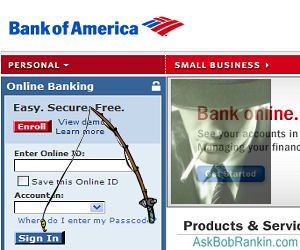
Phishing is the hacker's sport of fishing for gullible victims who will click on anything, and is an ever-evolving enterprise. The bad guys are constantly coming up with new bait that looks, smells, and tastes almost exactly like the real thing. But if you bite and click on that email or URL, you may get your identity stolen; your computer may be enslaved by a spammer's botnet; or you could download a virus without knowing it. So it's a good idea to be aware of the latest trends in phishing and the most widespread snares. |
Trends in Phishing Scams
A bit of bait is likely to be disguised as something familiar from a popular, trusted source. That may include a large bank, famous-name retailer, government entity, distinguished non-profit organization... or your Mother.
A year ago, the phishers were a lot more obvious. Phishing emails had lots of typo's, grammatical errors, and the clones they created of popular sites were good but not always perfect. Lately, I've noticed that the bad guys have taken their game up a couple notches. The emails they send look almost EXACTLY like the real thing, and their fake sites designed to trick you into giving up your username and password are near-perfect clones of the original.
I recently got a notice from GoDaddy informing me about a transaction that supposedly took place. It was fake. The next day, I got an order confirmation from Buy.com which was also fake. Interestingly, neither one asked me to click any links in the message. The clever ruse is that you probably know that you didn't buy anything from the company, and your sense of curiousity or indignation may tempt you to click.
Social networking is all the rage these days, so it's no surprise that many recent phishing exploits involve Facebook, Twitter, MySpace, and other social networks. A "friend" request from someone on Facebook excites curiosity; you're inclined to click on the link in the email to see who the person is. You're even more inclined to "reactivate" your Facebook account if you receive an official-looking email saying it's been deactivated for some reason. But in each of these examples, you could get hooked by a phisher. The "approve friend request" link may trigger a virus download. Following the instructions to "reactivate" your account may involve giving personal information to someone who doesn't work for Facebook at all.
Proactive Phishing Protection
To avoid getting hooked, first make sure you have good up-to-date anti-virus and anti-spyware protection. (See my related articles Free Anti-Virus Programs and Free AntiSpyware Programs.) Also, take advantage of "previews" offered by many email clients and Web browsers. Hovering your cursor over a link embedded in an email will show you the actual web address. Make sure it shows the site you want to visit, and not something subtly different. This advice is good for all emails you receive from ostensibly trustworthy sources, such as your bank or credit card company. If a URL looks "funny" the joke may well be on you. To be even safer, just manually type the address of the site you want to visit, or click on a verified bookmark.
Twitter tends to suck the thoughtfulness right out of people's brains. Tweets are short, offering little to think about; and they are numerous, inclining people to be hasty in processing the never-ending flood of stimuli. "Check out this awesome sunset" and a cryptic shortened URL is all a phisher needs in many cases.
URL-shortening services such as TinyURL.com, Bit.ly, Is.gd, etc., now offer previews of the full URLs they shorten. When you click on http://is.gd/Xsy1 (a made-up URL) you go to a preview page that shows the entire original URL and how many times people have accessed it via the Is.gd shortened URL. You still may not recognize the domain of the URL but you can look it up in Google before going there.
Not all phishing is done on the Internet. If you rely on caller-ID to tell you who's calling, you may be vulnerable to a popular phish. It is possible to alter the caller-ID data that comes with a voice call so that the caller appears to be with your bank or employer. Whenever someone claiming to be from a trusted source starts asking for sensitive information like your password, just say you don't reveal such things in phone calls. Stick to that story no matter what.
Do you have something to say about phishing scams? Have you seen a very clever example lately, or do you know someone who got hooked by a phishing attempt? Post your comment or question below...


This article was posted by Bob Rankin on 25 Jun 2010
| For Fun: Buy Bob a Snickers. |
 |
Prev Article: Graphics Card For Laptop |

The Top Twenty |
Next Article: Cellphone Accessories |
 |
Post your Comments, Questions or Suggestions
|
Free Tech Support -- Ask Bob Rankin Subscribe to AskBobRankin Updates: Free Newsletter Copyright © 2005 - Bob Rankin - All Rights Reserved About Us Privacy Policy RSS/XML |
Article information: AskBobRankin -- Latest Phishing Scams (Posted: 25 Jun 2010)
Source: https://askbobrankin.com/latest_phishing_scams.html
Copyright © 2005 - Bob Rankin - All Rights Reserved

Most recent comments on "Latest Phishing Scams"
Posted by:

Richard
25 Jun 2010
"A year ago, the phishers were a lot more obvious. Phishing emails had lots of typo's, grammatical errors..."
"typo's" is not a word. It is "typos". You can never use an apostrophe to make a word plural.
Posted by:

Mark Jacobs
25 Jun 2010
Join WOT (Web of Trust)and install their browser add-in. You get a warning when you go to a dangerous site. It's community rated and very good. When I accidentally click on some of Bob's links I get a wot warning. (The pop-up one about the make a cartoon of yourself.)
EDITOR'S NOTE: That's the problem with Web of Trust... users tend to flag things that are perhaps annoying, but not actually harmful.
Posted by:

al
26 Jun 2010
A few days ago I got an email from "my bank" that looked absolutely genuine that said that my account had been "discontinued" because of repeated failed login attempts. I knew I had no failed logins and my bank would have never used the work discontinued. It asked me to login using my account number and password. I ain't that dumb.After reading the email I went to my account online and logged in without a hitch. I will forward the email to the bank and the authorities. Be very careful friends.
Posted by:

Matt
26 Jun 2010
I love reading your articles but I was a little surprised to see something missing from this article. There is a new type of phishing scam designed to fool even the savviest of internet users. Its called "tabnabbing". The idea is you have multiple tabs open, it will take control of one of the tabs you're not using, and change it to something it knows you use (i.e. facebook, Gmail, etc) with the log in page. It even changes the favicon. A user wouldn't think to look at the URL and just think its a tab they opened and unknowingly "sign in". There is a website that explains it in more detail, as well as provides a working example. Go to this site to read about it, then go to a different tab for about 5 seconds and the previous tab will "turn into" a Gmail page. (the test page is meerly an image, not fully functional, but gives you an idea of the power of this type of attack) The site is http://www.azarask.in/blog/post/a-new-type-of-phishing-attack/
Posted by:

gary lutz
26 Jun 2010
Your latest email about phishing makes me wonder about all the charities that call and want donations. I tell them my wife is the accountant in the family and (because she really is and accountant) I let her decide what charities to contribute to and if we can afford it. Point being that she gives out credit card information over the phone just because they say they are a charity. I have no doubt that lots of them are but I don't think people should do that. You have no idea how many charity calls I get during the day, while she's at work. I've learned to say hello quietly so I don't trigger the machine that dialed my number. If I don't get a response right away, I hang up. I know there are a lot of charitable people out there but I really don't trust these phone calls. Actually, I'm quite annoyed by them. Especially when they come at supper/dinner time. And, even worse, is when they call at 9pm. Anyway, I think you should advise your 'listeners' not to give out credit card information to 'charities' over the phone. We had an Identity theft situation where we had a lot of charges to our credit card that weren't even possible because it was on the other side of the country. The credit card company was good about it but it was still a hassle. I strongly suspect it was because my wife gave them the credit card info over the phone but I have no proof. Still I really don't think charities should be phoning for donations. Nuff said. You get my drift, I'm sure. Keep up the good work.
Posted by:

Pantagruel
26 Jun 2010
Some institutions (ie Paypal) appreciate receiving a "forward" of these emails. For Paypal, I forward them to spoof@paypal.com Exposure helps fight fraud.
Posted by:

andrew gibson
26 Jun 2010
yes i was phished the other day , paypal wanted all kids of personal info . i have macmini , thought we were impervious . spammed it as soon as i saw paypal . never used it ever .be aware ..andrew
EDITOR'S NOTE: Just in case you're confused about this... it wasn't Paypal that phished you! It was someone trying to LOOK like Paypal. And having a Mac will NOT protect you from email phishing scams.
Posted by:

andrew gibson
26 Jun 2010
yes i was phished the other day , paypal wanted all kids of personal info . i have macmini , thought we were impervious . spammed it as soon as i saw paypal . never used it ever .be aware ..andrew
Posted by:

becky biggers
27 Jun 2010
yes I recently got an email stating I had won 2 million dollars on the lottery an i needed to contact my claims agent It stated I had won because all email addresses were entered into the lottery what a joke they never stop
Posted by:

Kearney Bothwell
28 Jun 2010
Had a friend whose AOL account was hacked and used to send out one of the "stranded traveler" scams. I replied, cautiously, because the original email didn't quite ring true. Figured it out when my "friend" wouldn't give me the name of the hotel he was staying at in London and insisted that the only way he could get home was if I (or the other suckers sent the email) sent him the money by Western Union.
I was really disgusted that there was no way for me to forward the email to the e-crimes unit of the Metropolitan Police, or any other law enforcement agency. I would have loved to help set up a sting to catch the guy.
I also contacted Western Union, where Customer Relations only response was to tell me to report it to the cops. I sent back that it would seem that WU could take action to prevent its services from being used obtain monies fraudulently, to which customer relations replied that they had forwarded my email to their security people.
Seems to me, we need some way to catch these crooks in the act!
Posted by:

Nancy
29 Jun 2010
I'm pretty sure I was phished the other day, but I did not open the email to find out! It came from Internal Revenue Service and the subject was "Under-reported income." We all fear the IRS and might just want to cooperate to avoid being investigated. So far I haven't gone to jail.
EDITOR'S NOTE: I don't think the IRS would email you about that. You'd get a letter in the mail for any official communication.
Posted by:

Dwight N.
02 Jul 2010
If someone calls and says they are from your bank, look up the bank's number if you don't already have it and call them back. Then you'll know you are really talking to someone from the bank.
Posted by:

nadaman
05 Jul 2010
I get at least 4 phishing spams/week. Experienced a new wrinkle last week. Responded to a Craigslist HP laptop ad with an attractive price...didn't hear back for 3 days, then received a sweet response from "Amber" saying laptop gone, but HP is doing a promotion and giving away free laptops...she and several of her friends had done it, and I could too, if I hurried to the link supplied, which appeared official, asking for much personal info. When I went to The HP site on my own and searched the promotion..."Choose Your Color", nothing of course. So the phisher waited 3 days to scoop in laptop hungry people, and phished them all at once to prevent them being warned off.
Posted by:

rett
06 Jul 2010
interesting info, as for me I use ProteMac LoginTrap (protemac.com)
Posted by:

Don
15 Jul 2010
A fun way to check for Phishing is to look at the message source. It tells you the address of the message originator, the reply addtess and all the servers that handled your message. Look at some real messages and some scams and you will probably see scams passing through a lot of wierd e-mail addresses.
To view Message Source:
Right click on the message in your inbox
Left click on Properties
Left click on Details
Left click on Message Source button.
Left click on Full Screen button (Makes it easier to read) (Button next to the red cross, upper left)
If the message comes by a convoluted route through a lot of strange E-mail addresses, it is probably something you do not want to open,