


BOTNET ALERT: Are You Vulnerable?
How easy is it to take over hundreds of thousands of computers, and enslave them in a botnet that could be used by hackers for malicious purposes? Not so hard, it turns out. Last year, an anonymous researcher created software of the type used by hackers, and within one day, created a botnet of over 400,000 computers. He kept the botnet alive for four months, and nobody noticed. Here's what you need to know about botnets... |
What is a Botnet?
Perhaps you've read warnings about your computer getting caught up in a botnet, but you don't really understand the danger. I'll explain in simple terms what a botnet is, how it can affect your computer, and how to avoid them.
Okay, here's the scoop... a botnet is a collection of ordinary home and office computers that have been compromised by rogue software. The term "botnet" is short for "robot network" and describes the situation rather well. Computers that have been caught up in a botnet have been effectively taken over, and can be used to perform almost any task by the person or persons who control the botnet. Botnets are controlled by criminals and other miscreants whose motives include selling products, operating financial scams and crippling websites through coordinated attacks.
Should you be concerned about botnets? Yes, because botnets operate silently, and your computer may be affected without you ever suspecting it. Botnets are everywhere. It is estimated that over 30 million "zombie" computers are unknowingly caught up in these networks that distribute spam, steal personal information and participate in denial of service attacks.
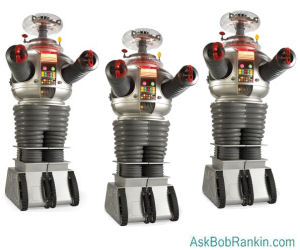
Botnets are carefully planned to spread via viral infections and other malicious software. They use email, social engineering, P2P (peer to peer) networks, and other techniques to spread to other computers. Once your PC is infected, it may attempt to spread the botnet code to others on a local network in a home or office setting.
Botnets are most often used to spew massive quantities of spam, which is where most of the "enhance your body part," offers and phishing scams come from. But since the botnet code runs with full privileges on the infected computer, it can be used to gather sensitive information from businesses, political groups or governments. Sometimes, the attacks are used to damage or take down a competitor's website by flooding it with emails or web connections. These attacks can be hard to defend against, because the attacking computers are spread all over the Internet. And when the "attacker" is identified, it's just some guy in Podunk who let his anti-virus protection expire, and had no idea his computer was involved in a global crime spree.
Bots can also be used as agents for mass identity theft. This happens through phishing emails that appear to be from a legitimate company in order to convince the user to submit personal information and passwords. Be especially wary of emails claiming to be from eBay, Paypal, banks or the government. Never click on email links to access these sites -- always use your bookmark or key it in directly.
How to Avoid Botnets
The story of the "good hacker" and his botnet illustrates the point that many users take security very lightly, or just don't understand the basics of protecting their computers from online threats. This researcher didn't even have to try very hard. Using only the most common usernames and passwords, he gained access to several hundred thousand routers and other devices. Fortunately, this botnet had no malicious intentions. In fact, it even tried to disable other criminal botnets when they were encountered.
You are most likely to get sucked into a botnet if you do these things:
- Fail to secure your router and wifi with a unique username and password. (See my Wireless Network Security Checklist for details.)
- Fail to secure your computer. (See Ten Steps to Securing Your New PC)
- Fail to use a good spam filter.
- Fail to use firewall protection.
- Click on dubious links in spam emails or shady websites
Use good security practices outlined in the links above, and avoid suspicious emails, especially unexpected messages with subject tags related to holidays, celebrities or current events. Watch out for phishing scams, never click on (or buy!) anything advertised in a spam email, and when in doubt, just don't click.
Fortunately, in the past few years, law enforcement and computer security companies have had some success in tracking down and neutralizing some of the most notorious botnets. In March 2010, the FBI and authorities in Spain busted the Mariposa botnet (over 12 million computers) and arrested the people behind it. In 2011, Microsoft and Kaspersky combined to neutralize the Rustock and Kelihos botnets. In 2012, the Grum botnet, which was spewing 18 billion spam messages a day, was taken down. And most recently, Microsoft and Symantec teamed up to defeat the Bamital botnet, which was hijacking the web searches of over 8 million users.
How to Detect and Remove Botnet Infections
It's difficult to detect if your computer has been caught up in a botnet, because the software that's implanted is designed to operate in stealth mode. If you notice that your computer is sluggish, that *may* be a sign that you are affected. (For related reading, see How to Speed Up Windows 7.) But in general, if you have been affected by a botnet, you've got some sort of malware infection. Install good anti-virus and anti-spyware software (refer to the links above), and it should detect, take care of, or prevent the problem.
Have you had experience with a botnet on your computer? Post your comments and questions below...


This article was posted by Bob Rankin on 22 Mar 2013
| For Fun: Buy Bob a Snickers. |
 |
Prev Article: VICTORY: You Can Sell Your Stuff! |

The Top Twenty |
Next Article: Still Holding on to XP or Windows 7? |
 |
Post your Comments, Questions or Suggestions
|
Free Tech Support -- Ask Bob Rankin Subscribe to AskBobRankin Updates: Free Newsletter Copyright © 2005 - Bob Rankin - All Rights Reserved About Us Privacy Policy RSS/XML |
Article information: AskBobRankin -- BOTNET ALERT: Are You Vulnerable? (Posted: 22 Mar 2013)
Source: https://askbobrankin.com/botnet_alert_are_you_vulnerable.html
Copyright © 2005 - Bob Rankin - All Rights Reserved
Most recent comments on "BOTNET ALERT: Are You Vulnerable?"
Posted by:

Robert
22 Mar 2013
Does using a firewall, such as ZoneAlarm, that is supposed to prevent your computer from sending information out to the Internet without your permission, prevent your computer from being used as part of a BotNet?
Posted by:

Jack Jackson
17 May 2013
Last week my computer was taken over by Decrypt Protect a ransom ware and could not even shut my computer down. They asked for $300.00 to let me have my computer back. Several hours of work and running a virus scan got my computer back but even now there are files still messed up. What a powerful enemy out there!
Posted by:

Louis Jumeau
28 Jul 2013
Personally, I try to be very security conscious, and your site helps immeasurably. One method I use to try to limit botnets is to use a program from Hagel Technologies named D U Meter, which shows me how much activity is going on via my modem, i.e. If I have not written an email, but see a lot of outgoing traffic, I pull the plug on my modem. I hope this has been a constructive comment.
EDITOR'S NOTE: And then what? Have you done malware scans to confirm your fears? If so, what did you find? A burst of outgoing traffic could be a bad sign, but it could also be due to a backup or sync program uploading to cloud storage.
Posted by:

Kim K
01 Oct 2013
I remember five years ago, I have used IE and didn't know it had many security loopholes. What caught my eye was when I've noticed underneath the talking avatar "botnet is typing"; I knew my computer was infected. No kidding! I do have anti-virus software but I did use Malwarebytes' free trial and ran the scan. It did resolve the problem. Thanks Bob! :-)