


Should I Buy That Cheap Inkjet Printer?
While shopping for a new inkjet printer, I saw an HP Deskjet and a Canon Pixma on sale for $29 each at a local office store. It sounds too good to be true, but they're both well-known brands. Is there some catch I should be aware of? Other similar looking models cost over $100. Is a cheap inkjet a good idea? |
How Much Does an Inexpensive Printer Cost?
Before you jump on that inkjet printer bargain, you should take a hard look at what it may cost you to use it for a year, or three years. As a general rule, the cheaper the printer, the more its ink cartridges and other consumable supplies will cost. The true cost of owning a cheap inkjet printer may surprise you.
Let’s take the example of a $40 inkjet printer whose OEM black ink cartridge costs $19. It’s not uncommon to get 170 pages out of such an ink cartridge. If you print an average of 7 pages per day, that’s 2,555 pages per year. Divide that by 170 pages per cartridge and you need about 15 cartridges per year; that’s $285 worth of black ink per year, not to mention color cartridges and paper.
Sure, you can cut ink costs dramatically by buying remanufactured or refilled cartridges. But the cost of ink still adds up to a lot more than the cost of the printer. See my related article Should You Buy Discount Ink Cartridges? for more on that.
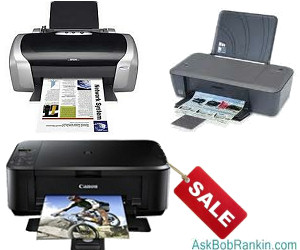
More expensive inkjet printers, like the HP Officejet Pro Wireless All-in-One printer, may run $300. But HP claims that the black ink cartridge for this printer produces 2,200 pages, while color cartridges are rated at 1,400 each. Incidentally, you may save money by buying colors separately instead of all-in-one color cartridges. It’s frustrating to throw out one of the latter when only one color runs out.
Does It Fold, Bend, Spindle or Mutilate?
Replacing the print head in an inkjet printer is another consumable cost. It’s often cheaper to buy a whole new printer than to buy and install just a print head.
In business, time is money. Cheap inkjet printers that chug along at 8-10 pages per minute, or ones that constantly jam, are a bad investment. And of course, it’s more likely that a cheap printer with cheap parts will break down, especially if it’s used for more than occasional printing. I’ve heard stories from both readers and online reviewers that their inexpensive printer only lasted a few months. And it’s just not worth it to repair these units, which makes them a throw-away commodity.
Other factors to consider include whether or not the bargain printer can print photos, or connect wirelessly. If not, does it come with a cable? Can the paper tray hold more than 25 sheets at a time, or will you have to reload it constantly? And don’t forget that you might want to occasionally make a copy, scan a photo, or send a fax. Good quality wireless inkjet all-in-one printers that print, copy, scan and fax can be found for under $150 in most office stores such as Staples or Office Depot.
Most small businesses find that a monochrome laser printer provides a lower cost per page and lasts up to twice as long as an inkjet of comparable price.
But for the home user who only prints occasionally, a cheap inkjet may be all you need. Sure, it will cost more than a laser over the long run, but it can also cost hundreds less up front. Just do your homework, and check the online reviews before heading off to grab that sub-$50 bargain inkjet.
Your thoughts, recommendation and horror stories about inkjet printers are welcome! Post your comment or question below...


This article was posted by Bob Rankin on 26 Jun 2012
| For Fun: Buy Bob a Snickers. |
 |
Prev Article: Why NOW is a Good Time to Buy a New PC |

The Top Twenty |
Next Article: Are You Linked In? |
 |
There's more reader feedback... See all 31 comments for this article.
Post your Comments, Questions or Suggestions
|
Free Tech Support -- Ask Bob Rankin Subscribe to AskBobRankin Updates: Free Newsletter Copyright © 2005 - Bob Rankin - All Rights Reserved About Us Privacy Policy RSS/XML |
Article information: AskBobRankin -- Should I Buy That Cheap Inkjet Printer? (Posted: 26 Jun 2012)
Source: https://askbobrankin.com/should_i_buy_that_cheap_inkjet_printer.html
Copyright © 2005 - Bob Rankin - All Rights Reserved
Most recent comments on "Should I Buy That Cheap Inkjet Printer?"
(See all 31 comments for this article.)Posted by:

Robert Byrne
26 Jun 2012
re:printer replacement=canon
Just had a failure with a pixma ip3600.Seems that there is a print sheet counter(although they do not admit it)that upon reaching a predetermined count,shuts the printer off.This is supposed to be a waste ink level counter-there is no practical way to "empty" the waste ink storage container.The problem(s) manifest them selves by blinking the "on" lamp.
If you experience any "blink" problems,call canon service and discuss the number of lamp blinks (the blink code=[flashes] is related to whatever your problem is) and the rep will make a suggestion as to repair or replacement.
In my case it was replace-canon has a "loyalty discount".In my pixma ip3600 was $59 with free shipping.
As I had a large number of ink cartridges on hand, using the same printer was an economic decision.
Best regards
Bob Byrne(n4pog@hotmail.co)
Posted by:

Gary
26 Jun 2012
While the initial cost might be a bit more purchasing either a B/W or Color Laser printer might be worth considering. The reasons, no heads to replace, ink will not dry out, printing is faster.
Granted the cost of cartridges can set you back a bit but considering the number of pages one can print using a laser printer (depending on your printing needs), they can last for quite a while
Posted by:

Larry
26 Jun 2012
How about the best of all worlds, a quality all in one printer with inexpensive ink, at a really good price. The Brother MFC-J430W Inkjet All-in-One fits quite well.
http://www.amazon.com/Brother-MFC-J430W-Inkjet-All-in-One-MFCJ430W/dp/B005PP7SI2/ref=sr_1_4?s=electronics&ie=UTF8&qid=1340737422&sr=1-4&keywords=brother+mfc-j435w
Posted by:

Jerry
26 Jun 2012
I have a Canon BJ-100 Printer that we have used for at least 15 Years to print all kinds of Documents from mailing lists to Business cards and Letters of course.
I have a container with black printer ink and a syringe. I put a 1/8" hole in the top of the ink cartridge and when it runs low iI give it another OZ or two.
My latest color cost $30. and includes a color scanner. Since it has color and black Cart"s when the black is getting faint: it gets a squirt!
Posted by:

Shady Character
26 Jun 2012
As a relatively low usage home user I've been very happy with a cheap ink jet Epson CX5000 duopurpose (printing & scanning, no fax, no wireless).
Several years ago I bought a set of 4 refillable cartridges with permanently re-set chips and since then have been "rolling my own" refills; an easy 15 or 20-minute job every 3 or 4 months at an approximate cost of about $1.25 a cartridge if I use dye base ink or $2.00 ea. for pigmented ink.
Posted by:

geoff
26 Jun 2012
I've always used Epson printers, can be bought quite cheaply and there is always loads of non-Epson ink around that is sooo cheap and just as good.
Posted by:

Tim Whalen
26 Jun 2012
I bought an Epson Artisan 810 over 2 yrs. ago. MSRP was $299, and Staples had it on sale for $199. I installed a CIS on it, thus voiding the warranty. Never had an issue with this unit, although it is a very good idea not to install any driver updates or else you'll get hooked into using Epson ink cartridges only! I have been disappointed with HP at all price points, but this Epson rocks in all areas.
Posted by:

Frank Verano
26 Jun 2012
I bought only one printer (Epson) (and only one computer) in my Internet life of 15 years or so. All the rest were given to me (including 3 computers) when users ran into a printing problem (or upgraded their printers or computers.) If necessary I fix them or give them away, keeping the one I like best. I am down to three printers and three computers. I like the old HP Deskjet (my work horse) printer best (6540) best and the HP computer. I like Epsons least. My printing is so infrequent that the cost of the cartridges is a moot subject. The old Canon Pixma IP1600 is "ok." I keep it because it is a top feeder. (By the way, beside having old computer stuff, my car is 21 years old and I'm 94; my cat is 19. I do buy green bananas but I eat them fast.)
EDITOR'S NOTE: Wow, Frank... I am truly impressed! Big kudos to you for staying on top of tech. I'm afraid that when I reach your age (44 short years from now) there will be no "user-serviceable" parts in my computer.
Posted by:

Steve Bell
27 Jun 2012
Last yea r I bought an Epson printer. The cartridges are fairly expensive, but last for a very long time. At first I was concerned but am now satisfied. The print quality is good and BW copies come out almost instantly. I have been using Epson for a fair number of years and have been reasonably happy. The printers last for 2 to 3 years (maybe because of the cut-rate cartridges I used) but overall they were decent.
Posted by:

Andrea R
27 Jun 2012
I run a little business (ISV) and about printing, we were so good on avoiding it, that 500 sheets lasted to us more than one year! If you want dramatically cut costs, just use a PDF printer and only print on paper, things you really need to print (e.g. invoices for fiscal report). After 3 years and using both a B/N laser and an ink-jet, we figured that the laser printer is the best money-saver, because the toner will not expiry so fast as the ink cartridges (yes! your ink cartridge will expiry and wears off even if you not using it!)
Posted by:

Tom A
27 Jun 2012
Received a *free* Dell inkjet printer with a dell computer I bought. Failed in 3 months right after buying some ink. I moved to a cheaper Epson(separate ink cartridges) all in one and haven't been disappointed in 2 years since.
Posted by:

Supun
27 Jun 2012
Nice article Bob, well I have tried so many types of printers, but the best combination I found was a a mono laser and a colour inkjet. I use Samsung mono laser 58$ a toner and Epson T13 with CISS system.
Posted by:

Danny
27 Jun 2012
I have found that if you have a device, such as a Fax machine, or portable printer to travel with, that only gets used several time a year, an Ink Jet printer is not the way to go. The ink cartridges tend to dry up. A laser printer can sit for months and print the 1st time when needed.
I did fin that soaking the Ink Jet cartridges in a half inch of warm water for 3 to 5 minutes would often revive the old cartridges for awhile.
Posted by:

Jim
27 Jun 2012
I've hard various inkjets and the most common problem is not using them enough to keep the ink flowing. So far, my HP OfficeJet Pro 8600 is the most expensive I've owned, but also the most reliable. Previously I had Kodak (supposed to be cheapest to run, but had real ink problems) and Canon (head died, too costly to replace).
Posted by:

Jim
27 Jun 2012
Forgot to mention, I also use a Brother laser, which is partly why the inkjet doesn't get much use. But I do need color now and then and prefer inkjet to laser for that purpose. Both laser and ink jet are wireless - a great addition to their features.
Posted by:

Dave
27 Jun 2012
I purchased an Epson C62 for my daughter at college ~ 8 or 9 years ago.... she used it until graduation, but told me the printer quit. I picked it up on a visit and took it home to check it out. It had a pen stuck in the sheet feeder. I pulled out the pen and have been using it for over 5 years now. The cartridges for this unit cost ~ $2 each.
Thus, this printer has been a good investment as it is still going strong at ~ 10 years & I never use more than about 2-cartridges of each type each year.
Posted by:

Gary
28 Jun 2012
Rule number one: Have all of your photo prints made at Walgreens, Wal-mart or wherever! They last longer, look better and for 9 or 10 cents each, the savings are HUGE. I've had a Canon MP-610 for several years now and am still re-filling the original cartridges with cheap ink without any issues. I've noted that the lower cost printers tend to have very small ink capacity cartridges and NOT a small price. As always, your mileage may vary.
Posted by:

patrick cook
29 Jul 2012
I had a HP printer for years but it finally died. I needed a printer in a hurry and bought an el cheapo canon. Muche better software than the hp but the printing costs were horrendous. Small capacity cartridges that last for no amount of time and are around $40. Finally bit the bullet and bought a continuous ink supply. $110 dollars or $140 installed. Magic. Refill ink for them is around $16 per 100ml. It looks like lasting a year on the original setup.
This is of course in Australian dollars as I am in oz.
Do yourself a favour and get a continuous ink supply.
Posted by:

mike
29 Jul 2012
Regardless of the numbers you want to print, at home use the inkjet is a losing proposition. I had an Epson inkjet and it was not only costly but unreliable and cumbersome.
The home solution is a black and white HP laser printer using re-filled cartridges bought from reliable sources. Since than no printing headaches, no money waist.
Cheers,
Mike
Posted by:

comp and save coupon code
22 Oct 2012
It's true that cost of ink is more than a printer's cost but its a good idea to buying color separately instead of buy all-in-one cartridges.
comp and save coupon code