


Best Spyware Protection
Spyware is a type of malicious software, distinct from viruses, Trojan horses, and other cybernasties. Spyware does no damage to your computer and does not bombard you with annoyances like popup advertisements, generally speaking. Spyware is designed to go totally unnoticed, in fact. But in the background, spyware is spying on you and reporting back to its master. Here's how to protect and defend against spyware... |
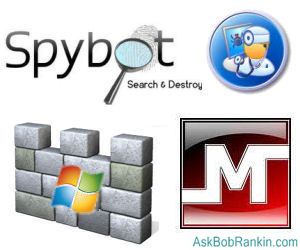
What is the Best Spyware Protection?
Spyware may track where you go and what you do online. Worse, it may record every keystroke and mouse click you make - including the usernames and passwords of bank Web sites. It may covertly search your email, collecting addresses and looking for patterns of characters that are probably credit card numbers and so on. It may search your hard drive for data files belonging to personal financial software such as Quicken. Whatever it does, spyware also covertly transmits its findings back to the people who planted it on your computer. Those people have various purposes, some illegal, and some of them legal -- no matter how much they offend common courtesy.
Some symptoms that you might have a spyware problem include: a computer that's running slower than usual, new toolbars appearing, your browser's home page has changed, difficulty reaching your favorite search engine, and other settings that have changed for reasons unknown.
Spyware protection software detects and blocks attempts to insert spyware into your computer. It can also scan your system for existing spyware and delete it. Free spyware removal software is great to have if you want to maintain your privacy and remove spyware from your computer. My favorite spyware removal tool for many years has been Windows Defender from Microsoft. I highly recommend it for Windows XP users, and fortunately it's now included in Vista and Windows 7.
Another useful anti-spyware tool that I recommend is MBAM - MalwareBytes Anti-Malware. And if you want to add another layer of defense, some other well-regarded free spyware detection and removal programs include:
Other Spyware Tools, And a Caution
I've written previously about Microsoft's Malicious Software Removal Tool, a free utility for Windows users that does limited spyware protection. It scans your hard drives for known malware, including spyware programs, and will delete them at your option. But it does not provide continuous real-time protection against installation of new spyware or other malware, so don't rely on this tool as your sole defense.
Most anti-malware software suites, such as AVG, Avast! AntiVirus, and Microsoft Security Esssentials include spyware protection modules. So do most system maintenance and cleanup software suites such as the aforementioned Advanced System Care, Norton Utilities, and so on.
You have to be careful when you go looking online for free spyware removal software. Many of the Web sites that offer free spyware removal kits are wolves in sheep's clothing. The spyware removal free download may actually be spyware itself, or some other form of malware. To avoid this trap, look for many recommendations of effective spyware detection and removal software so you know who developed it. Then get your free spyware protection download directly from the developer's Web site, not from some third-party distributor who may be giving you spyware instead.
Which is the best spyware protection and removal tool? It often depends on which spyware you've been infected with. Often, one program will catch a certain spyware program, and others will miss it. That's why some users like to scan often with multiple spyware detection tools. If you're running Vista or Windows 7, you've already got Windows Defender. My recommendation is usually to stick with that tool, add MBAM as a secondary scanning option, and try one of the others if it seems that the problem is still unresolved. Just don't have multiple antispyware tools active at the same time, since they can interfere with each other and slow your computer.
Do you have something to say about spyware protection? Post your comment or question below...
|
|
|


This article was posted by Bob Rankin on 28 Jun 2010
| For Fun: Buy Bob a Snickers. |
 |
Prev Article: Cellphone Accessories |

The Top Twenty |
Next Article: What is Cyber Schooling? |
 |
There's more reader feedback... See all 22 comments for this article.
Post your Comments, Questions or Suggestions
|
Free Tech Support -- Ask Bob Rankin Subscribe to AskBobRankin Updates: Free Newsletter Copyright © 2005 - Bob Rankin - All Rights Reserved About Us Privacy Policy RSS/XML |
Article information: AskBobRankin -- Best Spyware Protection (Posted: 28 Jun 2010)
Source: https://askbobrankin.com/best_spyware_protection.html
Copyright © 2005 - Bob Rankin - All Rights Reserved
Most recent comments on "Best Spyware Protection"
(See all 22 comments for this article.)Posted by:

Joe M
29 Jun 2010
Vipre Premium and Prevx together are the best all-round solution I've found.
Posted by:

tim atkins
29 Jun 2010
my comment is on spyware software i have been using these programs since i learned to turn on the machine and have found spybot search and destroy one of the best just don't install the tea time part as it is very annoying and confusing if you don't know a lot about computers i have tried all the ones you have said windows defender i dont think has ever caught any spyware and i would vote as one of the worst products but just in case i have it installed as i run windows seven it comes pre installed malwarebytes this is a good product how ever it slows windows seven startup and shutdown and conflicts with windows seven so i would not reccommend malwarebytes for windows seven spybot search and destroy needs to run as adminastrator to deal with spyware removal and does a fantastic job i highly reccommend it and install it on any computer that i work on try it update it imunise yourself and enjoy spyware free web surfing
Posted by:

doc
29 Jun 2010
Geez Bob,
I usually agree with you, but are you being paid by MS? Windows Defender? At least you mentioned Malwarebytes. Their free version is better than most real time AV's. I do like Advanced SysCare Free, it does hunt for the really nasty ones but has a small core def.It does have some nice extra tools though. Aren't they the same people that make IOBits360 free, real time (except for updating)AV? You didn't mention that (which I have found to be a solid very light AV and compatible with Zone Alarms Firewall Free. I use the last 4 on my kids computer (they like to go to PBS etc.), and find that it very rarely leaves anything for MBAM to catch. AVG is decent, Avast better (in my opinion). Spybot's passive protection is precarious at best, and Tea Timer is a huge resource hog. I had Spyware Doctor too (used them all at one time or another and have older pc's that I use to test them on by intentionally going to questionable sites (I use WOT to help me with that.Another decent tool though not AV it helps steer people clear. No mention?),it wasn't impressive at all.The best thing Norton ever made was their uninstaller. I was waiting for you to give the thumbs up on that stinker Panda put out Cloud AV. Garbage! I had to get RevoUninstaller Pro to get rid of that one. So yes, freeware user beeware!!!
I use a paid security suite (won't mention). When free trials come out I test them all. They change from year to year. I liked Bit Defender 2009, but not 2010 (constantly crashing).Kaspersky is usually solid year over (a bit pricey though). If I had to get another paid one now I would just pay for MBAM's Pro, 25 bucks for lifetime license! Can't beat that. Then get a good Firewall. A good N Router is a good buy as well (2 way firewall), all the more! I'm happy till April, 2011 for now. So I'll keep testing and make my decision then. No Windows machine should be without MBAM (wish they made one for Linux. Yes, you can get a virus on Linux just not as frequently, hmmm...wonder why?).
One last mention, DrWeb's Cureit! It's saved my bacon a couple of times. I generally like your articles and get your news letters but we part ways on this particular one. To each his own I guess. I can agree to disagree. You're starting to worry me Bob. :) Keep up the good work,
doc
EDITOR'S NOTE: It's funny you asked... all the invoices I've sent to the "Paid Shills" department at Microsoft have not been paid. Maybe I have the wrong address.
Posted by:

Mary
29 Jun 2010
A few months ago a friend's computer became infected. She contacted the Microsoft Consumer Security Support Center for assistance.
https://consumersecuritysupport.microsoft.com/
They remotely connected to her computer and ran their Malicious Software Removal Tool. Then they installed Microsoft Security Essentials and ran a full scan. After that they used MalwareBytes free edition and SUPERAntispyware free edition.
http://www.superantispyware.com/
Then they charged her $99. for using nothing but freely available products. One reminder: once a machine becomes infected, the only absolutely sure way to make sure all traces of the infection are gone is to reformat and reinstall the OS.
Posted by:

Dennis Wolfe
29 Jun 2010
Is it only my circle of friends and I who use Sandboxie to prevent malware and viruses? None of us have had so much as a hint of malware for over two years. Nothing, zip, nada.
Three years ago I quit using Spybot Search and Destroy, Hijack This and all of the other cleaners because there has been no need for them. I do use Avast but I have heard the alarm go off three times in two years. I simply no longer get spyware or viruses.
Sandboxie is free. You can only tell you are using it because it has a # sign when it is on. It creates a fake hard drive and the little viruses and malware write to it to their heart's content. All the while they think they are writing to the hard drive.
Every few days I empty the Sandbox and all of the malware goes out with it; never touching my operating system.
Try it. You'll never have to clean your hard drive again.
Posted by:

Keith Paterson
29 Jun 2010
I thought Windows Defender was replaced by Essentials. Do I need both ?
Posted by:

Kim
29 Jun 2010
I have Avast!AntiVirus and Microsoft Windows Defender running in real time on WinXP SP3. I did not realise that Avast! also contains an anti spyware module. Do you know if there is any conflict between these to applications that may adversely affect my machine?
Thanks for a great learning resource.
Best regards.
Kim
Posted by:

CC
29 Jun 2010
The best free spyware/maleware prevention software IMHO is Javacool's SpywareBlaster and SpywareGuard. Both very effective in preventing spyware, maleware and browser hijacking. I've been using these two programs for years and as a computer tech, I've installed them on hundreds of computers, both programs are small and run silently in the background, neither are resource hogs. For removal of any nasties, I recommend another free program, MalwareBytes, I've found it to be excellent in removing even those hard to get rid of nasties.
Posted by:

tommy2rs
29 Jun 2010
I've been testing and now recommend Microsoft's Security Essentials over my old favorite AVG. SuperAntiSpyware and Malwarebytes have replaced Adaware and Spybot S&D as my non-active on demand scanners. But one oldie is still a goodie, Javacool's Spywareblaster (freeware, though a paid version with auto update is available). A passive system, it relies on killbits to prevent spyware from ever running. No scans, no resource usage. Like any anti-malware product it does have to be kept updated to be effective.
Posted by:

John P.
29 Jun 2010
Bob,
You used to recommend AdAware, but you don't mention it in this article. Is it now off your preferred / recommended anti-spyware list(s)?
EDITOR'S NOTE: I just don't hear much about it anymore... and others like MBAM seem to be getting great reviews.
Posted by:

S. Burnett
29 Jun 2010
The site for spybot is no longer around. You cannot get updates or anything from their site.
http://www.safer-networking.org/en/index.html
EDITOR'S NOTE: Not sure what you mean. The software was just updated on 6/30.
Posted by:

Doug
29 Jun 2010
I've been happily using MSSE on a couple of XP Pro machines for a few months. One of those machines is very bare-bones, used for one very small business, plus access to an online Virtual Merchant for processing bank cards. The machine does have a valid and updated copy of QuickBooks Pro ver 2009, and Outlook express is used for email. I browse with IE 7.0 and SeaMonkey. Use of this machine is very limited and involves no playtime, gaming, nor risky browsing.
Today, MSSE just up-and-quit. I tried to re-load and got the error message to try again, or if failure continues then download and reinstall MSSE. Well, I've never had that experience with a security program... ever before. I scanned with Malwarebytes and found No Malicious Items. Uninstalled and reinstalled MSSE, updated and scanned - again no malicious items detected. What's up with that? It's rather unsettling to have the primary anti-malware tool "completely fail", especially because I set up this machine to be pristine and secure and have kept it isolated, mostly off most of the time.
hmmmmm. Could it be related to the recent upgrade version of MSSE, requiring download and reinstall over and above the usual and regular updates?
Posted by:

Lynda Smith
29 Jun 2010
Dear Bob,
I am using Webroot AntiVirus with Spy Sweeper. Will the Spy Sweeper that comes with Webroot interfere with Windows Defender and cause problems? Should I keep Defender turned off or can they both be used together. Thanks much
EDITOR'S NOTE: I always suggest that you use the minimum amount of security software, since they CAN interfere with each other. That said, Defender seems to "play nice" with other security programs.
Posted by:

Duncan
29 Jun 2010
Just an added word of caution, from someone who has been hit.
There is a very nasty piece of spyware called "The Spybot" which is either a worm or a trojan depending on how it hits you. It tries to confuse you when you're looking for "Spybot Search & Destroy".
It's almost exactly the opposite of what you want and can catch you when you're at your most vulnerable - nasty, nasty.
Never forget to include the "Search & Destroy" part of the name if you want to stay safe.
PS: it _is_ possible to get rid of it but is a real pain. Been there, done that.
Posted by:

Peter
29 Jun 2010
If I have avast! Antivirus, do I need an anti-spyware program like Windows Defender or MBAM? Or is it okay to have two programs both with spyware protection?
EDITOR'S NOTE: If your anti-virus package has a spyware scanner, you might not need another one. But if you feel the need, something like MBAM, which scans only on demand, is a good option.
Posted by:

PhilG
29 Jun 2010
Being in an Educational (corporate) environment, I have to deal with this everyday.
The best thing to do, other than stop Internet surfing, is to keep all apps updated (Java, Adobe, etc.) and have all needed OS patches installed, if staying on Windows XP, otherwise, get Windows 7 for better stability and security.
If staying on Windows XP, there is no single best product out there, but Malwarebytes, in reactive state, has removed 98% of what is found, especially when SAVCE (Symantec Antivirus Corporate Edition) didn't detect the problem.
Another product worth looking into is Sandboxie -
http://www.sandboxie.com/
- which allows one to isolate IE and Firefox (can configure for other browsers) from the system so that if a malware attempts to install/load/etc., you close the browser and eliminate any potential threat.
Posted by:

chesscanoe
29 Jun 2010
Note that yesterday Microsoft updated MSE. I have it installed on Win7 Pro x64 and the MSE - Help - Update... says:
Microsoft Security Essentials Version: 1.0.1963.0
Antimalware Client Version: 2.1.6805.0
Engine Version: 1.1.5902.0
Antivirus definitions: 1.85.1029.0
Antispyware definitions: 1.85.1029.0
as of 2010-06-29 15:31 EDT.
Posted by:

Sandy Jankowski
30 Jun 2010
I'm one of those Adaware/Spybot fans. I decided to run a test: back-to-back runs of fully updated Defender and Spybot. Defender found nothing. Spybot found a few minor cookies for things like yieldmanager, about the usual number I find on my periodic runs.
I'm guessing that Defender may not go after these. Based on your article I've added Defender to my toolbox. However I doubt it is going to be the first one I'll haul out.
Posted by:

Sandy Jankowski
30 Jun 2010
P.S. Anyone in need of a smile should read the Spybot license agreement
Posted by:

CyGuy
04 Jul 2010
Sandy,
Defender can be set (in Options) to provide real-time protection rather than just a scheduled scan.