


Cloud Computing
I'm hearing the term Cloud Computing more and more. One friend told me that it means computers will soon not need a hard drive. Is that correct? |
What is Cloud Computing?
There's a silver lining of truth in that statement, but you won't have to part with your beloved hard drive any time soon. Cloud Computing is the idea of accessing files, software and computing services through the Internet instead of on your personal computer. In the simplest of terms, if your software or your files are "somewhere out there" instead of on your computer's hard drive, you're using Cloud Computing services.
The Cloud is the Internet, and one of the primary benefits of Cloud Computing is the ability to create, update and store your files through any computer that has access to the web.
The concept isn't new. For years, many people have accessed their email via a web browser, using services such as Hotmail and Gmail. And it's something that many software developers are taking into consideration when developing new applications.
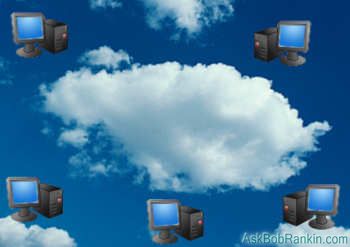
Examples of Cloud Computing
In addition to web-based email, some online services have started expanding their offerings by providing word processing and other office applications online. Google Docs is one example, which offers web-based word processing, spreadsheets, presentations, and calendaring functions.
All you need is access to the Internet, and you can create and store files in these Cloud-based applications. Documents and presentations can be uploaded from your hard drive and stored on the Web, allowing you to freedom to access them from any computer, and collaborate with other users, without having multiple copies of the document spread around different computers.
You may already be using Cloud Computing, and not know it. If you're storing your photos online via Flickr or Photobucket, you're in the Cloud. The same thing applies to video hosting sites such as YouTube, as well as online backup service like Carbonite.
Other software companies are already working on the idea of Cloud Computing, as an alternative to the traditional method of downloading or installing software on a hard drive. Some accounting software makers now have applications that are web-based. You simply enter a user name and password in order to get access to your accounting files. Examples of companies that do this are Quickbooks and Peachtree.
The Benefits of Cloud Computing
For everday users, Cloud Computing is one way to save space on your computer, and eliminate the hassle of installing and maintaining software. It's likely that the concept of Cloud Computing will someday eliminate the need to store software on your computer. The computer of the future might only need a web browser, and a hard drive could become an optional feature.
An interesting side effect might be that your choice of operating system becomes almost irrelevant. Who cares if your computer is running Mac OS X, Linux or Windows under the hood, when everything is happening inside the web browser?
Cloud Computing would make it easier for software companies to provide access to their software, instead of having customers worry about installation, operating systems and computer requirements. People would no longer have to worry about whether a piece of software would work on their computer. Companies delivering software as a service would also save money by eliminating CD-ROMs, paper documentation and packaging.
And if you're a web developer, you can also take advantage of Cloud Computing services like Akamai or Amazon's EC2 that offer flexible, scalable and economical web hosting and computing services.
The Down Side to Cloud Computing
Unfortunately, Cloud Computing might also be costly to consumers. Although some web-based apps are free, it's expected that some applications will require a monthly or yearly fee. In the end, these fees might add up to more than what you would pay to download and install the software to your computer.
There is also the concern of not being able to work on your files when you do not have access to the Internet. Business travelers may have to take this into consideration when deciding to use software online or offline.
Security is another issue. In Cloud Computing, your files are stored on a remote server, instead of within the privacy of your own home computer. Although your data is protected by a username and password, some worry that files will be more accessable to hackers, or that glitches on the part of the software company may expose private information. The flipside of this concern is that many home computers are easily compromised, due to viruses, spyware and botnets.
Still, software companies are changing gears and giving people the opportunity to use their services online. Users are starting to reconsider their ideas of what they actually need to install on their computer, and what they can comfortably store online. Are you using Cloud Computing? Post a comment with your experiences, questions or concerns...


This article was posted by Bob Rankin on 26 Nov 2008
| For Fun: Buy Bob a Snickers. |
 |
Prev Article: Make Vista Look Like XP |

The Top Twenty |
Next Article: Passport 9500ci Radar Detector |
 |
Post your Comments, Questions or Suggestions
|
Free Tech Support -- Ask Bob Rankin Subscribe to AskBobRankin Updates: Free Newsletter Copyright © 2005 - Bob Rankin - All Rights Reserved About Us Privacy Policy RSS/XML |
Article information: AskBobRankin -- Cloud Computing (Posted: 26 Nov 2008)
Source: https://askbobrankin.com/cloud_computing.html
Copyright © 2005 - Bob Rankin - All Rights Reserved
Most recent comments on "Cloud Computing"
Posted by:

Georjina
26 Nov 2008
Informative article, as usual Bob. I haven't used Cloud Computing and for the foreseeable future not likely. With the price of hard drive space down to a couple lattes a week, I'd rather have my applications at hand.
Posted by:

CDP
26 Nov 2008
Cloud computing: I use Google Docs, so I can access my writing from any computer...but...I've had trouble with Docs not saving my latest changes. I lost a lot of work once, and been shy about Docs since. But I still use Docs all the time between home and work, but I'm careful to have a backup.
Posted by:

MmeMoxie
26 Nov 2008
Great question! I have been wondering exactly what Cloud Computerizing was, myself. So far, none of the articles that I have read, have been as clear as your explanation, Bob. Thanks! Now, that I understand what it is ... I have been using a 'cloud' service for several years now, a website that is free and stores your Favorites/Bookmarks. In my humble opinion, there is nothing worse, then having your computer crash and die, and to lose ALL of your Favorites/Bookmarks. With MyBookmarks.com, all I have to do is a simple click and restore them, when I am ready. I don't store personal information or passwords, that it not what this website is for. It is strictly for storing the URLs of your favorite websites. I use Flickr, but, don't store all of my photos on it. I only store the ones that I want to share with others at forums. But, I do see the logic using Flickr as a 'back-up' of your photos. Flickr makes categorizing easy. However, at both places I make my settings 'private'. I prefer not to share in a public format. Many others use the public format and that is perfectly fine. I just don't care to, is all. Those are my two 'cloud' services.
Posted by:

Matt
26 Nov 2008
I use a web based email application but use Windows Live mail to interface to this application for the most part. Everything else is installed locally and that's the way I like it. I like to control which version of software I'm using and absorb new features on their merits rather than because a company needs to keep justifying why I should pay for upgrades when the existing product already does much more than I need.
Pardon the cynic in me, but it is highly desirable for companies to tie us into service based products (rather than a one-off purchase) - guaranteed income is very attractive. However, it makes it hard to keep money in the bank if you have more and more of these services syphoning money out of your account.
Posted by:

Bob Kilbourn
26 Nov 2008
I work for a large company that won't even allow access to Google Docs from its computers. They don't want sensitive company information stored online where it may be compromised.
Until Google or the other companies can assure us that the information is safe, I don't see that situation changing anytime soon.
Posted by:

Maisa
27 Nov 2008
If non-geeks need a simple and accurate view of it, this will be forever the best one:
"I'm hearing the term Cloud Computing more and more. One friend told me that it means computers will soon not need a hard drive. Is that correct?"
I just love it! =] Great post! I'll put a link reference to it on my post today! (http://icloudtoday.tumblr.com)
Posted by:

Don
27 Nov 2008
I use Google Docs all the time and love it. And I swear by Google mail. Wouldn't have it any other way.
But you know what I want (what I really, really want)? I'll tell ya want I want (what I really, really want) is a way to store PDF files and midi files and other random bits of non-photographic - non-mp3 stuff in the "cloud" in a way that allows me to control access to it in a "Google Docs" kind of way...sort of...ya know? For free, of course. :-D
Yahoo groups permits sharing, but it's all-or-nothing for everyone in the group. (Still looking.)
Posted by:

teka yemane
12 Dec 2008
As far as accessing files is concerned, cloud computing is highly advantageous as I will not have to carry my files in my laptop or flash disk and I seems like that CC is going to be the preferred technology for this future in this regard.However, when it comes to security, I don't think it is safe to put sensitive information on the net.......
I like your article bob and thanks for the brief and informative you put in here. It would also be good for readers if you can add some points about windows azure which is the OS for the CC and the stake holders of CC as well......
Posted by:

TJ Welsh
25 Feb 2009
Hello Bob, I found your article very helpful in understanding the pro's and con's of cloud computing. My name is TJ and I'm working to promote Dells website. Dell has done a case study on cloud computing at (http://www.dell.com/cloudcomputing) I feel like this resources along with yours will benefit your readers. If you wouldn't mind placing a , link to there site that would be great.
URL: http://www.dell.com/cloudcomputing
Posted by:

Saurabh
13 May 2010
Clouds if properly utilized can bring a revolution in the way modern businesses operate. This infographic at Techchai.com tells everything a naive user would want to know about cloud computing.
Posted by:

s schaffer
03 Sep 2010
realize reading this late but if you've never heard of Webtv.net (now called msntv2)this is REALLY OLD stuff.We've had and enjoyed this service (until microsoft bought them out) since 1998. We've used document apps from draac and other apps elsewhere. The only problem is when upgrades come(like flash)and we can't download any software upgrades.