


Copy DVD to Hard Drive
Have you run out of slots in your DVD storage tower? Do you find DVDs in the wrong cases, or find a case you've been seeking only to learn it's empty? Many movie buffs have such problems. You can solve this by copying all your DVD movies to a digital library on a hard drive... |
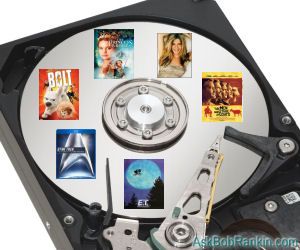
How to Copy a DVD to Your Hard Drive
Yes, it's legal to make copies of DVDs that you have purchased, for your own backup and personal use. That way, if a DVD disc gets damaged and unreadable you can burn a fresh copy, for your own personal use. You just can't go distributing extra copies to friends, family, and customers, not even for free.
DVD sellers don't want you to burn a fresh copy of a damaged disc, of course; they want you to buy a replacement. So they make it difficult to copy DVD data from its disc to another storage medium with "Digital Rights Management" (DRM) - encryption that gives you the old "access denied" message if you try to copy a movie file from a disc to your hard drive. Fortunately, there are ways around the DRM roadblock.
To copy a DVD to a hard drive takes two types of software, usually. The first actually "rips" the DVD data from the disc, de-crypting it so it can be copied, and does the actual transfer of data to your hard drive. The second type of software is optional: it compresses the DVD data so it takes up less space on your hard drive. An uncompressed movie on DVD can run up to 8 gigabytes.
The tradeoff in saving disk space is loss of some quality. Compression strips out bits from the DVD data to save space. Compression software lets you set how much you want to compress the DVD data, which also means how much quality you're willing to lose. Unless you have a trained eye and 20/20 vision, you probably won't even notice the onscreen effect of moderate compression.
Free Software to Copy DVDs
Here are three popular and free DVD ripping programs that combine both decryption, copying and data compression in one convenient package. Once you set your preferences, the copying process is pretty hands-free. You insert a DVD, click the "start" button, and go do something else while the DVD is copied to your hard drive.
DVD::rip is an open source DVD ripping program that is written in the Perl programming language. It runs under Linux, FreeBSD, OpenBSD, and other Unix-based operating systems.
RipIt4Me runs under all versions of Windows and will decrypt the newer, tougher copy-protection schemes such as ArccOS and RipGuard DVD. But you will also need DVD Decryptor and DVD Shrink, both of which can be downloaded from the same page as RipIt4Me.
DVDFab HD Decryptor is designed especially for decrypting and copying HD DVD and Blu-Ray data.
Of course, all of these programs and other DVD ripping software will copy your homemade DVDs that lack copy-protection, too. Once your DVD library is on your hard drive, it can become the focal point of a hands-free home entertainment system, or a portable movie library on laptop. If you copy your DVD collection to your hard drive you will never lose a movie again -- unless your hard drive fails!
Do you have comments or questions about copying DVDs to your hard drive? Post your thoughts below...
|
|
|


This article was posted by Bob Rankin on 2 Dec 2009
| For Fun: Buy Bob a Snickers. |
 |
Prev Article: Free DVD Burning Software |

The Top Twenty |
Next Article: Malicious Software Removal Tool |
 |
Post your Comments, Questions or Suggestions
|
Free Tech Support -- Ask Bob Rankin Subscribe to AskBobRankin Updates: Free Newsletter Copyright © 2005 - Bob Rankin - All Rights Reserved About Us Privacy Policy RSS/XML |
Article information: AskBobRankin -- Copy DVD to Hard Drive (Posted: 2 Dec 2009)
Source: https://askbobrankin.com/copy_dvd_to_hard_drive.html
Copyright © 2005 - Bob Rankin - All Rights Reserved

Most recent comments on "Copy DVD to Hard Drive"
Posted by:

Mike
02 Dec 2009
There are some DVD's in my library that cannot ever be replaced, such as my wedding and a dolphin excursion during my honeymoon. They definitely need to be preserved and being able to copy them to my hard drive for backup purposes is an absolute must.
Posted by:

edfuhr1
02 Dec 2009
I have many already decrypted movies on DVD's. If I just want to store them on the hard drive, I just copy all files from the dvd to my harddrive, right? My other question is how , one I have all the files on the hard drive, how do I play them directly from the hard drive without the disk?
EDITOR'S NOTE: Just double click on them, and the application that plays that type of file should open and play it. It should work the same as if the file was on the DVD and you opened it from there.
Posted by:

Steve Stephenson
03 Dec 2009
This is excellent.
MagicDisk & it's freeware.
Steve
Posted by:

Mike
05 Dec 2009
I've used RipIt4Me, along with DVD Decrypter for a few years now, and it's an excellent program. Problem is, pressure was brought to bear on the author, and he agreed to suspend support of RipIt4Me in order to continue his work on VideoHelp.com, which offers much information about creating personal DVDs in general.
Additionally, at the end of 2005, Macrovision bought DVD Decrypter and suspended its distribution by 3rd parties.
If you can find unaltered copies of either (or necessarily both) programs, they're still very useful, but there is virutally no support in their use. While they are very useful for copying older material, they're unable to stand up against today's changing copy protection schemes.
The only one I've found that consistently upgrades for new methods (and incidentally has withstood legal challenges) is AnyDVD by Slysoft. It effectively replaces the function served by RipIt4Me and DVD Decryptor, but it's not free.
Posted by:

pdsterling
24 Dec 2009
Just a few quick lines to say that the information published might mean something to techies, but to an old, retired accountant, this is meaningless! RiptIt4Me requires DVD Decryptor, which is unavailable, and dvd::rip's web-page is written in such arcane language that I can't even decide what I want from it! I was hoping you would write an article which paraphrased the old song, "you
push the second valve down, the music goes round and round, and it comes out here!"
Posted by:

Kmom
03 Jan 2010
We use Macs in our house and would like to store all of DVDs onto a hard drive to get rid of our DVD clutter. Can you tell me what the best Mac compatible system is to covert our DVDs into an HD format? Can we then hook the hard drive into our HDTV to play the movies? Are titles and chapters stored or simply titles? What is the best HD format? Thank you for any help in advance.
Posted by:

Papa Karlo
21 Jan 2010
pdsterling:
What do you mean -- DVD Decrypter is not unavailable? Make a google search for "download DVD Decrypter" and the first link will point to a mirror!
Posted by:

amanda
18 Jun 2010
thanks for your list of free software.
it really help me to copy my dvd to hard drive.
Posted by:

Steve Stephenson
05 Jul 2010
Hi,
I've been using MagicDisk 2.7 to great effect.
When copying DVDs to hard disk it works very well.
I have a slight problem with something else I would like to do, can anyone help me?
If I want to make a copy of a commercial DVD, not withstanding copywright issues, would I be correct in thinking that initially I need to make an ISO image, then I need to convert it to a "Bootable ISO image" before burning to a new DVD? Any help with this would be greatly appreciated.
EDITOR'S NOTE: I don't think that's necessary. Check out AnyDVD - http://www.slysoft.com/en/anydvd.html
Posted by:

Lucy
04 Aug 2011
I have much of my music as DVD's and would like to get the music, not necessarily the video, on to my iPod.
Do I need to follow these tips for copying a DVD to my hard drive then on to the iPod, or is there a simpler solution for just the soundtrack?
Posted by:

Rengaw
28 Jul 2013
I'm looking for a program that will not just backup my DVD and or Blu-ray disc's to my computer hard disk, but also create a jukebox type or menu style playback with the name of the movies and or picture with it to select once it's been backed up on my HD, sort of like when I put a music disc in and it grabs info from the internet to add the album and or song titles with it, It would also be great if this feature was available for the PS3, because then I would just buy a giant Hard drive to replace the one in mine and put my movies on it for playback too.
Posted by:

Bob
05 Jan 2015
Hi, the url link of anchor "DVDFab HD Decryptor" in this page is wrong. Please change DVDFab official website from http://www.dvdfab.com to http://www.dvdfab.cn.
EDITOR'S NOTE: Thanks, fixed now.
Posted by:

sophialiu
29 Aug 2017
oday, I come across an wonderful Blu-ray playing software. The F2Fsoft Bluray player can play Blu-ray folder, Blu-ray disc, Blu-ray iso files, different types of DVD and normal videos on TV, PC and PS3. It is powerful but easy-use software. Today, I will share you how to play Blu ray with this player software.
Posted by:

sophialiu
29 Aug 2017
http://www.f2fsoft.com/blu-ray-player/