


Free Screen Sharing and Remote Access Tools
If you occasionally need to access your own computer or someone else's from a remote location, you may already know about GoToMyPC or LogMeIn. These services are really handy if you have a friend who needs help, or you're away from home and need something from your computer. GotoMyPC's remote access service costs $44/month, and LogMeIn's free version was killed off several years ago. But you can still do remote access and screen sharing for free! Read on to learn how it works... |
Still Paying for Remote Access? Get it for Free!
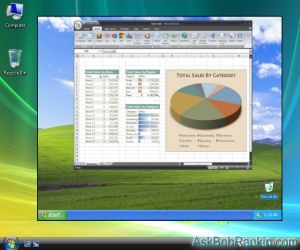
GotoMyPC and LogMeIn both allow you to log on to a remote computer, access the desktop, open files or run programs, just as if you were sitting at its keyboard. This screen sharing ability can be handy for technical consultants solving clients' problems; people who are away from their home or office computers; or just showing Grandma how to save photos of the kids on her hard drive.
The downside is they're both paid subscription-based services, and rather expensive for the occasional use most people need. The good news: there's no need to pay for remote access and screen sharing, when there are other tools that let you do it for free.
In some cases, these remote access or screen sharing software tools run as a downloadable program that you install on your laptop or other remote machine. But most of the functions of the remote access component are built right into modern Web browsers, so an additional program is not always necessary. Here is a run-down of some of the most popular FREE alternatives to GoToMyPC and LogMeIn. Each operates slightly differently so you should experiment with several solutions before choosing the one that's right for you.
Free Remote Access Tools
TeamViewer is an awesome, free, full-featured remote desktop program. You can control another computer that's connected to the Internet, or share files with a group of co-workers. TeamViewer works on Windows, Mac OS X, Linux, Apple, and Android devices. After both parties download the TeamViewer program, the party who needs help provides a password to the helper.
In a few seconds, the remote computer's desktop becomes visible to the helper, who can then control it just like he or she was sitting right there. Both parties can see everything that's happening on the screen, and either party can type, move the mouse, etc. It feels like magic, but I am assured that high-tech, high security stuff is happening behind the scenes to make it work.
Almost as awesome is the Chrome Remote Desktop app. This is an extension for the Google Chrome browser that enables cross-platform remote access between Windows, Mac, and Linux computers. The only caveat is that both parties must be using the Chrome browser.
Setup is very simple, and requires no download. After giving permission for the app to run, one person clicks the Share button, and the other clicks the Access button. The sharer provides the other party with an access code, and poof! -- instant screen sharing. If you currently use Internet Explorer or Firefox, you can download the free Chrome browser here.
ShowMyPC is a teleconferencing service that offers a free download of an app that enables remote access and sharing. With just three clicks, you can download, install and launch the ShowMyPC app. After starting the app, just click the “Show My PC” button to generate a password you can share with the person(s) you wish to commune with. The name implies that only Windows PCs are supported, but Mac, Linux, and others can play too. Supported platforms include Windows 7/8/10, Mac 10.13 & above, Linux, Android smartphones and tablets, iPad/iPhone, and Microsoft Surface.
Screenleap simplifies the screen-sharing process as much as possible. For the person sharing their screen, a quick one-time download is required. For the viewer(s), no software needs to be downloaded and installed. There is no account to set up; no restrictions on the type of device or operating system required to use Screenleap. The free service gives you up to 40 minutes of use per day with up to 8 simultaneous viewers of what’s on your screen. The Viewer Mouse feature allows you to see the mouse cursor of one of your viewers on your screen. This will allow your viewers to interact with you by giving them the ability to point out things on your screen. Several paid plans offer more hours, encrypted connections, and other benefits.
The downside of Screenleap is that it's one-way sharing only. The person viewing the remote screen can see what's happening on the other person's screen, but cannot control it. So it's nice for someone who wants to show something on their screen to one or more people, but less than ideal for helping a friend remotely.
UltraVNC is designed specifically for tech support applications. It is a free, open-source program developed by people who do tech support for a living, so it has numerous bells and whistles designed for such work. No host software is required with the SingleClick addon. Text chat is supported so you can talk to a client while showing him or her what to do visually. UltraVNC supports multiple monitors for tech support reps who have several clients going at once. It works with Windows and Linux computers. If you turn on the hidden VNC client in Mac OS X, you can connect to a Mac with UltraVNC.
Which Remote Access Tool is Best?
If you want a simple way to quickly connect to another person's computer without the need to install any software, try the Chrome Remote Desktop app. Of course, you and the other party will need to be using the Chrome browser.
If you have a friend or relative who needs frequent help, I recommend that you install TeamViewer on both computers. With a few clicks, both parties can securely connect to initiate a screen sharing session, and even transfer files back and forth if needed. TeamViewer works on any browser, PC or Mac.
ShowMyPC seems like an equally good solution, as long as you're connecting two Windows computers. Screenleap is a nice solution if you just want to share your screen with a few people, without giving them access to your desktop.
You may be looking for something that enables you to login remotely to another computer, without any action being taken on the other end. Maybe you travel with a laptop, and want to login to your home or office computer. Or maybe you have an unattended offsite server where you occasionally need to login. For those cases, I recommend UltraVNC. It allows you to install a small agent program on the remote computer, which sits and waits for your request to login. I use it for the precise reasons given above.
If you have a friend or relative who often needs computer help, these free tools are the next best thing to being right there beside them. They may actually be better, since you don't have to travel to their home in order to help them solve their computer or Internet problems.
Do you have something to say about remote access or screen sharing tools? Post your comment or question below...


This article was posted by Bob Rankin on 22 Oct 2019
| For Fun: Buy Bob a Snickers. |
 |
Prev Article: De-Geekify-ing the Backup |

The Top Twenty |
Next Article: Geekly Update - 23 October 2019 |
 |
There's more reader feedback... See all 21 comments for this article.
Post your Comments, Questions or Suggestions
|
Free Tech Support -- Ask Bob Rankin Subscribe to AskBobRankin Updates: Free Newsletter Copyright © 2005 - Bob Rankin - All Rights Reserved About Us Privacy Policy RSS/XML |
Article information: AskBobRankin -- Free Screen Sharing and Remote Access Tools (Posted: 22 Oct 2019)
Source: https://askbobrankin.com/free_screen_sharing_and_remote_access_tools.html
Copyright © 2005 - Bob Rankin - All Rights Reserved
Most recent comments on "Free Screen Sharing and Remote Access Tools"
(See all 21 comments for this article.)Posted by:

daryl
22 Oct 2019
When I had Windows Vista I used TeamViewer and quite liked it. It was faster than several others I had tried before, and it supported reconnecting after a remote reboot.
Posted by:

Bob Gilson
22 Oct 2019
Just an FYI, Bob. Clicking on the link for 'Chrome Remote Desktop app' in your article takes you to that page on the Chrome Webstore. At bottom of the page is it states: "This app is now deprecated. Please use remotedesktop.google.com instead."
I learned a new word - Deprecated means the use is discouraged. It doesn't say discontinued.
I have used TeamViewer for years to help friends. In business use, I use Remote Utilities, which is free for up to 10 computers. But for a one-time fee of $99, I get more than I need - about 20 computers.
Posted by:

Paul
22 Oct 2019
The problem with Teamviewer (and it seems to be a recent problem) is that if you get "suspected of commercial use" (in other words, you use the free version too much) you get relegated to under 5 minutes (well under in my experience...heck, under a minute!) of connection time. I used to us TV to contact the computer at my cottage and logged in multiple times a day and did it for years. Recently I got tagged as a commercial use suspect and even after I sent off a declaration stating the reasons I use TV so much, my status was quickly changed back to "suspected commercial use" after a short stint of reinstatement. Thankfully we just sold the cottage so I don't need it anymore. Great product but there needs to be a consumer-friendly price structure...the business license is expensive.
Posted by:

Charlie
22 Oct 2019
TeamViewer has recently added re-connect time restrictions on their free version. I've used it for years for occasional help to family. Even though my connection time is very minimal (~30 minutes a month), TeamViewer has started sending harassing emails threatening to terminate my account. I'll look for another product.
Posted by:

Paula Reusch
22 Oct 2019
I can also vouch for the TeamViewer restrictions. The software allows one to log in remotely for approximately 2 minutes before being rudely booted off. "Suspected commercial use" was given as the reason.
Posted by:

Stephe
22 Oct 2019
Does Avast still include this capability?
Posted by:

JMJ
22 Oct 2019
Hi Bob,
I had the same "commercial use" problem with TeamViewer. So, I dropped it and I now use AnyDesk (https://anydesk.com): it's free for personal use and I am quite happy with it.
I install the client part on the PCs of my friends and family, so they can very easily call me and give me access to their PC.
Kind regards!
Posted by:

Len Barrows
22 Oct 2019
I too have been accused of commercial use. It seems they are trying to discourage users of the free service. They also appear to have removed the QuickSupport option [it fails when trying to communicate with the latest installed version] that allowed access to the other party without the need for them to install TV - useful for those that are already in need of assistance!
Posted by:

Zvonimir
22 Oct 2019
AnyDesk is free for evaluation and private use.
Posted by:

Bruce
22 Oct 2019
Since LogMeIn started charging I've been using RemotePC, at remotepc.com. As I remember, TeamViewer required somebody to be at the system your accessing. RemotePC works like LogMeIn, no one needs to be at the remote system. Also, I can easily go either direction between the 2 systems. That is, either one can be local. It's great if you only need to access one other PC. I've never tried to access a different PC. I don't know if that is free.
Posted by:

Beverly Shellabarger
22 Oct 2019
I use RemotePC and love it. I have all the computers listed that I might need access to. It is just one click and I'm in. No need to have someone on the other side to let you in.
Posted by:

James E Shaneman
22 Oct 2019
How come nothing said about Remote PC? Just finished having a root canal (really) and might have missed something in your post. Remote PC works fine, is simple, free.
Posted by:

Colin
22 Oct 2019
Good thing about Teamviewer is that you can copy and paste files from the other computer to yours.
You can't do that with Google Remote. Although the work around is to send it by email or upload it to the Google Drive.
Not sure if any of the others do the immediate cut/copy and paste directly. Anyone know this?
Posted by:

Moccasin
23 Oct 2019
I agree on AnyDesk. It's working great for us. TV has definitely taken a turn for the worse and the "commercial use" thing is an issue.
Posted by:

Larry Cotton
23 Oct 2019
I felt Teamviewer was the best but want to be able to afford it commercially and I don't use it enough for their rates. I then started using Anydesk and for one on one it still works but their site makes it clear is is to be paid for. So lately I started using Zoom.us which is more for communicating but shares screens well and is easy for the client to find and install.
Posted by:

Pete
23 Oct 2019
Not long ago I was using Chrome Remote Desktop and felt it was an incredible program. I would access my main PC from my phone on the go, my MacBook when in another room or building and my other PC if ever felt like it. I had read and spoken to people about other remote desktop programs and was confident I'd never switch to another. I was also helping friends online with their computers. Then, they changed from having a simple extension to having a 'Web App.' I'm sure when I get motivated to set things up again, it will be fine but so far, it has been a bit of a frustration. Now definitely considering the other options mentioned above. AnyDesk appears so versatile. Will try it.
One thing I still do appreciate about Chrome Remote Desktop, is they don't have a motivation to get me to 'try' or purchase an upgraded version of their wares which is so nice. I know. They have too much of my data already so why not this area too. LOL
Posted by:

Thomas Myler
23 Oct 2019
I have used TeamViewer, RemotePC, Splashtop and RemoteUtilities. Hands down, Remote Utilities is superior and is free for up to 10 computers. It has more functionality than the free TeamViewer.
Posted by:

dleippe
30 Oct 2019
I had been using Teamviewer since version 8 to help many friends and family for free help with Windows computers. Since version 14 I have been getting the "suspected of commercial use" message. Your article is timely, I will try some of the suggested alternatives.
My solution for Windows 10 users is the built in Quick Assist. You have to search for it in the Start Menu. Just type "Quick" and it will pop up. Only the person giving assistance needs to log into their Microsoft Account. It is all done through the Quick Assist APP. It has all the remote assist features that Teamviewer has without the hassle, except both PCs have to be Windows 10.
Posted by:

kris
06 Dec 2019
I like use LiteManager is free for remote access
Posted by:

Suman_2020
18 Feb 2020
All the above tools are good. Additionally, you can also have a look at on premise R-HUB web conferencing and remote support servers. It works on all platforms viz Windows, MAC, Android, iOS etc.