


Free Online Word Processors
Microsoft Word is so expensive... are there free alternatives? I'd really like a full featured web-based word processor that allows me to access and store documents online, instead of my hard drive. |
Web-Based Word Processors
Word processing software is one of the most common applications found in offices and homes around the world. The top two word processors, Microsoft Word and Corel's Word Perfect, are very capable, but are also expensive and require a lot of disk space on your computer. There are some excellent free and open source word processors you can download, but you still have to install and maintain the software. And all of these are "landlocked" in the sense that it's difficult to collaborate and share documents with others online.
Fortunately, there are several free online web-based word processors that you can use to create, edit, publish and share files online -- without having to purchase or install any software. Here are reviews of the online word processors that are leading the pack...
Google Docs
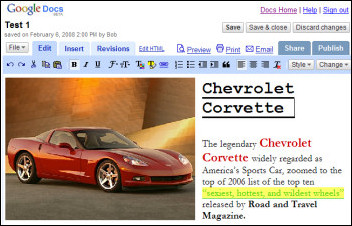 Google Docs (formerly Writely) was not the first online word processor, but I mention it first becasue Google is a trusted name when it comes to online applications. Google Docs not only offers you a great online word processor, but it also provides you with online spreadsheet and presentation programs as well. This suite of products is similar to the Microsoft Office suite, and it is completely compatible with Microsoft Office products and files.
Google Docs offers most of the same formatting features that Microsoft's Word does, however, it also offers you the option of publishing and sharing your files online live. There's no software to install, and no hard disk space required. All of the software, as well as the files you create, are stored online. You can access your documents from any computer with an internet connection.
Buzzword
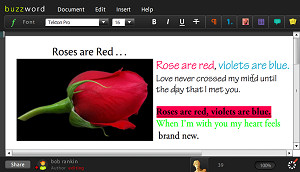 Buzzword is another free online word processor that you can use. It was created by Adobe and functions much like Google Docs, although the interface is a little sexier. You can save files created in Buzzword in DOC and RTF file formats. In order to use this WP you will need to have Flash Player 9 and sign up for a free Buzzword user account.
The current version of Buzzword is a "preview" version that allows you to compose, edit share and publish documents. It's possible that Adobe will release a fee-based version with advanced features at some point, but I hope they will find some other way to monetize this venture and keep it free. Regardless, you can take advantage of this slick online freeware word processing app now.
iNetWord
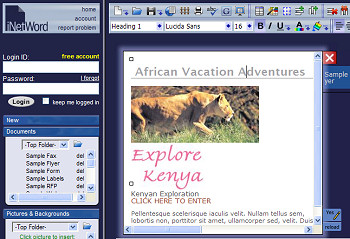 If you're looking for an online word processor that has nearly all the features that Word has, and that is also Internet friendly, then iNetWord could be what you are looking for. This free web-based word processor will allow you to format and compose documents similar to how you would in Word. Some differences between iNetWord and Microsoft Word: Word will allow you to customize your character styles, it has a grammar check and it has point level fonts whereas iNetWord doesn't. iNetWord allows you to share folders and publish to the web with a single click of the mouse whereas Word can't.
iNetWord takes a while to load, even with a broadband connection, but it does offer an impressive feature set including spell check, tables, merge fields, multiple document support, and the ability to track changes in a document.
ThinkFree
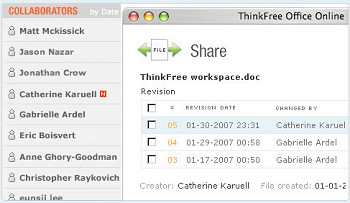 ThinkFree is yet another free online based word processor. It, like other online word processing suites, offers a word processor, a spreadsheet and a presentation platform. What I like about this particular online word processor is that it offers you up to 1 GB of storage space for your documents and files. I also like that this Java based program will be offering several updates during 2008 including: better security architecture, enhanced AMI structures, enhanced scalability, new templates and a upgrade release scheduled for sometime between April and June 2008.
It is easy to see that many facets of business and personal productivity are quickly moving to the virtual realm. In order to keep up, most business tools and software programs will need to integrate themselves with the Internet in order to remain viable. Free online word processors are just the start of the virtual office transition, so keep your eyes open for new virtual tools that can make getting stuff done even easier.


This article was posted by Bob Rankin on 6 Feb 2008
| For Fun: Buy Bob a Snickers. |
 |
Prev Article: Analog to Digital TV Conversion |

The Top Twenty |
Next Article: Low Disk Space Warning |
 |
Post your Comments, Questions or Suggestions
|
Free Tech Support -- Ask Bob Rankin Subscribe to AskBobRankin Updates: Free Newsletter Copyright © 2005 - Bob Rankin - All Rights Reserved About Us Privacy Policy RSS/XML |
Article information: AskBobRankin -- Free Online Word Processors (Posted: 6 Feb 2008)
Source: https://askbobrankin.com/free_online_word_processors.html
Copyright © 2005 - Bob Rankin - All Rights Reserved
Most recent comments on "Free Online Word Processors"
Posted by:

Memo Cordova
08 Feb 2008
I use Google for just about everything, including spreadsheets, though I'm impressed with Zoho Writer and ajaxWrite, particularly for on-the-fly online word processing.
Another option would be to keep a word processing utility like AbiWord on your thumb drive/USB stick.
Posted by:

B Bornn
09 Feb 2008
When you wrote about Google Docs, you should have mentioned that Google is known for keeping copies of your email and keeping track of everything you do online! You can bet that Google will keep your documents private only as long as it suits them, and will use them for its own purposes as well as allowing the government to read them. If I were to use an online office suite, it would be one that did NOT keep my documents.
EDITOR'S NOTE: You're passing along bad information. There are plenty of people who like to accuse Google of all sorts of evil things. Go ahead and store your documents on your "private" hard drive -- as long as you trust Microsoft.
Posted by:

Yaacov Taube
12 Feb 2008
Dear Bob, Thanks for your articles. Do these on line applications support Hebrew. This might interest other folks from around the world that use right to left languages.
Posted by:

Peter
16 Feb 2008
What about Zoho? I'm wondering why you haven't included their suite in your roundup.
EDITOR'S NOTE: Ummm, because I knew YOU would! :-)
Posted by:

nDavid
10 Mar 2008
Jarte is another free word processor that is worth looking at.
EDITOR'S NOTE: Yes, but it's not an ONLINE app. I mentioned it here: http://askbobrankin.com/free_office_software.html
Posted by:

NorieNC
04 Nov 2008
Helpful article thank you. A problem with Google docs, it can't upload a MS word document and keep the formating right. That's a BIG drawback. I just discovered openoffice.org with my JAVA update this morning. Anyone know about that?
EDITOR'S NOTE: In my experience, most Word docs translate into Google Docs without a hitch. I'm sure there are some cases where the formatting is not quite right, but your comments seem to indicate that it NEVER works. As for OpenOffice, it's a great office suite and a worthy alternative to MS Office. You'll probably have some of the same document exchange issues, (regarding formatting) though.
Posted by:

Narayanan Hariharan
27 Jan 2009
Here is a free list of Free MS Word alternatives I published a few months back and was found helpful by a lot of people - http://www.techspikes.com/2008/08/20-free-online-offline-alternatives-to-ms-word - 20+ free online and offline alternatives for MS Word
Posted by:

Captain Ozone
27 Jan 2009
This is a copy of an email we got here at the Texas Tech Health Science Center in July:
"This is a reminder that there should not be any kind of protected health information being kept on any on-line services or data bases such as www.docs.google.com without the written approval of the HIPAA Privacy and Security Officers. At this point use of these types of on-line database services does not meet the HIPAA requirements.
If you are using such a site to maintain any type of lists containing PHI you must discontinue use of these sites immediately and notify (name removed)."
EDITOR'S NOTE: Yup, we all know that the personal laptops of government employees are MUCH safer than those online thingies. :-) See http://www.google.com/search?q=employee+lost+laptop
Posted by:

Captain Ozone
27 Jan 2009
Bob, I get a lot of great information from your news letters. In regards to my posting, can the people that run the online sites view the documents? That is where the HIPAA rules come in.
EDITOR'S NOTE: The Google Docs privacy policy says: "We take appropriate security measures to protect against unauthorized access to or unauthorized alteration, disclosure or destruction of data. These include internal reviews of our data collection, storage and processing practices and security measures, as well as physical security measures to guard against unauthorized access to systems where we store personal data. We restrict access to personal information to Google employees, contractors and agents who need to know that information in order to operate, develop or improve our services. These individuals are bound by confidentiality obligations and may be subject to discipline, including termination and criminal prosecution, if they fail to meet these obligations."
Given the relative ease with which healthcare workers can access patient information, I'd be inclined to trust Google as much or more than the IT staff at any given hospital or insurance company.
Posted by:

peGuy
25 Jun 2009
As with NorieNC, we have a problem with Google docs, it can't upload a MS word document and keep the formating right. The documents we upload never hold their formating. Do you know of a web based word processor that will hold the formating and can be edited simultaneously?
Posted by:

adu benjamin
29 Sep 2015
is there anybody out there who can help me explain processors and their generations please?