


Hard Drive Data Recovery Services
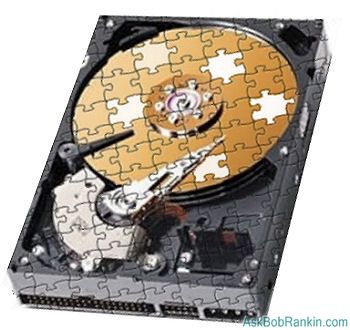
A reader asks: 'My hard drive was making a clicking sound, and now it won't start up at all. Should I try to fix it myself, or send it to a hard drive repair service?' Read on to learn your options when a hard drive fails... |
Time For a Hard Drive Recovery Service?
We tend to assume that our computers are infallible, but it's usually a matter of time before some form of data loss occurs. Just like a car, a computer can break down and parts wear out. Hard drives are no exception. And as much as we know we should back up all our important files, how many of us do that on a regular basis? Fortunately, there are many ways to recover from a hard drive failure.
Of course, if your computer is still under warranty, it's best to contact the company where it was purchased, or if you have a Mac, take it to one of their Apple Stores. No warranty? There are some common hard disk problems that you can fix yourself, with a bit of self-education. For now, let's assume you have hard drive failure with no backups of your files, and focus on what you can do to recover your data. See my article Free Windows Repair and Recovery Tools if you want to try the do-it-yourself route using free software tools.
There are also some commercial tools that may be worth a try before giving up, or sending your hard drive out for repairs. EASUS Data Recovery Wizard is a $69 program that makes data file recovery as painless and foolproof as possible. You can download a trial version that will recover up to 1 GB of data free of charge. A version for Mac users is also available.
YouTube also has some instructional videos for specific brands and models. It can be very helpful to get step-by-step instructions, but unless you're fairly geeky, trying to save the hard drive yourself may cripple it even further.
Using a Hard Drive Recovery Service
If none of these DIY approaches solve the problem, or they just seem too daunting, the next best choice would be to engage an expert. The practice of retrieving data from damaged or inoperable disk drives is known as data recovery. If it's imperative that you retrieve data from a drive that is physically damaged, there is still hope. Data recovery services give you the option of sending your damaged drive to their engineers who will evaluate your hard disk, extract a file listing from it, and will retrieve any data possible. This type of service ain't cheap, though. The standard evaluation cost is usually around $100 (USD). Afterwards, the actual data recovery fee can run anywhere from $500 to $2500, depending on the amount of data and labor involved.
If you want to start local, electronics or office stores such as Best Buy or Staples can do the chore for you. At Best Buy, data recovery services start at $259. They will even send out a member of their Geek Squad if you need service in your home or office. There are also specialized data recovery services such as OnTrack Data Recovery and Salvage Data, which offer multiple solutions. Whether your problem is human or electrical, personal or business oriented in origin, they work on any system, and all types of hard drives. These companies have multiple certifications and security credentials, to give you peace of mind when sending your hard drive out for repair.
DTI is another company that can service your hard drive in a clean room environment, and they are authorized by all major hard drive manufacturers. They even go so far as to answer the question of why you should trust them. "Quote From NASA: 'Lockhead Martin referred us' end quote." Their remote data recovery service usually costs less than $100.00 and if there is no recoverable data, there is no charge.
Why is data recovery so expensive? This type of work requires a first-class "clean room" environment, with anti-static flooring, ventilation systems, temperature and humidity controls, microscopes and other specialized equipment. Clean room engineers should have engineering or electronics degrees, and must also wear hazmat-style suits to prevent any smoke or dust particles, fingerprints, or hair from contaminating the exposed disk surfaces. In cases where the physical media is damaged due to fire or flood, engineers can force the hard drive's read head around the damaged areas areas using specialized electronic devices and software.
After your PC is repaired, I recommend that you purchase an external hard drive and begin a daily/weekly regimen of backing up all your important files. The expense will be well worth the security and the costly repairs at another date and time. If you don't have a plan for automatically backing up your computer's hard drive, check out my articles Backing Up Your Files and Free Backup Solutions for more information on free or low-cost backup strategies.
Do you have experience or questions about hard drive recovery? Post your comments below...
|
|
|


This article was posted by Bob Rankin on 11 Mar 2013
| For Fun: Buy Bob a Snickers. |
 |
Prev Article: Is Your Web Browsing Really Private? |

The Top Twenty |
Next Article: Geekly Update - 13 March 2013 |
 |
Post your Comments, Questions or Suggestions
|
Free Tech Support -- Ask Bob Rankin Subscribe to AskBobRankin Updates: Free Newsletter Copyright © 2005 - Bob Rankin - All Rights Reserved About Us Privacy Policy RSS/XML |
Article information: AskBobRankin -- Hard Drive Data Recovery Services (Posted: 11 Mar 2013)
Source: http://askbobrankin.com/hard_drive_data_recovery_services.html
Copyright © 2005 - Bob Rankin - All Rights Reserved
Most recent comments on "Hard Drive Data Recovery Services"
Posted by:

Dave
11 Mar 2013
Surely the answer should have been to back-up in the first place? It is absolutely imperative that this is done in one form or another. I have no less than ten external hard drives spread over my three desk-tops and a lap-top for this very purpose, as I have over 180 gigs of irreplaceable data and music, and drives are comparatively cheap these days. It does beg the question of what is actually the ultimate storage medium. Hard drives WILL fail - eventually, solid state devices (drives and sticks) appear to wear out and home-burnt DVD/CD discs quite often become unreadable. Just what is the answer, other than to keep transferring stuff over to a new medium every now and again?
Posted by:

bob price
11 Mar 2013
In these days of incredibly cheap hard drives, USB drives, and other external drives, there is no reason to not have a full backup, even two. There is no practical reason that recovering a failed drive is ever necessary.
I have two fully bootable backup drives, so the total failure of my primary drive is only a minor annoyance.
Posted by:

Posting Pete
12 Mar 2013
If the problem is in the magnetics and you need a Lazarus miracle, Spinrite is the goto solution.
What it does: http://www.grc.com/sr/spinrite.htm
[I have no commercial affiliation, and run Spinrite on a new HDD, and every few months following to refresh the surface.]
EDITOR'S NOTE: I hesitate to recommend it now, because the latest version was released in June 2004. Has anyone here used it on a modern computer?
Posted by:

Salman Khan
12 Mar 2013
I agree with Dave above. Just exactly what is the medium to use nowadays? I bought an external 500GB hdd in July 2012 and just yesterday placed another order for another 500GB because of the possibility that my first hdd might fail.
Backing up is very time consuming and sometimes even backups get corrupted which leads to asking the same question Dave asked.
EDITOR'S NOTE: The answer is "backup your backup." Aside from transferring stuff over to a new medium every now and again, the only good alternative is to have two or more copies of your backup. My personal strategy is to backup my entire hard drive weekly, with daily incrementals. (I use Acronis for that.) The disk image is transferred to a secure offsite server nightly. So I always have a handy backup on my external hard drive, and a copy of that backup a thousand miles away.
Posted by:

Bob Bloom
12 Mar 2013
The editor (Bob R.) asked about Spinrite. Yes, it still is a highly valuable utility even with modern computers. It can create bootable media for CDs, DVDs, or flash drives. As it works at the bit-level with HDs it is independent of the operating system. It sometimes has a problem with AHCI-enabled HDs, but a temporary BIOS switch to ATA (or legacy) usually fixes that.
That said, the *first* thing to do with a failing HD is to clone it to a second drive. Then try Spinrite because it recovers data onto the same HD it's running on. With marginal HDs, the work that Spinrite does can *kill* the failing HD and make data recovery harder, not easier. On the other hand, Spinrite is a very easy program to use and I have fixed many a HD with it. And it's a great diagnostic to scan for HD errors.
Disk drive cloning programs are plentiful, the challenge is finding one that tolerates errors on the source disk. 'DiskPatch' from DIY Data Recovery is my current favorite for cloning HDs with errors.
Posted by:

Tammy Whitfield
15 Mar 2013
I agree with dave as this days we are always going onward for a technology. The drivers fail eventually.
Posted by:

Lee McIntyre
16 Mar 2013
I know this blog is about data recovery services, and I know those services might conceivably be needed very occasionally, but, oh my goodness! Back your stuff up, boys and girls!!!
Yesterday I bought a 3-Terabyte Toshiba external hard drive at Staples for $180 (just $120 after I gave 'em my coupon). ... And I found myself saying the same thing I said when I bought my first 10-Megabyte external drive back in the 1980s: "There. THIS should be all the storage space I ever need!"
But there's a moral: If it's worth saving, it's worth backing up. Carbonite is about $5 per month. External hard drives are cheaper than ever.
If you find yourself needing a data recovery service, I'm sorry to say this, but it's your own darn fault.
GO GET A BACKUP DRIVE! They even come with free backup software. (But you'll probably be better off with one of the programs Bob recommends.) TRY Carbonite. (It costs NOTHING to try.)
Then the next time you need to retrieve an important file or your hard drive fails, you will feel OH, SO SMUG! Because you will have taken care of yourself.
[Lee climbs off soapbox, bows to admiring crowd, and walks humbly away.]
Posted by:

ziggler081
19 Mar 2013
This blog is informative enough, one day I had lost my data from Mac hard drive and was looking for Mac hard drive file recovery tool. I used an effective software it had done what i needed.
Posted by:

beaven
20 Mar 2013
Just commenting how to recover data from corrupted external hard drive. You can retrieve your corrupted data with the help of hard drive recuperate software, by using this software i had successfully retrieved my data from corrupted external device.
Posted by:

Sony Ivy
21 Mar 2013
Hi...
The way you representing the causes for hard drive failure in this article were very nice. I also faced the hard drive corruption because boot record does not mount properly on Mac system. Thus the system getting blue screen dumping whenever turn on the PC. I used HD recovery software to retrieve corrupted HD.
I downloaded free demo version to know working procedure of this tool. And I purchased licensed version, it is available in affordable price only.
For more details follow the links specified below:
http://www.diskrecoverymac.com/hd.html
Posted by:

Don Anderson
15 Sep 2013
This is a very informative page Bob, however it's very important to remember that if a drive is clicking, beeping, buzzing, or has been dropped that it's most likely going to require a clean room repair.
When you attempt to run recovery software or open the drive and receive I/O errors. They are bad sectors that aren't being read. Powering the drive on further could cause more damage.
A very common misconception is data can be required always, at a price. This isn't true. If the platters become damaged (or scratched) in certain areas then all is lost.
Data recovery is only "cheap" in situations when the drive is not physically damaged. After that the best you can find is "fair prices". Please read more on my site.
Don Anderson
-Owner/Operator Tri-State Data Recovery, LLC
www.southjerseydata.com
Posted by:

steve gogerly
15 Jan 2014
Nobody has even mentioned raid mirror drives where all the data is kept in 2 copies, 1 on each drive so if 1 drive fails the other still has all the data.
Posted by:

Tony O Hare
19 Aug 2014
Thanks a lot for bringing into our notice such important initials for choosing a reliable data recovery specialists