


Time to Upgrade Your Monitor?
If you spend many hours per day at your desktop computer, a good monitor is one of the best investments you can make. A monitor that displays text crisply, renders colors faithfully, and keeps up with fast motion video is a pleasure to use, and could even spare you a trip to the eye doctor. Here's why you should consider upgrading, and five cool monitors for you to check out... |
Benefits of Upgrading Your Computer Monitor
Computer monitor technology has advanced and prices have fallen dramatically in recent years. But in addition to lower prices, you'll find that a larger monitor (or multiple monitors) will improve your productivity. You'll be scrolling up, down, left and right much less, and there's less need to switch or resize windows when you have more than one program open.
On my desk, I run dual 22-inch monitors, which lets me keep a fullscreen word processor open on one, and a web browser or spreadsheet on the other. In my article Dual Monitors: Five Good Reasons to Upgrade you'll find other benefits of a multi-monitor setup, and some tips on adding a second monitor to your existing desktop or laptop setup.
So if your old monitor is too small, its display is starting to flicker, or you've got those annoying dead pixels, now is a good time to upgrade to a modern monitor. Here are several examples in different price ranges.
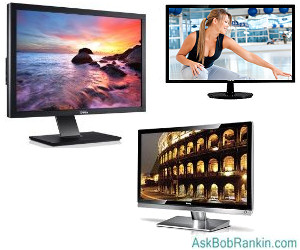
The Asus VS229H-P is an outstanding bargain in a 21.5-inch monitor, both for its price ($160 list) and for its IPS (In-Plane Switching) display technology. IPS is a cut above the usual TN (twisted nematic) technology; colors are richer and more lifelike, even when viewed from extreme side angles. This monitor also sports full HD resolution (1920x1080), and has a 16:9 aspect ratio. The latter is important for watching widescreen movies which are filmed in the same aspect ratio; no stretching or cropping of the video image is necessary, so you get the ideal viewing experience.
The VS229H-P comes with preset video modes that enable one-button switching between Standard, Theater, Game, Night view, sRGB, and Scenery modes. On the downside, IPS consumes more power than TN, and this budget monitor does not come with extras such as speakers or USB ports. But for pure viewing pleasure on a budget, it's hard to beat.
The NEC MultiSync EA273WM is a 27-inch LCD monitor with business-class features. Don't let its $499 list price discourage you; it's widely available for less online. With full HD resolution and TN+ technology, this monitor delivers excellent color and grayscale while consuming very little electricity. The display swivels from landscape to portrait mode, accommodating horizontally-oriented spreadsheets or vertically-oriented desktop publishing applications.
Two USB ports facilitate easy data transfers via thumb drive or external hard drive. A motion sensor embedded in the frame automatically dims the display when no one is in front of the monitor. A light sensor adjusts screen brightness to ambient lighting. Twin 1-watt speakers are included.
The BenQ XL2420T is a high-performance gaming monitor. Its 120 Hz, 24-inch screen features a very speedy pixel response rate, a wealth of connectivity options, and lots of customizable gaming modes. The TN+ panel delivers vivid colors and very dark blacks. The side viewing angle is relatively narrow, but gamers tend to sit front and center. ($549 list)
The Acer HR274H features passive 3D technology and comes with the necessary polarized goggles. This 27-inch 60 Hz TN+ display provides very good 3D viewing, rich colors, and dark blacks. It includes two HDMI ports, a VGA port, and an audio input, but no USB ports. ($599 list)
At the high end, the 30-inch NEC MultiSync PA301W has a list price of $2,299. But if you can get past that, this monitor may be your dream come true. Its IPS panel has a maximum resolution of 2560 by 1600 and a 16:10 aspect ratio. The PA301W features two DisplayPort connections and dual DVI ports, giving you four fully digital input connections. There are also two upstream and two downstream USB ports on the rear panel, and a fifth USB port on the side of the bezel. A KVM switch is built in, allowing you to switch the monitor between two PCs.
Do you have a favorite monitor for your home or office? Tell us why you like it! Post your comment or question below...
|
|
|


This article was posted by Bob Rankin on 17 Jul 2012
| For Fun: Buy Bob a Snickers. |
 |
Prev Article: Backup Your Text Messages |

The Top Twenty |
Next Article: What's New in Microsoft Office 13? |
 |
Post your Comments, Questions or Suggestions
|
Free Tech Support -- Ask Bob Rankin Subscribe to AskBobRankin Updates: Free Newsletter Copyright © 2005 - Bob Rankin - All Rights Reserved About Us Privacy Policy RSS/XML |
Article information: AskBobRankin -- Time to Upgrade Your Monitor? (Posted: 17 Jul 2012)
Source: https://askbobrankin.com/time_to_upgrade_your_monitor.html
Copyright © 2005 - Bob Rankin - All Rights Reserved


Most recent comments on "Time to Upgrade Your Monitor?"
Posted by:

Gerald De Oreo
17 Jul 2012
I upgraded to a ViewSonic 24 inch widescreen LED backlit monitor about a year ago and am very pleased with its performance. I am online an average of 8 hours per day and find that I have no eye or brain fatigue and no flicker that is discernable. I feel that LED backlighting is superior to flourescent backlit models and I believe that the LEDs will last longer as well. Am I correct?
Posted by:

old gobbo
19 Jul 2012
Hi, I use my pc for marking my on-line students work, which is pretty intensive (day and night) when it happens. I have a 24" iiyama Prolite B2409HDS and am very happy with it, since I can just about keep a spreadsheet for storing marks open at the same time as the student paper I am correcting and my notes on the exercise, together with occasional uses of the OED/Houghton Miflin, corpuses / corpora and web searches, calculator &c. The speakers are not up to much, but that is not really the point. It seems completely reliable and crystal clear after three years of intensive use: but you have really made me think about getting a second monitor.
The 18.5" monitor on my back-up machine, an ASUS NX90 (which does have good sound but which I bought for the screen size - however my teenage kids love it and have to be prised away) is not quite up to the job. So again a second monitor would come in handy.
- and thanks again Bob for your ever stimulating and informative discussions.
Posted by:

Frank
23 Jul 2012
I've been told that the 23" Dell U2311hv is an excellent monitor suitable for photo editing work for under $200.
Do you have any real world experience with it?