


Blue Screen of Death
I wonder if you know what it means when a dark blue screen comes up saying Windows has encountered an error. It shows Bad Pool Caller and a lot of things about reinstall. The tech info is Stop with lots of 000, etc. This has happened to me twice about 2 weeks apart. What is going on? |
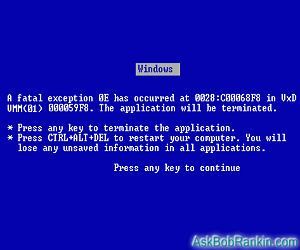
Windows is Your Friend!
This is actually a feature built in to all versions of Windows, a free gift from Microsoft. The Blue Screen of Death (BSOD) is there to help you. Sometimes people work too hard, and they need a break from the computer. Windows automatically senses this (although sometimes it is fooled by excessive cursing and/or pounding on the keyboard), and forces you to take a break by displaying the BSOD.
Most people find that if they shut down the computer, consume a mind-altering substance, and then resume working, things work pretty much better for the rest of the day. However, if you find that the BSOD is popping up even when you're NOT over-worked or over-stressed, there may be a hardware and/or software issue involved.
What Causes the Blue Screen of Death?
Sometimes bad or flaky memory (RAM memory, not your hard drive) can cause seemingly random system crashes. If you have just the right combination of programs open and system memory in use, and your computer tries to access a "bad spot" on a RAM chip, the results can be unpredictable. Or they can be the Blue Screen of Death. You can try replacing your RAM sticks one at a time to see if the problem goes away. This involves opening up the system unit and looking at scary wires and stuff, so for some people just living with the problem may be a workable option.
More likely, you have a software problem. Some programs just don't get along... they trample on each other's memory spaces and confusion (or the BSOD) results. And it seems that Windows just gets old and cranky the longer you have it installed. You may solve the problem by using the System File Checker, or if all else fails, by
re-installing the Windows operating system and/or your software packages. If the problem seems to be limited to one particular program, try re-installing just that one first.
Spyware or a computer virus can also make strange things happen. My articles Spy, Counter-Spy and Do I need anti-virus software? will help you find and resolve any such problems.
Time For a New Computer?
And sometimes, bad things just happen to good computers. If you computer is more than three years old, it may be functionally obsolete. Read my How to Buy a Computer article for help in determining if a new PC is the right solution for you.


This article was posted by Bob Rankin on 31 Aug 2005
| For Fun: Buy Bob a Snickers. |
 |
Prev Article: Settings Don't Stay Set |

The Top Twenty |
Next Article: Firefox Consumes the CPU |
 |
Post your Comments, Questions or Suggestions
|
Free Tech Support -- Ask Bob Rankin Subscribe to AskBobRankin Updates: Free Newsletter Copyright © 2005 - Bob Rankin - All Rights Reserved About Us Privacy Policy RSS/XML |
Article information: AskBobRankin -- Blue Screen of Death (Posted: 31 Aug 2005)
Source: https://askbobrankin.com/blue_screen_of_death.html
Copyright © 2005 - Bob Rankin - All Rights Reserved
Most recent comments on "Blue Screen of Death"
Posted by:

Ron
07 Sep 2005
I think you missed a couple of things Like misbehaving drivers usually harddrive or nic. I've seen these after updating the drivers
Posted by:

pinkster
08 Sep 2005
i knew it!!!
i knew bill gates was spying on us!!!
=)
Posted by:

Art
09 Sep 2005
I've recently had the BSOD when inserting the SD card from my digital camera into my printer to transfer pics. I've got WinXP & Windows said the problem was the program Iomega Hot Burn (which I have)& gave me the web address for the update. Downloaded it and no problem since.
Posted by:

size genetics
19 Oct 2005
I agree with you the way you view the issue. I remember Jack London once said everything positive has a negative side; everything negative has positive side. It is also interesting to see different viewpoints & learn useful things in the discussion.
Posted by:

diiid
18 Aug 2006
Could the blue screen of death happen by opening an email
EDITOR'S NOTE: It's usually a (seemingly) random event that causes the BSOD. But if the email contained malware or some security exploit, it could trigger it.
Posted by:

Mark
02 Oct 2007
I'm reinstalling XP for reasons too vast to go into, but halfway through the Repair reinstall I get the physical memory dump BSOD. What the ....?
EDITOR'S NOTE: Could be a bad RAM stick, or damage to the hard drive. I'd try swapping out the RAM first.
Posted by:

Mark Hiles
14 Oct 2007
I tried to reinstall Windows XP Plus SP2 but even after reformating the HD it wont install completely, it says drivers corrupt or cd damaged and I've tried several copies of the same disc.
Posted by:

krimzor
09 Jan 2009
when installing empire at war halfway the dvd drive failed or something so now everytime i restart the blue screen appears after logging in for 1 minute.
EDITOR'S NOTE: I'm guessing you were installing a warez version of the software. Probably was infected...
Posted by:

Keith Johnson
31 May 2009
This has happened twice to my girlfriends computer, she still is under the warranty thank god, but talked to HP man and ran the whole system check thing and it seemed to be fine. The computer is going to be sent in, just wondering what could have caused it?
Posted by:

RAD0210
10 Jul 2009
Is it possible to reformat a bad hard drive? I recieved the BSOD with error code 0F00:0628?
EDITOR'S NOTE: That code could be referring to a CDROM disc, or your hard drive. Hard to tell from your info. Yes, you could reformat the hard drive, and bad sectors will be eliminated from the available space. But try a repair operation first, such as Scandisk.
Posted by:

David K
20 Oct 2009
If you experience the BSOD problem regularly you may have a driver or software conflict. "But how do I determine what the problem is?" you are asking... ok so here is some of the answer. When your system crashes it usually creates a Minidump file of the last thing that it was working on and maybe just maybe it logged who is causing the BSOD. I found two utilities that have helped me find the solutions to some of my issues with BSOD problems.
1) Microsoft Dubugging Tools found at http://www.microsoft.com/whdc/devtools/debugging
These are great to get in depth into the exact issue (maybe thats why they provide it for developers) but you will get a headache reading all the literature on how to use them.
hint: dont forget to install the proper symbol files and configure the debugging tools to use those files.
2) Nirsoft BlueScreen viewer found at http://www.nirsoft.net/utils/blue_screen_view.html
this utility is very easy to use and it will read all of the crash dump files in a folder (nice if you have more than one) and give you a plain easy to read spreadshet of the issues. it shows plainly what driver/service/software failed and the bug check Stringassociated with it. With this information you should be able to either uninstall/update the afflicted software/service/driver... or... scour the internet for the issue your having. Start your search with something like BSOD if you get a ton of results maybe then search within your results for the
good luck and good hunting ;-)
Posted by:

john
28 Nov 2009
The blue screen of death is no fun. If you have the blue screen of death, try updating your drivers. I works for those of you that have older computer of you recently just downloaded new hardware.
Blue Screen Error
Posted by:

Josue
04 Jan 2011
I've been having this issue a lot but it also happens when Im connected to the internet. What could possibly be?
Posted by:

Stan
28 Mar 2012
Computers get dirty inside,Contacts start getting bad when dust interferes with electronic connections.Air in a can and good non lub, contact cleaner usually fixes those problems.If you are getting the blue screen during reinstall it most likely is the contacts at the RAM stick.Don't overthink....