


HOWTO: Boost Cell Phone Battery Life
There are two kinds of mobile device users: one rants constantly about the uselessness of the battery in his phone, tablet, laptop, etc.; the other kind shrugs and says, “Mine’s not so bad.” The difference is partly one of temperament; some mobile users take simple steps to extend the time between recharges. Here are some simple ways to conserve a battery’s charge and extend the life of the battery itself... |
Extend Your Mobile Phone's Battery Life
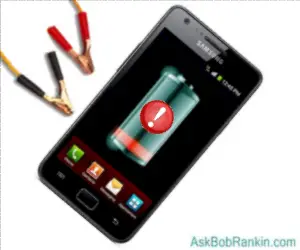
Oh, no... you're in the Red Zone again. Your mobile phone seems to drink battery juice like a thirsty man in the desert who just found water. But did you know, most of the factors that affect battery life are things you can manage or control? Here are a bunch of tips you can use to make your cell phone battery last longer.
About 30 percent of a battery’s power is consumed by a device’s display, so that’s a good place to start saving. Adjust the inactivity time-out interval of your display – the number of seconds that it remains brightly lit when there is no user input before shutting off. If possible, set the brightness of the display lower, increasing it only when necessary. Most phones include an auto-brightness feature that automatically adjusts screen brightness depending on ambient light conditions.
WiFi adapters also consume a large percentage of battery power. I have talked with iPhone owners who said they needed new batteries because theirs would not hold more than a couple of hours’ charge. In every case, examination of the iPhone revealed the WiFi adapter was left on permanently. Turn it off when you’re done with WiFi.
The same goes for Bluetooth. Turn off Bluetooth when you don't absolutely need it. Even when you are not talking on your Bluetooth headset, the radio in your phone is still burning electricity listening for Bluetooth signals. Enable Bluetooth only in your car, for hands-free chatting, or when you are expecting a call for which you need to use that dorky-looking headset.
GPS service is another big battery sucker. Most people don’t want GPS turned off entirely, and many modern devices don’t make you wander about clueless. On the iPhone and other makes, you can selectively disable GPS on an app-by-app basis, leaving it on only for mapping and other important services. Uninstalling unused apps that may be using GPS is another battery-saver.
That Syncing Feeling...
Apps that are always syncing your data may also drink deeply of that precious nectar we call battery juice. Sure, you want your email on your smartphone, you want your calendar in sync with your desktop, and your Facebook updates in timely fashion. You want your weather and news ticker to be current. And "live wallpaper," really? Most of these apps let you control how often the sync takes place. Setting it to a higher number of minutes will help to conserve battery life. You can also turn off syncing and just get your email (or other data) on demand.
Of course, watching videos, playing games, and data-intensive activities all drain the battery faster, too. You'll want to minimize those activities if your next chance to plug in might be hours away.
Don't buzz or vibrate. A battery only has to move a tiny diaphragm to play a ringtone, but it must shake your whole phone to give you a vibrating alert of an incoming call or email notification. If you don't want to be disturbed (or disturb your neighbors), disable vibrating notifications and leave the phone where you can see the screen light up as new call comes in. Similarly, consider turning off the "haptic feedback" feature that makes your touchscreen vibrate on keypresses.
Here's a tip I learned while staying with friends in their rustic wilderness cabin. When cell phone signals are very weak, your phone will go crazy trying to connect to a cell tower. After watching my battery life drop like a rock, I realized what was happening. If you are in an area with a weak or spotty signal, you can turn on Airplane Mode, which stops your phone from connecting to cellular networks.
Apps to Monitor and Improve Battery Life
Android phones have a built-in Battery Use screen that will show you exactly what hardware and software features are using the most battery power. You can find this under Settings. Use this info to improve the battery life in the ways that will benefit you most, without compromising features you need to use often. Also under Settings, you can look for Power Saving Mode, which will limit CPU and screen power. I don't think this is part of the iPhone operating system, but you can use Carat on iOS devices to see what's hogging the battery.
There are apps that automatically manage battery power. JuiceDefender is one such app for Android phones. In the Apple Store, a similar app called Battery Saver claims it can double battery charge life “when used properly.” It’s one of the most popular iOS apps.
When will they make a battery that lasts as long as a tank of gasoline? Probably never. For one thing, you wouldn’t want to carry a tank of gasoline or a battery that lasts as long. Also, physics imposes certain hard limits on the amount of electrical energy that can be stored in a given substance, and battery engineers are pretty close to that limit. A radical new type of battery technology is needed and such things arrive in their own sweet time.
Lithium-ion is the state-of-the-art in batteries now. Some enhancements have come along to improve Li-on’s storage capacity, but it’s pretty much maxed out. The next generation battery material may be grapheme, a single layer of graphite (carbon) molecules. Vorbeck Materials Inc. is working on grapheme battery technology right now.
Do you have other battery extending tips? Post your comment or question below…


This article was posted by Bob Rankin on 13 Dec 2013
| For Fun: Buy Bob a Snickers. |
 |
Prev Article: Save Money With Hybrid Cellular Phone Service |

The Top Twenty |
Next Article: Would You Click on This? |
 |
Post your Comments, Questions or Suggestions
|
Free Tech Support -- Ask Bob Rankin Subscribe to AskBobRankin Updates: Free Newsletter Copyright © 2005 - Bob Rankin - All Rights Reserved About Us Privacy Policy RSS/XML |
Article information: AskBobRankin -- HOWTO: Boost Cell Phone Battery Life (Posted: 13 Dec 2013)
Source: https://askbobrankin.com/howto_boost_cell_phone_battery_life.html
Copyright © 2005 - Bob Rankin - All Rights Reserved
Most recent comments on "HOWTO: Boost Cell Phone Battery Life"
Posted by:

Janusz
13 Dec 2013
"If you are in an area with a weak or spotty signal, you can turn on Airplane Mode, which stops your phone from connecting to cellular networks"
Why not simply turn the phone off in such an area??
EDITOR'S NOTE: Not a bad idea, but there are other things you can do on your phone besides talk & text. You can play a game, read a book, or get online with a wifi connection.
Posted by:

P D Sterling
13 Dec 2013
I have a very simple tracfone, so none of this wifi stuff applies to me. I have been told that its bad to be in a steel building and have the phone searching for a signal all the time, but what's the point of having a phone if its off all the time??
EDITOR'S NOTE: True, but wifi is only one factor affecting battery life. Even with a "feature phone" such as yours, you can improve battery life by managing GPS, Bluetooth, screen brightness, vibration, and watching out for weak signal areas.
Posted by:

Bob VB
13 Dec 2013
It sounds to me that they are not ready for 100% operation. What good is it if you can't use it?
EDITOR'S NOTE: Who or what isn't ready???
Posted by:

GuitarRebel
13 Dec 2013
I think what the previous poster is alluding to is that there are so many apps out there that drain your battery profusely, yet you can't maximize usage of them. It seems like I'm constantly fiddling with the settings, turning on/off GPS, Wi-Fi and Bluetooth. It kind of makes many of the apps useless unless you manually toggle them. Many load at start-up whether you like it or not. Facebook is one of the worst offenders as it will turn itself back on, even if you have the app set to no notifications.
I think anyone with a smartphone crosses the battery-life bridge sooner or later. As much as I love my phone, constant battery issues make it a royal pain.
Thanks for another great article.
Posted by:

Mac and Cheese
14 Dec 2013
Bob, You're an Android user, so this question is for you:
When you're on your home screen and you hold down the "Home" button, you'll see a list of recently used apps.
I've been told by someone that all the apps shown are still drawing power, and that you need to close each one (drag left or right on the "Recently used apps" screen) or they'll sap your battery.
Well, shucks, backing out of an app still leaves it on the "recently used apps" list, so that means a significant extra step every time you're finished with an app: Hold down the Home button, then drag the "recently used app" off screen to close it.
Now the question: Is that really necessary? Does the fact that an app is listed on the "recently used apps" screen mean it's sucking juice?
EDITOR'S NOTE: Not necessarily. An app can be dormant, taking up memory, but not necessarily using any CPU or battery.
Posted by:

Rhonda Lea Kirk Fries
14 Dec 2013
I am a paid owner (Ultra) of JuiceDefender, and I'm here to say: "don't waste your time." The free version and the beta haven't been updated since January 2012, and the paid version has languished since December 2011. I'd say it's now abandonware.
JuiceDefender worked well when I installed it on my G2, but by the time I upgraded to my Note II, it was dead in the water. It doesn't preserve battery. In fact, it may use additional battery.
I don't know what other options are available now (or if they're even necessary on newer phones), but JuiceDefender is out of the game.
EDITOR'S NOTE: I've had the opposite experience with JD. It's doing quite well at extending battery life on my Galaxy S3.
Posted by:

samir besheer
14 Dec 2013
We need new ideas in battery tech. A battery that can be charged by itself (away from phone)and can be ejected and reestablished easily in and out the phone.. so if you have 4 or more batteries, that shall solve the problem.
Posted by:

Abu Ahmad
16 Dec 2013
I own a Nexus 4 but battery is not removable like my Samsung Galaxy s2. For my S2, I had a couple of spare batteries ready charged, in use when travelling.
To solve my problem, I bought the Anker® Astro E4 13000mAh Portable Charger High Capacity Dual-Port External. Works like a dream and wow does it charge fast! Its small enough o leave in my pocket, if need be.
Posted by:

Nat
08 Jan 2014
I recently upgraded to a Galaxy Note 3 and my battery life is MUCH improved as compared to several prior Android phones. However, all have had similar problem. Periodically, the phone will heat up in my pocket and the available battery life will drop precipitously. If I pull the battery out and restart the phone it goes back to its "normal" battery usage. Anyone else experience a problem like this?
Posted by:

Bob
17 Jan 2014
My Android phone batteries, both the regular one and an extended size battery, were draining down in a day. This was partly because we live on the fringe of good 4G / 3G service and almost nothing so the phone was constantly hunting for good 3G or 4G service. In addition, apparently many programs were continuing to run in the background. The local phone store person suggested that restarting the phone each night would extend the battery life. After starting to do this I am getting four days on the extended battery and about two days on the regular battery. Don't know if this will work for everyone but it certainly helped my HTC phone.
Posted by:

Ray
24 Feb 2014
On an Aussie lighter note..... to save battery power "Turn it off" LOL
Posted by:

Jim Stevens
19 Nov 2014
Great tips-Thanks
Posted by:

Frank
29 Jul 2016
Hay Bob I've been reading your articles for quit some time and I like most of the material you put up. Their is one thing that is getting to me. How come you never put up much on mobile for or about Windows phone? I changed over from android phones to windows phones about a year ago and I like the latter much better. Could you please add in more about the Windows phones? Thank you and great work you do please keep it up.