


7 Good Reasons to Trash Your Fax Machine
One annoyed AskBob reader says: “I am amazed at how many professional offices still insist on sending and receiving documents by fax. It's like they've never heard of computers, email or the Internet. I'd love it if you could give me a list of reasons why people should stop using old fashioned fax machines. I'll e-fax it to my doctor, banker, accountant and lawyer!” Good idea... here's my list of reasons why fax machines should be relegated to the recycle bin. |
Let's Stamp Out Fax Machines in Our Lifetime!
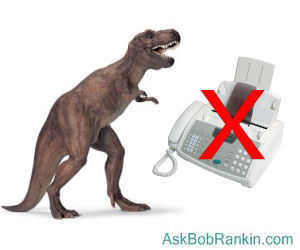
Fax machines are mechanical dinosaurs in a high-tech world. They are highly inefficient, expensive and wasteful, compared to the digital alternatives that exist. So why do so many offices still use them? It's a mystery to me.
If you're still clinging to an analog fax machine, here's a newsflash... the 80's are over! It's time to join the Internet fax age, which started about 25 years ago. Here are SEVEN good reasons to give that old fax machine the boot:
Cost: Consider the up-front price of the fax machine, a place to put it, a dedicated phone line, paper, ink, other supplies, and periodic maintenance. Not to mention replacing it every few years. (Want to save even more by printing less? See my related article Do This Instead of Printing (you'll save time and money).)
Inconvenience: How much time is wasted on trips to and from the fax machine; paper jams; having to request re-transmissions? Sending a long document by fax is frequently problematic. Lost carrier, missing pages and garbled text can be maddening. And how many annoying junk faxes do you get? Fax machines don't have spam filters.
Security: Yikes, do you really want all those confidential faxes sitting in the paper tray where any passersby can read them? Even if you have a secure fax line, it has to be decrypted at the receiving end, and printed on a piece of paper.
Archiving and retrieval: Paper faxes take up space and organization time. It can be hard to find an old fax when you need it. They get lost and deteriorate, especially if you use a machine which spits out faxes from that shiny rolled paper. I've worked in offices where the secretaries routinely made a photocopy of incoming faxes, just to have it on "real" paper. And remember that anything physical can be lost, stolen, folded, bent, spindled, mutilated or burned. (That list of destructive actions reminded me of another phrase: “Do Not Fold, Spindle or Mutilate”. I searched for that and found an interesting 100-year history of the punch card. You might enjoy reading Do Not Fold, Spindle or Mutilate: A Cultural History of the Punch Card.)
Portability: It can be difficult to receive faxes when you are on the road. Someone at home base must re-transmit a fax to you at a borrowed fax machine.
Readability: Every time you run a document through a fax machine, the quality of the text (and especially images) is decreased. Documents that were originally in color become black and white, which can make some parts of the text invisible or unreadable. The same thing happens on the other end when it's printed, photocopied, or re-faxed by the recipient. How many times have you seen faxes like this, and needed to contact the sender to clarify the text?
Environment: With so much emphasis on "going green" to protect the environment, it's intuitively obvious that faxing is more like black than green. All that paper means that trees must be cut down. Toner used by fax machines is a chemical brew that can be carcinogenic. And then there's the issue of disposal of the plastic toner cartriges.
Internet Faxing to the Rescue!
Internet fax services do away with all of these headaches. See my article No Fax Machine? No Problem! Send a Free Fax to learn about various online faxing alternatives, and how to send a fax for free. You can even get a free INBOUND fax number that others with fax machines can dial to send you a fax. See my article [HOWTO] Inbound Faxes Without a Fax Machine to learn about that.
If you only send and/or receive a few faxes a month, these free services will do just fine. If you're going to be sending and receiving a lot of faxes, consider using one of the commercial online fax services. Here is how Internet faxing works:
To use an Internet fax service, you only need Internet access, an email account, and an account with the Internet fax service. You don't need any special hardware or software. When you register with an Internet fax service, you receive a fax phone number at which people can send you faxes. The number delivers fax transmissions to the service's servers, where faxes are stored as digital images.
Your faxes are delivered to your email inbox in one of two ways. A fax may be a digital image file attached to an email message, or the email may contain a link to the fax image file on the service provider's website. Either way, you are able to view your fax easily, even if you are traveling with a laptop, tablet, or smartphone. Fax services store your received faxes for varying periods of time, allowing you to search for old faxes by sender, date, and other criteria. Of course, you can also download the fax files and save them on your local computer. Some wille even use OCR (optical character recognition) to convert the fax into text, which is then searchable.
Sending an E-Fax
Sending a fax is as simple as sending an email. Attach a file in one of the service's supported formats such as Word, Excel, PDF, JPG, etc. The service transmits your attached document to the recipient's fax machine via its fax servers. Some online faxing services make it even easier, with a simple web form where you can enter the fax number and type your message (or upload a document) to be sent.
If you need to e-fax a photo or an already-printed document, you'll need to convert it into digital format. An all-in-one printer with a scanner is best for that, but your smartphone camera will also work in a pinch.
Commercial Internet fax services typically offer a trial period of up to 30 days. After that, they charge as little as $5 to $10 per month to send and receive hundreds of pages. But don't forget the free alternatives! See my links above.
Excuses, Excuses...
With all the advantages of paperless, portable Internet faxing, it's hard to imagine why traditional fax machines are still around. The obvious question is "Why not just do away with faxing, and send attachments via e-mail?" It's free and encryption is available if needed. You can even sign documents digitally now, with services like DocuSign.
Of course, there are still some professional offices that have yet to enter the electronic age. One of my doctors has a secretary that uses only a pencil and a typewriter. No fax machine, and of course, no computers! I think she also has a slate and a hunk of charcoal in a drawer for really important memos. Only the passage of time will bring those offices into modernity.
But the next time your doctor, lawyer, banker or anyone else asks you to send or receive a fax, tell them you'd prefer to use e-mail. Maybe we can get the dinosaurs marching in that direction. Do you have something to say about faxing, e-faxing and going paperless? Post your comment or question below...
|
|
|


This article was posted by Bob Rankin on 11 Sep 2020
| For Fun: Buy Bob a Snickers. |
 |
Prev Article: Here's How to Convert Your VHS Tapes to DVD |

The Top Twenty |
Next Article: Is It Illegal to Fix Your Own Gadgets? |
 |
Post your Comments, Questions or Suggestions
|
Free Tech Support -- Ask Bob Rankin Subscribe to AskBobRankin Updates: Free Newsletter Copyright © 2005 - Bob Rankin - All Rights Reserved About Us Privacy Policy RSS/XML |
Article information: AskBobRankin -- 7 Good Reasons to Trash Your Fax Machine (Posted: 11 Sep 2020)
Source: https://askbobrankin.com/7_good_reasons_to_trash_your_fax_machine.html
Copyright © 2005 - Bob Rankin - All Rights Reserved
Most recent comments on "7 Good Reasons to Trash Your Fax Machine"
Posted by:

Emily Booth
11 Sep 2020
I found a fraudulent charge on my charge account. The fraud unit told me I would receive a form by email & to return it by fax.
Posted by:

Bart
11 Sep 2020
Digital records can be hacked or locked up by ransomware- not a problem with paper copies.
Posted by:

Daryl
11 Sep 2020
We use the FAX feature on our printer to send Rx’s to the pharmacy.
Posted by:

Ken
11 Sep 2020
Some documents like HIPAA records(patient info) have strict controls on how they can be sent, and faxing is the simplest (although antiquated).
My wife has Power of Atty for her mom's medical stuff, and they won't allow her to email a PDF with proof of POA, it has to go via fax (ironically, we send it via eFax). They need to use a physical fax machine or a "HIPAA compliant eFax service" to receive it.
It's not that people don't want to change, some regulations haven't kept up with the times.
Posted by:

Neil Hopkins
11 Sep 2020
The IRS will not accept certain forms like POA's via efax. Not sure why they can't come up with an encrypted email system. There's always hope.
Posted by:

john
11 Sep 2020
Security - Security - Security.
Some organizations still feel FAX is more secure than other electronic means. Recently a bank account transfer required forms be submitted by FAX (and only by FAX, not USPS) -plus- the submission had to be made using the FAX machine at one of the bank's branches! The explanation, this bank has been burned too often by email and other electronic means!
Of the downsides you mention, the biggest one for me is maintaining a traditional phone line. I do that for voice quality. When I drop the phone line I will go to an e-FAX service because I am not as concerned about security as is a bank.
Posted by:

Earl J (Maui Boy)
11 Sep 2020
Aloha all y'all...
OF all the reasons not to use a FAX machine, cutting down trees for paper is one of the least successful reasons in my view ... trees and wooden products are a renewable source of energy and material for useful creations and structures.
Wildfires and other destructive events of large swaths of forested areas often occur through mismanagement and disregarding best management practices.
Creating and planting trees for best and most productive growth, as well as most efficient growth, are also safer and least likely to burn out of control. Clear cutting forests are almost as bad as leaving them to their own devices until they catch fire naturally (or intentionally) and quickly burn out of control.
Additionally, paper use for FAX machines is infinitesimal compared to all the other uses of paper in a modern automated office.
(just my two cents worth ... certainly worth every cent you paid for it... (wink))
* * *
Until that time. . .
Posted by:

Dr L M Craig
11 Sep 2020
meh anything that can be fax'd can be sent securely as an attachment in an email. Faxing is definitely passe.
Posted by:

MikieB
11 Sep 2020
I ditched the fax machine and the land line too years ago.
Posted by:

Mary Lew Kehm
11 Sep 2020
Email is not a secure way to exchange sensitive information. Encryption of attachments is problematic for many people. Many professional offices will not open attachments without verification of sender. Fax can still serve a useful function under certain circumstances.
Posted by:

Colin
11 Sep 2020
Convenience. Fax is easy. All the other methods leave you guessing. Privacy? Show me a place where confidential faxes are not behind locked doors. Jammed paper? Hardly ever. Compared with fiddling around with various types of programs far less time. Docusign? Complicated often doesn't work, and oh by the way there is often a sell up that comes with it. Who uses rolls of fax paper these days? It's all plain paper.
Posted by:

Robert A.
11 Sep 2020
Daryl Faxing is so 1990s! My primary care physician sends any prescriptions for meds he prescribes for me, electronically, right from HIS computer, directly to the pharmacy I use, which, in turn gives me a robocall to let me know when the med is ready to be picked up. No need for me to drive over to the pharmacy and wait 5 to 10 minutes, in line, before I can submit my prescription to the pharmacist, then have to return a couple of hours later to pick up the meds, and they will refill the meds automatically, every month, on recurring meds and will call my MD when the med needs reauthorization.
Posted by:

Richard Dengrove
12 Sep 2020
I haven't had a fax in years.I think I gave up my fax software around 2010.
Posted by:

Jay R
12 Sep 2020
We are grossly outnumbered
So what do we do?
We gotta get the villagers.
They're NOT ready to fight.
Man, we are choiceless.
What the fastest way to reach the village?
Why don't we FOX them?
FOX them?
FOX them!
(He ties a message on the neck of the fox.)
Take this message to the village as fast as you can.
This method of messaging traces its history back to the days of Robin Hood.
Posted by:

Daniel Wiener
12 Sep 2020
Yes, faxes are totally obsolete, but there are idiots out there (sometimes involving legal restrictions) who occasionally still insist on them. Fortunately for me, my company (a large corporation) provides its employees with a Fax2Mail facility. So if I need to receive a fax, I give the sender my company fax number, where it becomes an attachment to an email at my company email address. Then I remotely log on to my company computer and forward that email (with attachment) to my personal home email address. To send a fax I reverse the process. So how has this procedure improved in any way (either security or convenience wise) on directly emailing an attachment instead of first generating a fax? It hasn't of course. It just wastes a little time and effort to accomplish exactly the same thing. But I'll concede there is a bit of an amusement factor in demonstrating just how absurd the entire concept of a fax has become.
Posted by:

Sarah L
12 Sep 2020
Paper is great stuff! Acid-free, archival paper outlasts digital storage. CDs can fail very quickly and the digital storage changes its codes rather often. Your enthusiasm in writing is fine, until you go overboard, beyond the limits of reality and actual costs, actual losses, with your statements. The flash drives will burn up in a building fire like the paper, if outside a fire proof storage unit. If the fax on regular paper is working, and it is secure over copper telephone wires, no hackers, why replace it? You have not made that case well, in this era of hacking as a major profession.
Posted by:

BobD
12 Sep 2020
About 15 years ago, out of the blue, my fax machine rolled out an order mistakenly sent by a company in Israel telling me they would buy a dozen machine bolts for something like $143 each. The bolts were to be 1.5" x 8" long (from my memory), and made of some weird super steel alloy. I decided they wanted the bolts for a nuclear power plant. I faxed back, telling them to ignore their prospective vendor, and that I could supply the bolts for $121. (Of course I had no idea what I was talking about...). I haven't received a reply, and I probably won't, since my fax machine has been loafing in a closet for ten years.
Posted by:

RandiO
13 Sep 2020
Our collective fax dilemma is clearly the fault of Xerox for patenting the first fax machines (circa 1964?). Although, some would like to finger-point at the medical industry' interpretation of 'safeguarding' of medical records that is stuck somewhere in the '80s. Unfortunately, email is but a stop-gap transport method whose days seem to numbered.
Maybe someone can explain to me as to why (and how) a 'secure PDF' is LESS private than a paper fax.