


Hard Drives Are Not Forever
Yesterday during startup I got an error that said 'Drive Seek Failure' but then it seemed to start up okay. Now I'm worried that my hard drive may be failing. What do you recommend for backing up my files? |
Backing Up Your Files
Sooner or later, something terrible will happen to your hard drive. That's not a very happy thought, but the good news is you can survive a hard drive failure with only minimal inconvenience -- if you back up your files first.
Hard drives can fail without warning, a virus or power surge could wipe out your data, fire or flood could damage the drive, or it might even get stolen. You might accidentally delete a file or an entire folder of important files with an errant click. And it's not only emergencies that make backups important... if you buy a new computer, a backup can make it much easier to copy your files from the old computer to the new one.
So do you need to backup all your files, or just certain ones? That depends on how you use your computer, how important your data is, and how much you want to think about backups. If your drive fails, you can reinstall the operating system and all your software.
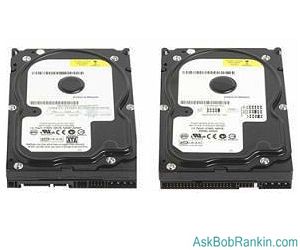
But the data you've created and stored (word processor documents, spreadsheets, emails, photos, music, etc.) may not be replaceable. See my article Should I Backup ALL of My Files? for help deciding on your personal backup strategy.
At a very minimum, you should decide which are your most important files and make backups. If you're going to backup just a few files of folders, here are some easy ways to do so:
- Open a free web-based email account, and send the files to yourself.
- Copy them to another computer on your home or office network.
- Burn them to a CD.
- Copy them to a flash drive or external hard drive.
- Upload them to free online storage. See Free Online File Sharing With Dropbox for one suggestion.
Do this often - daily, weekly or monthly - you decide based on how often you update the files and how critical it is to have access to the most recent data in the event your hard drive crashes and burns. But be warned that recovering from a hard drive failure will be a nuisance if you opt to backup only your data files. It will take quite a few hours to re-install your operating system and all the software that you had. If you downloaded software, you might have lost the license or registration keys along with your data, too.
Backup on Auto-Pilot
I strongly advise an automated full system backups, because EVERYTHING is safely squirreled away, and restoring your data can be accomplished with a few clicks. You could back up your data on a bunch of CDROMs, but you'd need a LOT of them to back up a modern hard drive, which can store 1000 GB or more. CD-ROM disks hold about 700MB of data, so even with compression you'd need over 1000 of them to get the job done. Not very convenient, especially if you ever need to restore the data.
Since hard disk drives are cheaper than ever, I recommend you get a portable external hard drive and use it as a backup device for one or more computers. You can buy a large capacity external drive for well under $1 per gigabyte. My article Choosing a Portable Hard Drive will help you select a backup drive that meets your need for speed, capacity, ruggedness and security.
If you're going to make backups on a regular schedule, backup software is a must. This will help you automate the process of making automatic full or incremental backups, and to restore just one deleted file or the entire drive. A good backup program will even allow you to store multiple versions of a file, so you can go back in time and restore a file to the way it was a day, a week or a month ago. Windows 7 has a decent backup and restore feature, and the File History feature in Windows 8 is even better. But I'm partial to the Acronis True Image commercial software, which I have used for several years.
Another option that's becoming increasingly popular is online backup. Online backup services such as Mozy and Carbonite can be easily configured to back up one or even multiple computers. See my article discussing Online Backup Security, then review the pricing and features of these online backup services to see which one makes the most sense for you. Keep in mind that there are some practical limitations on recovering your files in the event of a hard drive failure. See my article Recovering Data From Online Backup for details on that point.
Losing data that you've spent countless hours creating is one of the most frustrating things that can happen to a computer user. When it comes to backups, don't think too hard about whether or not it's worth the trouble. It takes only a little time and money to set up automatic backups that give you peace of mind and protection from data disasters.
What's your personal backup strategy? Post a comment or question below...


This article was posted by Bob Rankin on 1 Aug 2011
| For Fun: Buy Bob a Snickers. |
 |
Prev Article: Seven Great Laptops for Business Travelers |

The Top Twenty |
Next Article: What is an Ultrabook? |
 |
There's more reader feedback... See all 22 comments for this article.
Post your Comments, Questions or Suggestions
|
Free Tech Support -- Ask Bob Rankin Subscribe to AskBobRankin Updates: Free Newsletter Copyright © 2005 - Bob Rankin - All Rights Reserved About Us Privacy Policy RSS/XML |
Article information: AskBobRankin -- Hard Drives Are Not Forever (Posted: 1 Aug 2011)
Source: https://askbobrankin.com/hard_drives_are_not_forever.html
Copyright © 2005 - Bob Rankin - All Rights Reserved
Most recent comments on "Hard Drives Are Not Forever"
(See all 22 comments for this article.)Posted by:

rosemarie
01 Aug 2011
The information was priceless. I am backing up my computer!!!! Thanks
Posted by:

Chris
01 Aug 2011
Hi Bob,
I was once told that there are two types of hard disk drive:
1) hard disks that have failed and no longer work.
2) hard disks that will fail at some point in the future.
I've found (sometimes the hard way!) that it's true, so now I never have just one copy of an important file, whether it's a letter, a spreadsheet or a picture.
Chris
Posted by:

Gary
01 Aug 2011
I put and additional hard drive in my computer (drive:D)and put all my files on that drive. The oporating system is on drive:C only.
Posted by:

Dee
01 Aug 2011
My external hard drive crashed one day without notice, and so fearful was I that I now store a copy of my local files in "the cloud" in one of three places (depending on the category of the file): google dogs, box.net or dropbox. I recently read about Dropbox here, and it's become invaluable to me - esp when I work between my laptop to my desktop all day long.
I never use backup software, cuz I always find that when I upgrade my computer, the old backup software is invariably not compatible with my new system. And that's a drag!
Posted by:

MmeMoxie
01 Aug 2011
Nothing is worse, when you start hearing a click, click, clicking sound or a whirling sound or a high pitch noise, when you start up your PC. For those of us, who build our own computers, we know what is about to happen. A dying hard drive!!!
Another thing that can happen, is a major power surge, that can 'kill' all hard drives & everything else. I use, Power Surge Protectors, with at least 2500 Joules, preferable more. Believe me, it has saved several of my computers, in the past. I even 'plug' a Power Surge Protector, into another Power Surge Protector. Now, that may seem like 'over kill' but, I know that it has worked for me & only has cost me about $40 for the initial investment., 10 years or so, ago. }:O)
Bob, I love ALL of your suggestions. I personally think, that having an external hard drive is the best. But, when a hard drive fails or dies, you MUST have a CD or DVD of your Operating System or a Recovery Disk from the company that built your PC/Laptop or Flash Boot Drive or using your back-up method will not work.
Most people don't think of 'backing up' the Operating System disks. One of the biggest problems, when trying to 'recover' from a dead hard drive, not having the Operating System disks available. Many computer companies, like Dell or HP, so on & so forth use what they call the Recovery Partition of the hard drive. When a hard drive dies, you are out of luck!!! Now, these companies will help you, but, it will cost you.
To avoid this problem, when you first get your PC or even now, while everything is fine, BACK-UP this Recovery Partition to a CD or DVD or large Flash Drive!!! Then, you will have the disc/flash drive needed, to put the Operating System, on a brand new hard drive.
Remember, these Recovery Partition or Disks are unique to each manufacturer's PC or Laptop. They will have 'special criteria' for that particular PC/Laptop, it should include the Operating System, all of the drivers & software that the Original Manufacturer put on the PC/Laptop when it was manufactured.
Posted by:

Ariel
01 Aug 2011
I suggest to the guy who wrote in with the question that he buy an internal drive that fits his computer and clone his drive over to the new. He can use easy windows transfer if that is what his os is. Or use clonezilla and copy it sector by sector to the new "Bigger" internal hard drive.
Posted by:

Tom
01 Aug 2011
Hi Bob,
I have just purchased a "Clickfree" C6 500GB backup drive that backs up all my computer including Operating System.
What is your view of these drives?
They are very simple to use just plug to usb port and it does all. After the first backup it only backs up any changes to your computer and is really fast.
Yours.
Tom
Posted by:

Nezzar
01 Aug 2011
Dear Bob,
This would be a good time for an article on the advantages of just backing up files verses making a full system image of the computer. And, which is better for creating the full system image? The system image on Windows 7 or using, say,the Acronis system that you seem to like so well?? This is an important topic, and we all need your advice. And, thanks much for all of your articles.
Nezzar
Posted by:

Siegfried
01 Aug 2011
@ Gary you still need to have extra backup your drive D is not backed up in case of failure
Posted by:

Art
02 Aug 2011
Windows 7 has excellent backup and recovery software and should be covered in one of your articles. I think you missed out on the other half of backing up and that is how to recover data or an entire disk image. There are lots of recovery options and a user should try some of them when there is no pressure or anxiety. It makes a big difference to know that you understand the options to backup and recovery.
Posted by:

Sheri
02 Aug 2011
Since having a hard drive fail on me and losing a certain percentage of my files that had not yet been backed up, I have become a real belt and braces type of person! So I have Windows Backup backup my data on a regular basis. But I also keep a synchronised copy of all my CURRENT personal data files, including my Bookmarks and my Windows Live Mail store folder (which I move to My Documents, one one of my two portable external drives and synch them on a daily basis. The other I keep at my daughter's (in case of fire) and I swap them over every time I visit.
Posted by:

Teddybearmiller
04 Aug 2011
Hi Bob, thank u for the advice and hints. I use DVD's to back up my pics and to store important files along with CD-RW disc. I have put my personnel info on on a card which I carry with me at all times in the even of fire, theft etc. I also use free online auto backup. Picasa 3 from Google. My Facebook page, and my Google Blog site. I have created several gmail accounts some of which I use to send documents to and even attachments with pics and sound files, music. I had a really good instructor in college who taught us not to depend on any one storage device and to save, save, save. Usually once a year I back up all of my important files and .exe load files. Then I reinstall my operating program and reload everything. BUT, there is a problem now with the microsoft OS. Once they stop supporting a given windows version there is no longer any support to get the updates, some of which are required to load other programs like SP-1 and SP-2. Microsoft found a way to force consumers to purchase new computers and programs by discontinuing OS support and making the new OS larger so that it requires a larger hard drive and memory. I like the OpenOffice.org program. It is compatible with my older programs like WordPerfect 7 which I have many documents saved in that format. I can't wait for Linux to be able to make that program compatible with microsoft based programs. Much more reliable program and seldom crashes or freezes like Windows.
Posted by:

Michael Kelley
10 Aug 2011
I have both an external hard drive connected to my computer via USB, as well as Carbonite as my off site online back up due to the amount of files I have. If you have 25 gb or less of storage needed, I would highly recommend Microsoft's FREE SkyDrive online storage.
Posted by:

Hugh
10 Aug 2011
Lots of good ideas here, but I'd like to add that MS Sky Drive offers 25 GB of free online storage. It's easy to use and MS should be a reliable provider for at least a few more years.
I have an NAS box with two 1 TB drives I use to make images and backups, and I've subscribed to Acronis online backup which syncs weekly.
I've upped my Google Docs storage to 20 GB for only $5.00/year, and this additional storage applies to my Picasa Web Gallery account as well.
If you don't have two copies of your data, it's at risk.
Posted by:

Deke
10 Aug 2011
I must be really lucky. The drive that was in my RiscPC when I bought it in 1991 is still working, in fact I'm getting more concerned about the Jaz-drive I bought to back it up. It is worrying though. The machine's completely incompatible with PC and Apple OSs and it contains every piece of music I've worked on in the last 20 years. I just pray that the HD and the Jaz don't go down together.
Posted by:

Dell
10 Aug 2011
A well-timed posting and some excellent followup suggestions above. I'm in the throes of such a hard drive failure right at this very moment from a Dell I bought in 1999! I have Maxtor's Black Armor with plenty of gbs available and a nightly backup programmed. I hate the thought of buying a new machine, but all good things must come to an end...or so I'm told.
Posted by:

Howie Watkins
10 Aug 2011
I have recently switched from DVD backups to using cheap external hard drives. I've copied all my old backups from DVD to the new drives - or at least I've tried. Turns out that a lot of my backup sets are unreadable or full of CRC errors... these errors weren't evident when I made the backups - I checked the disks. All very frustrating.
Posted by:

snert
10 Aug 2011
I'm still leery of the 'cloud' to store backups of anything important. What happen if you need THAT DATA RIGHT NOW and they've got the hic-ups.
For backups, a second internal HD or an external HD is a darned good bet. I use both, JIC.
"I'd rather have it and not need it than need it and not have it"
Posted by:

Tom
17 Oct 2011
Hi Bob
I am considering ordering a copy of Acronis 2012 for home use. I believe you said you use it as well.
But I notice in the reviews I've read that Novabackup is ranked no 1 and Adonis at no. 4 and with, of course, 2 others ahead of Acronis.
Can you tell me why you favor Acronis over the Novabackup and the others?
Thnnks. Appreciate your assistance.
Posted by:

drbob
08 Jun 2012
I swear by WD, for their reliability and tech support. Main EHD is Essentials 3tb, repartitioned to accommodate Windows7 limitations, and with SmartWare deactivated. Use Acronis- never had a problem when restore needed (many times!). Also have dual Elements 500mb "just in case". Redundant? Overkill? After loosing important data, never will I allow it to happen again. Don' trust the security of "the cloud".