


10 Free Tools to Recover Deleted Files
Have you ever lost an important file because of a finger fumble, brain freeze, software error, or computer crash? I know I have. But fortunately, 'deleted' doesn't always mean 'gone forever' -- and there are tools that can help you recover those lost files. Some of the best file recovery tools are free. I strongly recommend adding one or more of these to your toolbox, BEFORE you lose a file... |
How To Recover Deleted Files - For Free
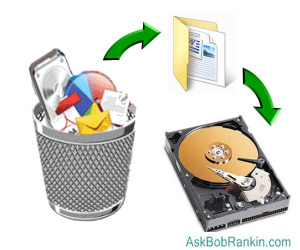
So you lost an important file. Ouch. If you simply deleted the wrong file, you can usually get it back by opening the Recycle Bin (on Windows) and restoring it. On a Mac, you'll look in the Trash Bin. Linux users, check the Trash folder. The happy secret here is that in most cases, deleted files really aren't gone at all. They're just moved into the Recycle/Trash bucket, and can be restored to their original folders with a few clicks.
If that doesn't do the trick, here's a little secret that may help. When you delete a file, it's not actually removed from your computer's hard drive -- at least not right away. The operating system simply marks the space occupied by that file as available disk space. So unless another file is written to that space, it's still possible to recover it, with the use of software tools that are designed to scour your drive for files that are marked as 'deleted' but not actually gone. Try one of these free tools to do the heavy lifting.
Piriform's Recuva will help you to find files and images on your Windows computer that were deleted by human error, including those deleted from your digital camera memory card or MP3 player. Recuva can also restore files deleted from the recycle bin or those that were deleted by a bug, virus or crash. This is a free Windows application that includes a support forum. A paid version which includes support and automatic updates is also available. Recuva comes from the same people that developed the popular CCleaner, so the reputation is rock solid.
PhotoRec is a free undelete utility for Windows, Linux and Mac OS X. Despite the name, it can recover almost 400 different file formats (not just photos) including ZIP, Office (Word/Excel/Powerpoint), PDF, HTML, TXT, and JPEG. Photorec can recover files from a variety of media, including hard drives, CD/DVDs, digital camera memory cards, and USB flash drives. It can also be used with portable devices (including the iPod) and many digital cameras. Photorec doesn't even require that the drive be partitioned, formatted or mounted with a drive letter.
A companion program called TESTDISK is even more powerful, with the ability to fix partition tables, recover deleted partitions and boot sectors, and rebuild FATs (file access table) and MFTs (master file table). It sounds geeky, but TESTDISK saved my bacon once when I thought my hard drive was completely hosed. It appeared that all my files were gone, but actually just the partition table was mangled. TESTDISK scanned the drive, rebuilt the partitions and all my files reappeared!
More Data Recovery Tools
Disk Drill is billed as "The most friendly data recovery app for Windows," and it claims to recover up to 500 GB of lost files from hard drives, flash drives, camera memory cards, and almost any other storage device you can throw at it. After scanning your disk for deleted files, you can filter the results by type (pictures, video, documents, etc.), by size, or date. An optional "protection service" claims to protect you from future data loss, by keeping a record of all deleted files. Also works on Mac computers.
GlarySoft is a trusted source for free utility programs, and Glary Undelete is another file recovery program worth a look. It's easy to use, yet powerful, with support for all versions of Windows, and image recovery from CompactFlash, SmartMedia, MultiMedia and Secure Digital cards. After scanning your disk, Glary Undelete will display a list of deleted files, along with an estimate of the probability of successfully restoring each file.
I'm including the EaseUS Data Recovery Wizard because I've tried other free tools from EaseUS, and found them to be well-designed and easy to use. The Data Recovery Wizard is free, and there are versions for Windows, Mac, Android mobile, and iOS (iPhone/iPad) users. The software guides you through the process of recovering deleted files with clear instructions, and provides the ability to search for specific file types. Only 2 GB of data can be recovered with the free version.
FreeUndelete has no charge for personal usage, although they charge for businesses. The program is spyware and adware free, works on Windows XP, Vista, Windows 7, and can restore files from your Recycle Bin or NTFS, FAT32 or FAT16 hard drives. Once recovered, they will be saved in a new user-selected location to prevent overwriting files.
Stellar Data Recovery Free Software promises to recover up to 1 gigabyte of deleted files, emails, videos, photos, and other files. It can recover data from hard drives, flash drives, and memory cards. It will recover data from missing, damaged, corrupted, and deleted hard drive partitions. A paid version is available if you need to recover more than 1 GB of data.
And if you work with external media, Recovery Toolbox for CD Free can recover data from damaged or corrupted CD, DVD, HD-DVD and Blu-ray discs. The same company also makes a variety of other data recovery tools, including Recovery Toolbox for Outlook, Outlook Express, Word, Excel, Zip and other applications to recover damaged or deleted data. They're not free, but you can get a free trial to see if it'll do the job.
Do it Now...
Obviously, all of these tools are most useful if you install them BEFORE you lose the data, because downloading a file can possibly overwrite the very file(s) you want to recover. I recommend that you check out a few and download them to a flash drive or other portable storage, so you'll be ready in case you do need to recover lost files.
Oh, and did I mention that if you backup your hard drive, you won't need ANY of these tools? (See the sidebar above for some backup tips.) Do you have a favorite deleted file recovery tool? Have you tried any of the above? Post a comment below and let us know...


This article was posted by Bob Rankin on 31 May 2019
| For Fun: Buy Bob a Snickers. |
 |
Prev Article: Time For a New Computer? |

The Top Twenty |
Next Article: Partition Your Hard Drive? (my advice...) |
 |
Post your Comments, Questions or Suggestions
|
Free Tech Support -- Ask Bob Rankin Subscribe to AskBobRankin Updates: Free Newsletter Copyright © 2005 - Bob Rankin - All Rights Reserved About Us Privacy Policy RSS/XML |
Article information: AskBobRankin -- 10 Free Tools to Recover Deleted Files (Posted: 31 May 2019)
Source: https://askbobrankin.com/10_free_tools_to_recover_deleted_files.html
Copyright © 2005 - Bob Rankin - All Rights Reserved
Most recent comments on "10 Free Tools to Recover Deleted Files"
Posted by:

Mike C.
01 Jun 2019
In a moment of great carelessness I accidentally formatted the wrong hard drive. I tried many of the programs listed, but had the best success with Puran file utilities (Puran file undelete program) as it kept recovered files in directories instead of recovering one huge block of files. It's not 100% but Puran performed the best without any recovery size restrictions. Although the program was free to use, I sent them a donation as a "thank you" and received a license.
Posted by:

fbgcai
01 Jun 2019
I've used Recuva successfully and sparingly (thank goodness!) Rob I think this reference "Recuva comes from the same people that developed the popular CCleaner, so the reputation is rock solid." needs updating - CCleaner has fallen from grace.
Posted by:

Mike
19 Jun 2019
I recently used the paid version of stellar data recovery. It worked wonders for me recovering almost 1 TB of data, mostly my Maldives vacation photos. My wife had accidentally deleted the entire folder and I was almost sure all was gone beyond recovery.
Posted by:

Shubhra Seth
11 Oct 2019
I would like to express my acknowledgments for the support I have received from Recover Data Tools. I had a problem with the tool which was solved very quickly with a more than pleasant attitude, patience and manners and am very pleased with the work done. I recommend you to visit www.recoverdatatools.com to recover data.