


Sharing A Hard Drive Online
I have photos, MP3s and some Word documents on my hard drive. How can I share my hard drive online so that just certain people can access my files? My colleagues have Internet access but we do not share a computer network. Can I share my hard drive folders and files over the Inernet? |
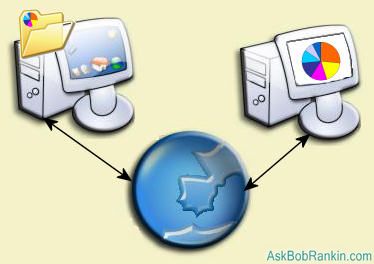
Put Your Hard Drive Online?
Yes, there are a variety of ways to share your hard drive, certain folders, or just a handful of files using the Internet. One fairly simple way would be to install a free FTP server like FileZilla, and give certain people access to your files through an FTP client or web browser. The FTP server allows you to control which folders are accessible to remote users, and you can also set permissions to alllow read-only or read-write access to files. Run with FileZilla, or check out this list of FTP servers for Mac and Windows. Linux has FTP support built in. Of course you'll have to tell people your computer's IP address so they can connect. Go to myipaddress.com to see your IP address.
To access the files and folders on the remote FTP server, you can use an FTP client program such as Smartftp. If you'd rather not download and install any new software, you can make a link to the FTP server in "My Network Places". To do so, click Start, My Network Places, Add a network place, then click on "Choose another network location". Enter the FTP server address (ftp://example.com or ftp://ip.adr.re.ss) and specify the username to login to the server. Give your new network place a name, and finish the wizard. Now you can click on the new icon in My Network places to view the files on the remote FTP server in a Windows Explorer window. You can drag and drop files between your hard drive and the FTP site, rename, delete, etc. If you want to access the FTP site with a drive letter, try Webdrive.
However, there is a potential downside to making your hard drive accessible via the Internet. If permissions are not set properly, your privacy could be compromised. And there's always the possibility that Evil Doers will find a crack in the file server software, making your machines a target for viruses, spyware and other computer mischief.
Remote Access Solutions
Another solution is to set up a Remote Desktop session, which allows another user to access your computer's desktop and resources, just as if they were sitting in front of it. (See this article for help setting up Remote Desktop.) The only problem is that while the remote user is accessed, you do not have control over what they can access on your computer. Remote Admin solves that problem by allowing multiple sessions, so Jill can be on her machine while Jack is remotely connected to it.
See also Remote Access to Your Computer for other methods of accessing a computer via the Internet.
Online Hard Drives and File Storage
There are also plenty of web-based services that will give you access to a virtual online hard drive. Gmail Drive offers a virtual hard drive for Windows users that allows you to save and retrieve files stored within your Gmail account. Gmail Drive will create an virtual drive for you under My Computer, so you can manipulate files like you would on any local, physical drive.
You should also look into Google Docs & Spreadsheets for some nifty online tools that help you edit, share, & manage online documents. You don't even need a word processor or spreadsheet program on your computer, since this service is entirely web based.
Free Drive is another online storage site, that lets you upload files, and share them with whomever you want. You can get up to 6 GB of storage.
Box is another online storage, file-sharing website. And, it's free up to 1 GB of storage. You can get more storage space for under $10.00 per month. Once you have uploaded your data, you can send friends, family and colleagues a link to download any files you want them to access.
Are Traditional Hard Drives Obsolete?
There has been a lot of buzz lately about whether the hard drive is becoming obsolete. Sure, you need a system drive to install your OS, but do you really need it for personal file storage and management? With sites like Flickr that lets you share photos, and online storage solutions like the sites mentioned above, does anyone really need to store files to their local, physical drive?
Even if you are a hold out, and want to store your files locally, there are advantages to using virtual online drives. One is redundancy -- if your hard drive goes kaboom, you can still access your most important files from these websites. Another is security -- it's much safer to pick and choose the files you want others to access, then upload them to the web, rather than giving them direct access to your hard drive.


This article was posted by Bob Rankin on 5 Sep 2007
| For Fun: Buy Bob a Snickers. |
 |
Prev Article: Top 10 Sites for Students |

The Top Twenty |
Next Article: Top Ten Sites for College Students |
 |
Post your Comments, Questions or Suggestions
|
Free Tech Support -- Ask Bob Rankin Subscribe to AskBobRankin Updates: Free Newsletter Copyright © 2005 - Bob Rankin - All Rights Reserved About Us Privacy Policy RSS/XML |
Article information: AskBobRankin -- Sharing A Hard Drive Online (Posted: 5 Sep 2007)
Source: https://askbobrankin.com/sharing_a_hard_drive_online.html
Copyright © 2005 - Bob Rankin - All Rights Reserved

Most recent comments on "Sharing A Hard Drive Online"
Posted by:

Mike
26 Sep 2007
"does anyone really need to store files to their local, physical drive?"
You do if you want to be sure that those files will be available next week. Those services do not guarantee that they will be in existence or that your data won't be lost somehow. Using online as a backup to your physical storage is a good idea, if you can get enough storage. But how many GB can you put on Flickr or Picasaweb, or any of the online backup services? I have a few hundred GB of photos myself (I admit many are raw files plus jpg), as more folks buy dSLRs their file storage needs will skyrocket.
Posted by:

Chuck
27 Sep 2007
I've been using Orb for a while and have been pretty pleased with it so far (www.orb.com). It's actually more geared toward accessing a media computer (ie, DVR files, music, pictures, etc) from the "outside", but there is also a way to access ALL of the files on the computer with this that works well too.
Posted by:

Brian Allen
30 Sep 2007
An option that works well for me is Network Magic which allows sharing folders with some degree of password protection. A bonus is the ease of setting up a home network.
Posted by:

Giridhar seel
18 Nov 2008
The idea does not work, bcoz when we setup ftp server for remote users, they cannot access using our ip-adress,(external). It can only be accessed in LAN network using ip-adress(internal). when a pc tried to open using filezilla client or whatever,it will not open bcoz,the pc which wants share with thier remote users must forward the port,to acess the files behind our routers firewall. its really difficult, take a look on www.portforwarding.com
EDITOR'S NOTE: Yes, if you are behind a firewall, it will be necessary to expose the internal IP address to the Internet. You may be able to do this by changing some settings in the network router.
Posted by:

mosab
21 Dec 2008
you can use DDNS services like DynDNS to give a name to your computer .. and access your computer using that name ... it will also update the IP when ever it changes.
Posted by:

Ed Esposito
19 Jan 2009
I have FileZilla and need some help with the settings so I can share a drive online. Anybody with tips?
Posted by:

PJD
16 Jun 2009
Wich TCP/IP port must be open to share my HD like \\my-name.com\hd with a firewall ???
Posted by:

jeremy
10 Aug 2010
A good way to share files online is www.stocklii.com/en. You can use filezilla to put your data their. It has many tutorials on the site to explain how to setup filezilla. And the best is that you can share all you want with your friend.
Its really easy to use
Posted by:

William
14 Sep 2011
Unlimited online backup with iozeta.com.
Posted by:

linda
22 Apr 2014
I THINK the following is on-topic. :)
I'm trying to find a clean copy of the freeware Cyberduck so I an upload a standard sizing chart to my online vintage clothing store (shopping cart Big Commerce, which tells me it's my only choice but can't seem to refer me to a site that has anything but files infected with malware--either Conduit or Whitesmoke.)
I refuse to download these & put my computer at risk. Any ideas where to find a truly clean copy or how to "sanitize" an infected one? These people who bundle freeware with their malware & make it next to impossible NOT to download it should all be shot!
Great site, Bob--you're my go-to guy! Very helpful!!