


Here's How to Upgrade Your Older Computer (and when you shouldn't)
Is your computer bogged down with the weight of Cosmic Computer Crud that's built up over the years? Is it struggling to keep up with the latest apps and modern operating systems? Perhaps you wonder, should you junk it and buy a new one, or upgrade its hardware? The answer is highly dependent upon your specific circumstances. Here are my tips and guidelines for making that decision, and some Windows 11 considerations too... |
Should You Upgrade That Old, Slow Computer?
First, ask yourself if your computer is too slow for YOU, or for someone else. Did you think, “Gee, my computer is slow” before your friend with the brand new computer said, “Gee, your computer is so slow!”? If you’re getting done all you want to get done, and fast enough for you, you may not need to upgrade. But if you're looking for options, read on!
Some upgrades do help you get more work done faster, while others just make work more pleasant for you. A bigger monitor may be just what your tired, watery eyes need. A more ergonomic keyboard or mouse is another comfort upgrade; not that comfort doesn’t improve performance, but it’s mainly the comfort that counts. More than twenty-five years ago, I was coming home each night from my job at IBM with my wrists on fire. I was diagnosed with carpal tunnel syndrome, and my doctor suggested both drugs and surgery. But switching to an ergonomic keyboard with the split/curved key layout completely eliminated my pain. When I type on a "regular" keyboard (the cheap, rectangular ones that usually come with new computers) I feel that familar wrist pain again.
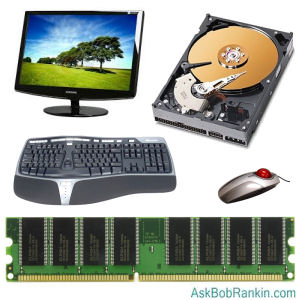
Upgrading a monitor is a significant investment. But if you're often using two programs at once, or find your limited screen real estate is slowing you down (switching from one app to another, or always scrolling), a larger, higher resolution monitor may be a good investment. But you should also consider ADDING a monitor. Check out my article Dual Monitors: Good Reasons to Upgrade and consider the potential benefits of adding a second screen to your desktop setup.
In 2023, I was diagnosed with a retina problem that made it harder for me to see my computer screen. Having two 24-inch monitors side-by-side allowed me to increase font sizes as needed so I can manage better. After four eye surgeries, things are better, but I still find that having dual screens is a huge plus.
Amazon has a selection of 24-inch computer monitors (rated 4-stars or higher) starting at $76. This Sceptre 24-inch IPS Monitor has both HDMI and VGA Ports, Full HD resolution, built-in speakers, and tiltable stand. If you want something larger, this ViewSonic 32-Inch 32 Inch 1080p Frameless Widescreen IPS Monitor is available for $170 with free shipping. Two of those would make an awesome dual-monitor setup!
Keep in mind that you may need a better graphics card to match the ports and capabilities of a modern monitor, or a dual-monitor setup. A dedicated graphics card can take some computing burden off your CPU, making actual computation faster; but the increase in CPU performance won’t be very large.
Upgrading Memory and Hard Drive
More RAM memory provides significant performance boosts at reasonable cost, up to a point. If you have too little RAM for the types of applications and the size of data files that you use, a lot of time and CPU power is wasted swapping data from RAM to disk and back again in “pages.” On the other hand, excess RAM just sits there idle, a waste of money that makes no discernible difference in performance.
A rule of thumb is that general home users need a minimum of 4 GB of RAM; business and power users, 8 GB or more; and only the busiest video editors, database administrators, or gamers need 16+ GB of RAM. But modern versions of Windows can work with up to 2 TB (terabytes) of RAM memory. The operating system you have is very important when considering buying RAM. 16 GB of RAM memory can cost as little as $30. See my article Will More Memory Speed Up Your Computer? for more tips on upgrading your system's RAM memory.
Increasing the size, thoughput and access speed of hard drive storage is a tempting upgrade option. A traditional magnetic hard drive that spins at 7200 rpm is much better than one spinning at 5400 rpm. Solid-State Drives (SSDs) are faster, but they are more expensive compared to magnetic hard drives. But here's something to consider… right now, a 1 terabyte (1000 gigabytes) magnetic hard drive costs about the same as a 256 GB SSD drive -- roughly $40-$45. But if you've only got 100 GB of data, the SSD is obviously a better buy, even though it holds about one fourth as much data.
About that cosmic computer crud... If you're thinking about a new hard drive because you're running out of space to stash your stuff, first try a little spring cleaning, and see how many gigabytes of garbage you can get rid of. Unwanted software, temp files, an old operating system, and duplicate files can chew up a lot of space. A careful pruning of music, photos, and video files may yield big gains as well. See Optimize Your Hard Drive: How and Why for more tips and free software you can use to get the job done.
One other consideration is that the slowness problem might not be completely your computer's fault. You might also want to look into a faster internet connection to improve browsing speeds and reduce loading times.
What About Windows 11?
A word about Windows 11 seems appropriate here. You're probably aware by now that Microsoft has released Windows 11, but there has been much confusion about the hardware specs required to run the newest version of the Windows operating system. The short answer is if your computer is more than three years old, it probably won't make the cut. Microsoft says that to run Windows 11, your PC must have the Secure Boot feature, a TPM 2.0 chip, and an 8th-generation or newer Intel CPU (or certain AMD Ryzen processors). That's geeky, I know, but you can run the Microsoft PC Health Check App to find out if your PC is compatible.
(There are some workarounds to get a computer that does not meet those requirements upgraded to Windows 11. See How to upgrade your 'incompatible' Windows 10 PC to Windows 11.)
So here's my advice for Windows 10 users: If you're thinking about a new computer, it will come with Windows 11, so on the hardware front you're covered. If your computer doesn't have all the bells and whistles required to run Windows 11, you're really not missing much. Windows 10 will continue to run just fine on your current PC, and is supported through October 2025. Microsoft has said that Extended Security Updates will be an option for consumers who wish to continue running Windows 10 beyond that date, but the company has yet to provide any details about the cost.
Deciding whether to upgrade or buy a new machine can be difficult. But doing the actual upgrades requires only a screwdriver and a little gumption. If you are comfortable installing upgrades yourself, just add up the costs of planned upgrades and compare it to the price of a new computer. But that simple cost analysis ignores half the cost/benefit ratio. You really don’t know how well an upgraded computer will perform until after you buy and install the upgrade(s), so it’s impossible to compare it to a new machine.
Generally, I would buy new rather than spend more than a third of new’s cost on upgrades. Check out some of these recommended desktop and laptop models to get an idea of what a new one would cost.
What upgrades have you done on your computer? Are you glad you did? Your thoughts on this topic are welcome. Post your comment or question below...


This article was posted by Bob Rankin on 17 Sep 2024
| For Fun: Buy Bob a Snickers. |
 |
Prev Article: Optimize Your Hard Drive: How and Why |

The Top Twenty |
Next Article: Geekly Update - 19 September 2024 |
 |
Post your Comments, Questions or Suggestions
|
Free Tech Support -- Ask Bob Rankin Subscribe to AskBobRankin Updates: Free Newsletter Copyright © 2005 - Bob Rankin - All Rights Reserved About Us Privacy Policy RSS/XML |
Article information: AskBobRankin -- Here's How to Upgrade Your Older Computer (and when you shouldn't) (Posted: 17 Sep 2024)
Source: https://askbobrankin.com/heres_how_to_upgrade_your_older_computer_and_when_you_shouldnt.html
Copyright © 2005 - Bob Rankin - All Rights Reserved
Most recent comments on "Here's How to Upgrade Your Older Computer (and when you shouldn't)"
Posted by:

hifi5000
17 Sep 2024
I have worked on many computers for individual projects and the like.I find adding RAM (memory) is a good step to improve the performance of a computer.
I usually look inside a computer to see if it has standard SATA connectors.If it does,I will make the effort to upgrade it.If it doesn't have those connectors and instead has the old IDE strips,I will pass on it.
For your guidance,if a computer is ten years old or less,you will have a good chance to upgrade it successfully.
Posted by:

Charley
17 Sep 2024
As I said here several years ago, upgrading from a hard disk to SSD made my 2015 Acer computer run much faster. Everything runs faster. Instead of taking several minutes to boot, it boots in about 30 seconds. Programs start almost instantly.
I will probably update it next year to a newer Windows 11 system. Haven't decided which one to get. I don't play computer games so that isn't an issue.
And even though I am tech savvy enough to build one (case, motherboards, drives, etc.), at this point I would rather just buy one already put together.
Posted by:

Kirill
18 Sep 2024
Rules of thumb for me regarding computers are pretty simple. The CPU should be at least Intel i5 or corresponding AMD one, at least 16Gb of RAM and at least 256Gb SSD (for a Windows computer). So for relatively light works, like usual office tasks, almost every old computer will work. Intel i-family is a mark for "not too old" computer, anything older is pretty questionable from my point of view. I'm almost sure it will work, but compatibility could be a problem - once I tried to run Windows 1.6 at a Pentium I (as I recall) computer - it froze. But if you have such an antique with matching software it will work for you too, for example, office software still support old formats and basic tasks are still the same, as 10, 20 or even 40 years ago. "New", "Upgraded" office programs essentially just have more bells and whistles, so they need more powerful hardware for them, not for basic stuff that still the same. It's just one of tricks of computer and software manufacturers to persuade you to spend some money for a new things that actually not so necessary.
So, read the manual (RTFM), specs of your old computer (motherboard), find how much RAM it can have maximum (possible, CPU change as well), if there is a SATA connector, switch HDD to SSD even if it's an old SATA, like SATA I - it will work. Once I upgraded 2008 Toshiba laptop with SSD - with Windows 8 and max RAM (not sure 4 or 8Gb) it worked pretty good. You'll get a perfect companion for any trip - well build old champ that you would not afraid to accidentally drop and nobody would want it to steal.
Regarding Windows 11 - I didn't check Bob's article, but I'm sure all options are working. I tried registry fixes, but they didn't work for me, so I tried Rufus and it worked perfectly. I did it with a relatively new computer with TPM 1.2 chip.
And, of course you can switch to Linux or ChromeOS - they can work at weaker hardware, than Windows. Now I have three computers - Windows 10, Windows 11 and Linux Xubuntu. I use them through KVM switch (Keyboard-Video-Mouse) connected to 32" LG display and mechanical keyboard (with click - yeah, I'm old fashion IBM-style keyboard lover). One computer is 2012 Dell Inspiron 660 desktop (8Gb RAM, 256GB SSD, Win10), others are 2020 HP Enterprises EliteDesk 705 G4 Mini with AMD Ryzen 5 2400GE (16 - Xubuntu and 32Gb RAM - Win11). 8Gb is definitely not enough for my use of the Dell computer, but I'm still on the fence for RAM upgrade. Since I'm not a gamer, I don't need cutting edge hardware, so these modest computers are OK for me.
For RAM and drive upgrade I use Crucial site (https://www.crucial.com/store/advisor) - it's pretty handy. I bet there are other sites for the same purpose, but until it works for me...
Sorry for a long comment, but hope somebody will find something useful there.
Posted by:

Kimberly
19 Sep 2024
Sounds like a good time to make a switch to Linux and ditch the Windows ever expanding monolith. I am tired of being forced to give up what works for new "features" I will never use. Any suggestions which Linux version would be good for a first time user with only basic computer skills?
Posted by:

Stukahna Sandbahr
25 Sep 2024
Kimberly- maybe this will help: https://laptopwithlinux.com/cat/privacy-academy/?ref=1699
Posted by:

GUE
01 Nov 2024
This adjustment speeds up Firefox by using your computer's RAM to store data instead of using your computer's much slower hard drive.
Move Your Cache To RAM:
1) Type this in the FireFox address bar:
about:config
2) Find:
browser.cache.disk.enable
and set it to "FALSE" by double clicking it.
3) Then find:
browser.cache.memory.enable
and set it to "TRUE" by double clicking it.
4) Then find:
browser.cache.memory.max_entry_size
5) Type in the number of kilobytes you want to assign to the RAM cache, for example:
10240, or 15360, or 20480 (the default size is 5120).
6) Restart FireFox and notice the speed up.
Posted by:

Josh
07 Nov 2024
If you need a monitor but are strapped for cash, I had great luck buying used. Yes, Facebook marketplace is mostly a cesspool these days, but there are frequently posts from companies who either upgraded their whole inventory or have gone fully remote. I was able to find a pair of Viewsonic 24" models that were ~ 3 years old for $10 each.