


HOWTO: Connect Your PC to TV, Wirelessly!
Wouldn't it be great to beam whatever is on your computer screen directly to your big-screen TV? Now you can wirelessly send Netflix, Hulu, YouTube videos, photos and computer games from your PC screen directly to your television screen. Even browse the web on your fancy big-screen HDTV. Here's how to make a wireless PC to TV connection... |
Making a Wireless PC to TV Connection
If you have a laptop or desktop computer with an average sized screen, you've probably thought "Wouldn't it be great if I could magically beam my computer screen to my nice big flat panel HDTV in the living room?"
Poof... you can! Some computers can connect directly to a television set with an HDMI cable, effectively turning your HDTV into a second monitor. But this is practical only over relatively short distances, and the cables can be messy and expensive. Computers that don't have HDMI outputs can make a wired connection to an HDTV by using a converter box such as the Manta VGA to HDMI with 1080p Scaler by Sewell.
But hey, we were trying to do this wirelessly. So enter the age of the wireless video sending device. By connecting a wireless video transmitter to your computer, and a wireless receiver to your television, the problem is neatly solved. So how does it work, and which device is best for wirelessly sending websites, YouTube videos, photos, games and other content from your computer screen to the TV?
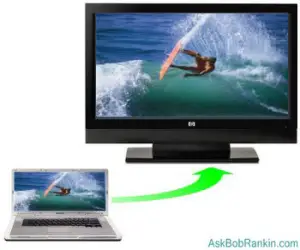
Let's look at several wireless PC to TV devices to determine which is right for you. Some of them will even send what's on your smartphone or tablet to your living room television screen!
Wireless PC to TV Options
WiDi (also called WWi-Fi Direct) is a technology from Intel that lets you stream HD 1080p content wirelessly from a WiDi-enabled computer to an HDTV. If the HDTV also has the WiDi feature, no cables or extra software are needed. Other HDTVs can be used by adding a WiDi adapter such as the Actiontec ScreenBeam Pro ($69), or the HP's Wireless TV Connect Kit ($159).
You can stream videos, music, photos and games from PC to TV, in high definition with surround sound. WiDi has low latency, which minimizes screen lag for interactive applications like videos and games. If you have WiDi on both your computer and your HDTV, this is an excellent solution.
Chromecast is a new gadget from Google that lets you wirelessly beam content from a PC or (or an Android smartphone or tablet) to an HDTV set. Stream internet content such as Netflix, YouTube, HBO GO, Hulu Plus, or Google Play Movies. You can beam web content via the Chrome browser, or use the screen mirroring capability to send whatever is on your PC screen to your HDTV. With a price tag of just $35, this has become a very popular device for bringing the small screen to the big screen.
A recently-announced streaming TV gadget is Amazon's Fire TV Stick. Like Chromecase, it's a convenient way to pipe online video content to your big-screen TV screen, instead of gathering the family around a laptop or tablet with a small screen and tinny speakers. Amazon offers a huge library of movies, TV shows and music for streaming.
Sewell Direct's Wireless PC to TV Converter connects to any PC, video game console or other VGA source with the included cable. The SW-28760 sends both audio and video signals to your TV from up to 150' away. Connect the receiver to your TV via video/audio cables. In addition, this unit can be utilized as a wired VGA to TV converter box with S-video, RGB and composite outputs. This unit is 480i VGA (not HD), so it's not recommended for text based applications such as email, unless you use a font of 14 points or larger. And although it'll send whatever is on your screen to your TV, the relatively low-res VGA signal may result in grainy videos. The Sewell Converter is very reasonably priced at $79.95.
The Veebeam HD wireless PC to TV link, priced at $99, promises that anything you see on your PC can be sent to your TV. Surf the web, or stream from Hulu, Netflix, or YouTube to your HDTV over a wireless link. Simply plug the USB antenna into your computer and "Veebeam it" to your TV in HD 1080p (high-def) video. The Veebeam is for in-room use, and cannot transmit through walls, making it best suited for laptops. Works with Windows Vista/Win7 and Mac OS X (10.5 or higher)
AItek's ProPC/TV Wireless Converter not only looks good, it does more than just conversion. Connect your laptop, desktop or Media Center PC to a TV up to 100 feet away, through walls, floors, ceilings and doors. With this device you can play a DVD, see what your kids are up to, display presentations and even send a greeting from your cubicle at work to the lobby, all from your PC. Add more receivers and send the media to multiple TVs. The ProPC/TV needs no software and has a price of $171.95, cables included.
Grandtec USA calls their converterUltimate Wireless. Use it for gaming, presentations or just browsing on your Mac or PC. With four channels, it has a range of 125 - 150', needs no software and has menu controls as well as zoom. Although the Ultimate's sending module has composite, S-video and RGB output, only composite video is available on the receiver. So you won't be getting HD quality video. But hey, you can always connect that composite output to a VCR or a video camera if you want to record what's happening on your computer screen. The Ultimate Wireless includes a battery pack for portable usage of the transmitter and has a price of $89.95.
Another option from Grandtec is the YFi2TV HD media streamer. This unit can connect to your PC (or your smartphone or tablet) over a wireless network, and stream music, photos and videos to your TV, in HD quality.
For completeness, I'll also mention the ROKU box, which I have previously reviewed. Priced from $59 to $99, it's a great solution for streaming HD quality movies from the Internet to your TV, using a wired or wireless connection. But it's not a general purpose "send your PC screen to your TV" device, either. ROKU connects to your Internet router, and pulls content from ROKU partners such as Netflix, Amazon Instant Video, Hulu Plus, and a variety of free and paid TV channels.
Other devices such as the Netgear NeoTV, Sony NSZ, Vizio CoStar, WD TV Play, Panasonic DMP, and the D-Link Movie Night all offer similar streaming options. Some support online online content, while others can stream local content such as movies, music and photos stored on the hard drive. Like Roku, none of these offer full screen-mirroring capability.
If you're looking for the best device for a Mac, iPad or iPhone, get the Apple TV. If your Mac is newer than mid-2011, then you can use Apple TV using AirPlay mirroring. It should also work on all iPhones or iPads that can run iOS6 or higher. Apple TV has Hulu Plus and Netflix out of the box. If you use iTunes, then your entire library is supported.
Summing Up...
All of the wireless PC to TV devices do pretty much the same thing -- sling content via wifi from your computer to your TV -- yet each has features that are unique. You may not need HD quality video, or the ability to stream wireless video 150 feet through walls. And of course, there's always the wired option for sending your PC screen to the TV. (See the first gadget mentioned near the top of this article.) Although the wires may be unsightly, you'll get better video quality, and eliminate the potential for interference from appliances and other signals floating around.
When choosing, check compatibility with your computer, operating system, and personal requirements. Look for actual customer reviews to how they perform in real-world situations. Have you used a wireless device to transmit from your PC screen to a TV? Post your comment or question below...


This article was posted by Bob Rankin on 12 Feb 2015
| For Fun: Buy Bob a Snickers. |
 |
Prev Article: Free Tools for Anonymous Web Browsing |

The Top Twenty |
Next Article: Get Your Phone Unlocked For Free |
 |
There's more reader feedback... See all 37 comments for this article.
Post your Comments, Questions or Suggestions
|
Free Tech Support -- Ask Bob Rankin Subscribe to AskBobRankin Updates: Free Newsletter Copyright © 2005 - Bob Rankin - All Rights Reserved About Us Privacy Policy RSS/XML |
Article information: AskBobRankin -- HOWTO: Connect Your PC to TV, Wirelessly! (Posted: 12 Feb 2015)
Source: https://askbobrankin.com/howto_connect_your_pc_to_tv_wirelessly.html
Copyright © 2005 - Bob Rankin - All Rights Reserved
Most recent comments on "HOWTO: Connect Your PC to TV, Wirelessly!"
(See all 37 comments for this article.)Posted by:

Sean B
29 Dec 2014
Is there any way to stream from my PC to a media player in a remote destination? For example, my mother lives in South Carolina and I live in Ohio - If I have a home video I want to stream to her TV (and assuming she has a media player connected to her TV), is there any way to connect to her network remotely and steam straight to her TV (live or otherwise)?
Obviously this could be done the 'hard' way - I could post to youtube and have her watch through youtube channel, or I could use remote login service - but is there a more elegant solution?
EDITOR'S NOTE: It appears that VLC Media Player will do that. See http://www.wikihow.com/Use-VLC-Media-Player-to-Stream-Multimedia-to-Another-Computer
Posted by:

Maggie
29 Dec 2014
Would any of these devices allow me to watch currently-showing TV programs? I do have Roku boxes on all my TVs, so Netflix, Amazon Prime, Hulu are not an issue. However, I'd like to "cut the cable", and still want access to some programs, like early morning local/US news (i.e., like CBS/NBC), and channels like The History Channel.
Posted by:

Smitty
30 Dec 2014
I enjoy my Roku box for Netflix, but also sometimes connect my laptop to the TV via HDMI cable so I can go to the CBS website and see those NCIS episodes I missed. We've also got an antenna on the roof, so a PC with an ATSC tuner card lets us watch broadcast TV on the computer.
Posted by:

steven
31 Dec 2014
If I cut the cord(I am not), how do I get Internet? :-)
EDITOR'S NOTE: Well obviously you can't cut ALL the cords (unless your neighbor has unsecured wifi). You need some sort of Internet connection, but you don't necessarily have to buy cable TV and telephone service along with it.
Posted by:

pshaw
31 Dec 2014
I'm a news junkie. I don't understand most of this tech discussion. So, is there any way I can get CNN, MSNBC & NBC & history channel without the hated Comcast (no chance for a dish).
Posted by:

Mark
14 Feb 2015
Do you think there is enough of a market out there for helping people connecting their PC to TV, troubleshooting wifi issues, etc to make $50K+ a year?
EDITOR'S NOTE: I suppose that would depend on how you market yourself... Let's say you charge $50/hour. You'd need 1000 one-hour appointments, or roughly 4 a day.
Posted by:

KELLY
06 May 2015
Hey bob whats up ....if I have a wireless connection to my tv and computer shouldn't they both be able to project what I am watching on my computer wirelessly without a cable? My TV already has applications on it which get sent from my computer to my tv, why can't I get a signal from my computer to project it on my tv? please respond at your earliest convenience!
Posted by:

Sheri
21 Jul 2015
I'd LOVE to be able to stream videos and possibly photos, wirelessly from my PC upstairs to my flat screen TV downstairs. But I find the whole thing so confusing that I am afraid to buy a device in case I cannot configure it properly :-(
Posted by:

Adrian Cargill
28 Sep 2015
My Veebeam is not working with Windows 10 and is anybody else complaining that the veebeam.com website is down (over a week now)?
Posted by:

scott
03 Nov 2015
can I stream my tv to my pc not pc to tv again my TV to my PC I have asked so many people and they say it can't be done please help
Posted by:

Cho
01 Feb 2016
@Scott Re: Tv to PC....Effectively, YES, you can. Put a Tuner card in your PC and feed the same source to it as you are feeding to your TV.
The end result is the same.
Posted by:

Cho
01 Feb 2016
It's my understanding that Chromecast does not actually send the content from the device you are Casting from; but causes Google to send the identicle content from online to the device being Casted to. The subtle problem therein is that you have to have internet connection. We who view our content via cellular connection and do not have internet cannot benefit from Chromecast. Yes, there is Hotspot via Cell, but it has a Data cost/limitation whereas the Cellular content is unlimited. (T-Mobile style).
Posted by:

Cho
01 Feb 2016
We are forced to cut all the cords as we are a full time Rv couple. We get OTA digital and Cellular only. Our HDMI inputs are serviced with an MHL to HDMI adapter on our T-Mobile Samsung cellular. (Hence Roku & Chromecast are NON-solutions).
T-Mobile recently started allowing unlimited Cellular content streaming. NOT to be confused with Hotspot service, which is NOT unlimited.
We use the Mobile Hotspot to connect to the internet only to update our Media Center channel guide.
Posted by:

David
02 Jun 2016
Do you have any suggestions for wifi to British televisions?
Posted by:

alireza
15 Mar 2017
hello Bob
I need to connect my laptop( sony vio series E) to MP-CL1A mobile projector from Sony, ofcorse wirelessly
it is done for android mobile phone easily
but I cant do it with my lap top
please give me a help,
thanks.
Posted by:

rootazoid
04 May 2017
Windows 7, still, and trying to serve my saved media folders (mp4, mp3, jpg) over to my TV. I used to be able to use ATI/AMD Catalyst with RF wireless mouse and keyboard and HDMI to my Onkyo HTR>TV. That software broke for me a couple of years ago. Lately I've been using various DLNA PC servers to go out to my Dish Hopper's Home Media App>TV. With that, just the Dish remote, no mouse or keyboard (which should still work given any input). Then after a Dish system software update the DLNA is suddenly serving videos at 1/20th the size, still with good audio. So that's now broken. BTW this DLNA is all through a Comcast router, wifi or ethernet, over to a 2007 Hitachi 51" RPTV with only one HDMI input.
I see that a lot of your suggestions are about piping web content, but I mainly care about my own saved media. What would you do?
Posted by:

Paul Farley
06 Jun 2017
I bought a Lenova ideacentre Stick 300+ computer. It comes with a hand held mouse and keyboard for 100 dollars. It has Windows 10 os. It plugs into my TV and does any thing a pc can do because it is a pc.
Posted by:

pdsterling
01 Oct 2017
I am very interested in this, however I live in a mobile home. my office used to be part of the carport, so I have a sheet of aluminum between this computer and the front room TV. can I overcome this? thanx in adv.
Posted by:

Andy
17 Nov 2017
Hoe to connect your pc to tv wirelessly? more like here are a few devices that will let you. I came here "expecting" to find out how to actually connect my pc to my tv not just read what I already know, my tv is wireless it has screen mirroring, I have a fire stick this also is wireless and can stream from my pc, but how do I actually do this. yes I cant click on my TV or Fire stick and set up screen mirroring but how the heck to I start it from my pc. I would like to watch a few videos from youtube and rooster teeth on my tv instead of my pc, but how I do this, how do I as this page states "connect your pc to tv wirelessly".
Posted by:

Jennifer Allen
02 Sep 2024
DELETED