


Daylight Savings Time
Daylight Saving Time (DST) arrives three weeks early this year (March 11), and will end one week later (Nov 4), to comply with revised Daylight Saving Time laws in many countries. Here's what you need to do to make sure your computer is aware of the new time keeping rules... |
|
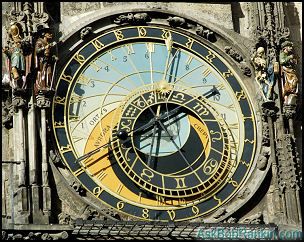 As if daylight savings time wasn't confusing enough already, the rules have changed again. This means your Windows, Mac, Linux and calendar software may need updating to handle the time change, or the time zone settings for your computer's clock may be incorrect during this four-week period. (For background on the new DST changes, see this page.) class="imgmain" />
Daylight Savings Time (DST) Updates
The good news is that if you use Windows Vista, Windows XP with Service Pack 2 with automatic updates turned on, you don't have to do anything. The DST patch should have been already downloaded and applied for you. But if you have Windows 98/ME, Windows NT or Windows 2000, you may need to take some action. Microsoft has created a Daylight Saving Time Help and Support Center to guide users through the process of identifying which software is affected and what updated needs to be applied. If you run any software that has calendar or scheduling features, such as Outlook, Exchange Server, SQL Server, Office Live Meeting, Dynamics CRM 3.0, Visual SourceSafe, or Entourage, I encourage you to visit this site just to be safe.
For those using older unsupported operating systems, Microsoft has provided a set of directions to implement the DST patch manually. But the process is not for the faint of heart, nor the novice user. Fortunately, the nice folks at IntelliAdmin have provided some free tools to update any machine running Windows 98 or higher. Visit their Daylight Savings Fix Downloads page and then scroll down to one of these links:
- Windows NT/2000/XP/2003 Daylight Saving Time Fix
- Windows 98/ME Daylight Saving Time Fix
Are you a Mac user? If you run Mac OS X 10.4.5 or later, you should have the necessary updates already via Software Update. See Apple's Daylight Saving Time Changes in 2007 page for instructions on how to update older systems. Got Linux? See Preparing Your Linux Systems for the new DST to get instructions on implementing the time zone updates.
Got comments or questions about the new Daylight Savings Time rules? Post your comments below...
|
|
|
|


Posted by Bob Rankin on 7 Mar 2007
| Need More Help? Try the AskBobRankin Updates Newsletter. It's Free! |
 |
Prev Article: Best Cell Phone |
|
Next Article: Website Gadgets |
 |

|
Link to this article from your site or blog. Just copy and paste from this box: |
Post your Comments, Questions or Suggestions
|
Free Tech Support -- Ask Bob Rankin Subscribe to AskBobRankin Updates: Free Newsletter Copyright © 2005 - Bob Rankin - All Rights Reserved About Us Privacy Policy RSS/XML |
Article information: AskBobRankin -- Daylight Savings Time (Posted: 7 Mar 2007)
Source: http://askbobrankin.com/daylight_savings_time.html
Copyright © 2005 - Bob Rankin - All Rights Reserved
 Free
Free

Most recent comments on "Daylight Savings Time"
Posted by:

Freeport
08 Mar 2007
Microsoft's DST fix for Outlook 2003 moved my appointments back one hour--of course, the doctor's office thinks the appointment is at the previous time--sheesh! Some fix!
Posted by:

Fred Belfitt
12 Mar 2007
I live in Cyprus, and being English, spend some time in England each year. It is now 12th March, and the time is now the same as it was on the 10th March. What did happen to the time adjustment. England and Cyprus are still on the winter time schedule.
EDITOR'S NOTE: This may help: http://webexhibits.org/daylightsaving/g.html
Posted by:

harrison
11 Jun 2010
I don't know about you, but both the springtime switch from standard-time to daylight-savings time, and visa versa, throws me for a loop. It can take my circadian rhythms about a week to straighten themselves out!
This year, however, I am hoping that it will be different! I have researched high n' low the best ways to gently, but swiftly, move my inner-clock to get into the daylight swing of it all.
____________________
harrison
Savings Accounts
Posted by:

smartbrains
25 Jun 2010
I think a very good savings time wasn't confusing enough already, the rules have changed again. This means your Windows, Mac, Linux and calendar software may need updating to handle the time change, or the time zone settings for your computer's clock may be incorrect during this four-week period.